
Skip to content

Your baking business, priced cake by cake

A client wants an 8-inch chocolate cake for Saturday and asks how much. Open the recipe and every line shows its math: two cups of flour become grams with flour's own density, and each gram is priced from the bag you bought. Add the box, the board, the ribbon, the hours you'll spend and a slice of this month's bills, pick your margin, and the price is there with its formula. Send the quote, and the order goes into the week with a reminder the evening before. No account and no ads.

Get it on Google PlayComing soon

The recipe card for version 1.0

Recipe unitsGrams, kilos, milliliters, liters, pieces, sticks of butter, and cups, half cups, tablespoons and teaspoons
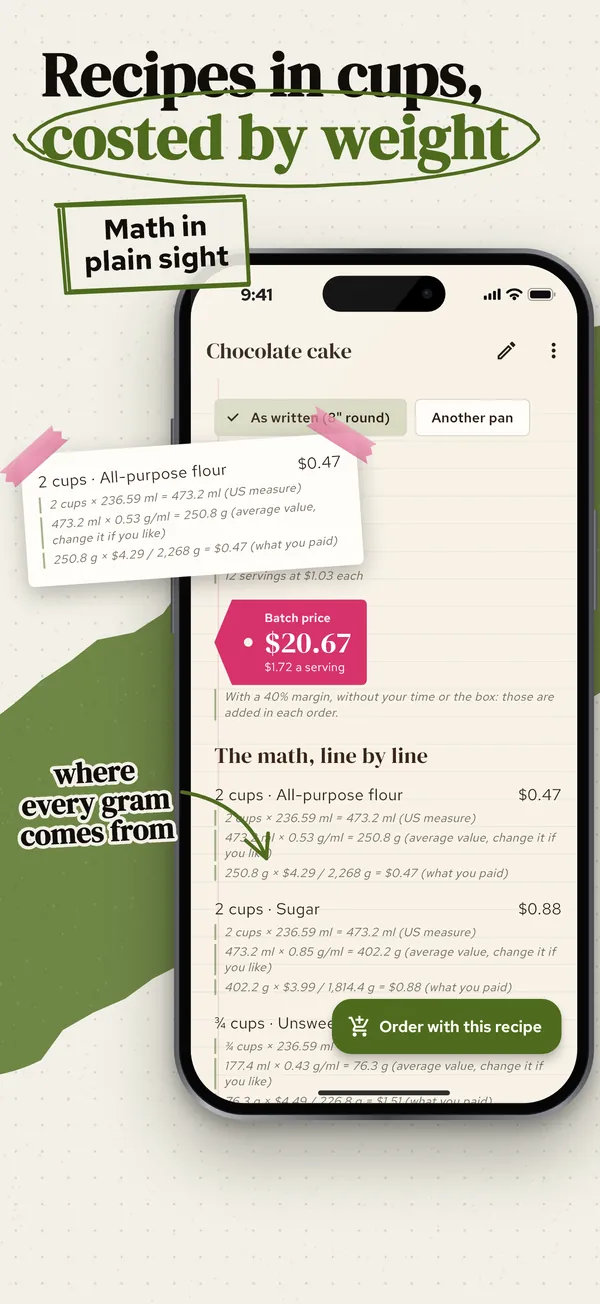
Cups to gramsUS cup of 236.6 ml × the ingredient's density from the app's dictionary, with its source shown; change it to what your cup weighs
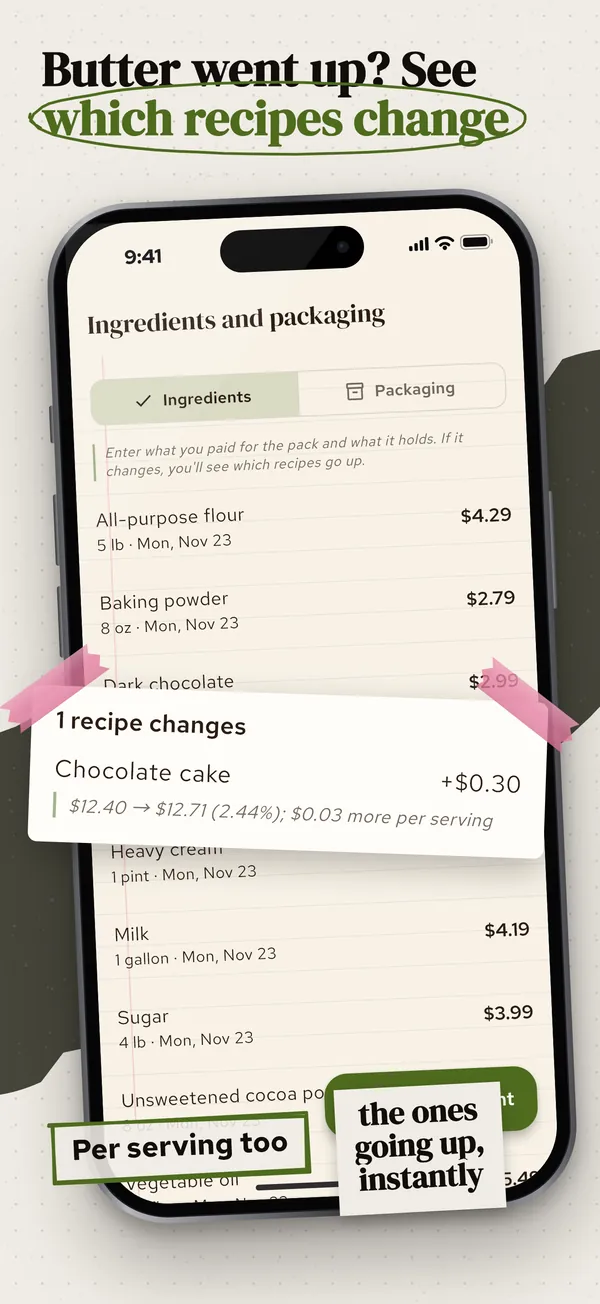
Costs worked outPer batch, per serving or piece and per kilo; recipes used inside others (a filling, a frosting) update in cascade
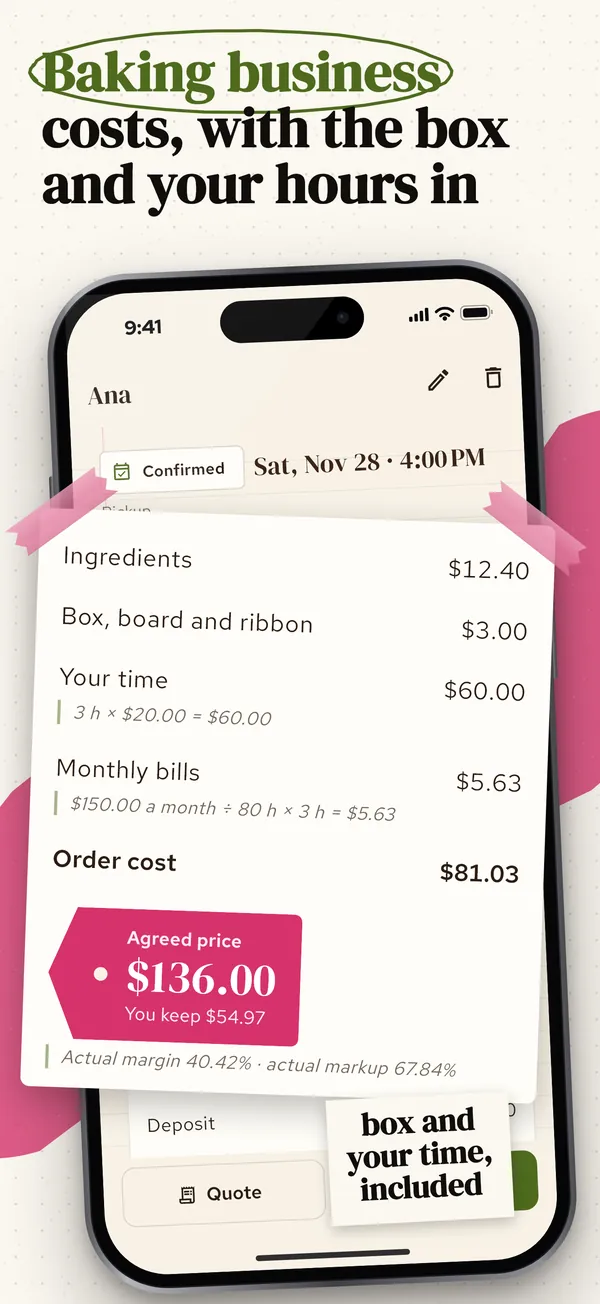
In the price of an orderIngredients, box, board, ribbon, delivery, your working time at your hourly rate and monthly bills shared across orders
Selling priceBy margin or by markup, formula always on screen, a fee or tax percentage you type, optional rounding and a warning when the price doesn't cover the cost
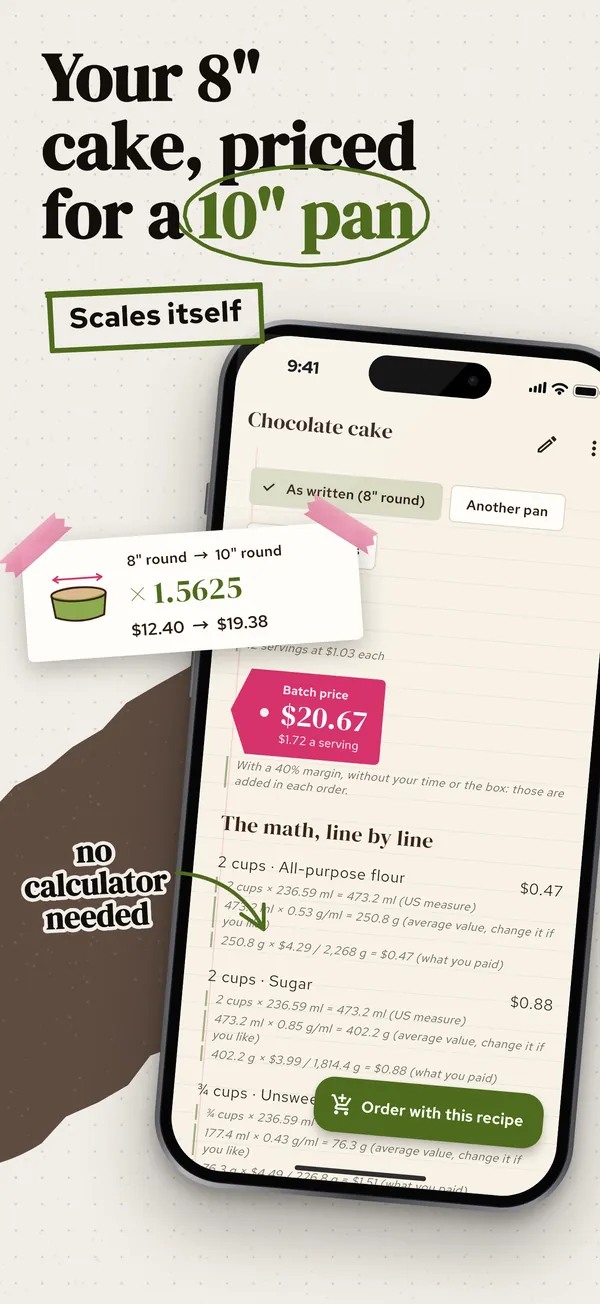
Another panRound, square or rectangular, in inches or centimeters; scaled by area, or by volume when both pans have a height
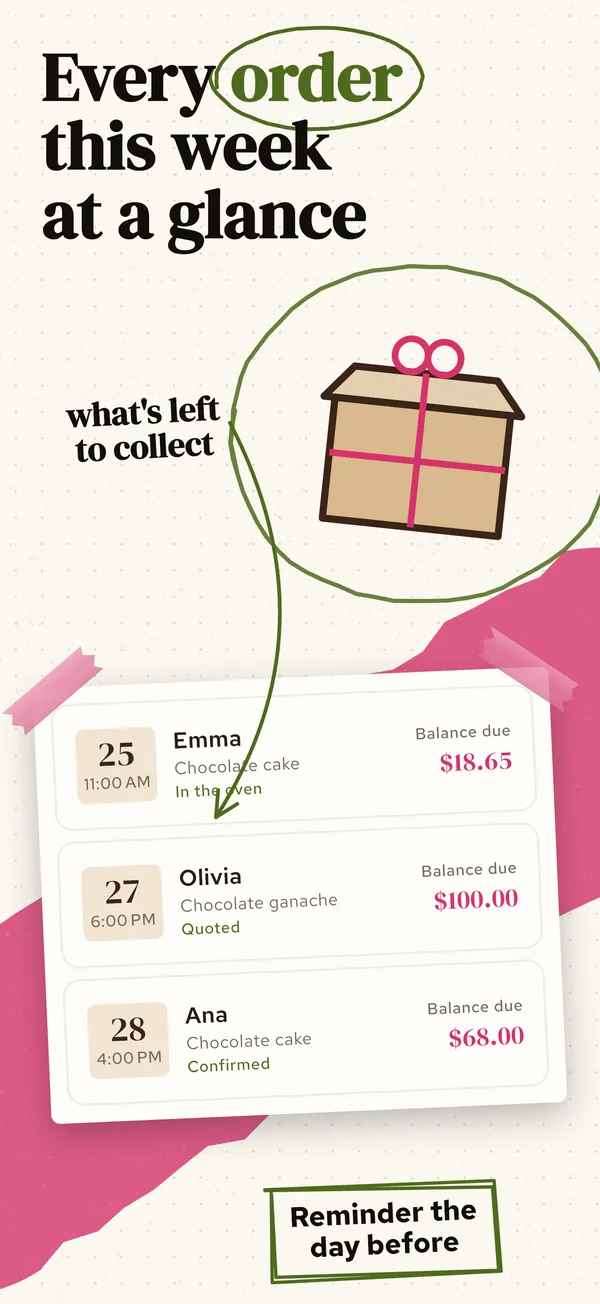
OrdersNo limit of clients or orders; Quoted, Confirmed, In the oven, Delivered, Paid; deposit written down; reminder at 7 pm the day before and on the morning of delivery
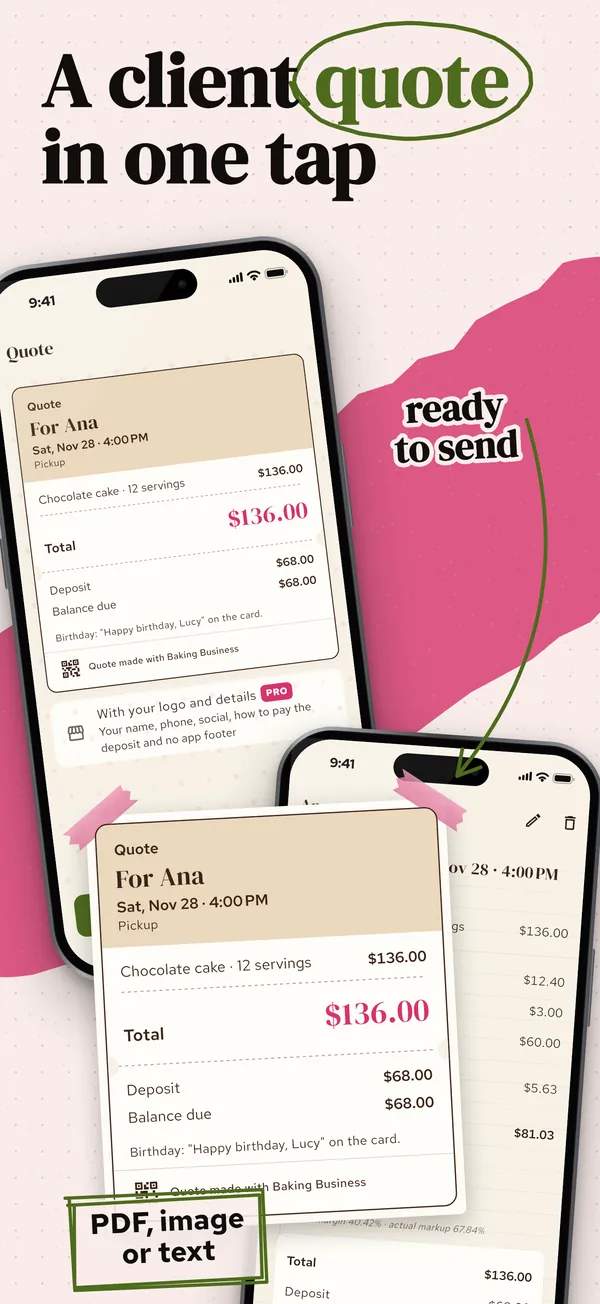
Client quotePDF, image or plain text from your phone's share sheet; free with the app's footer, Pro with your logo and details
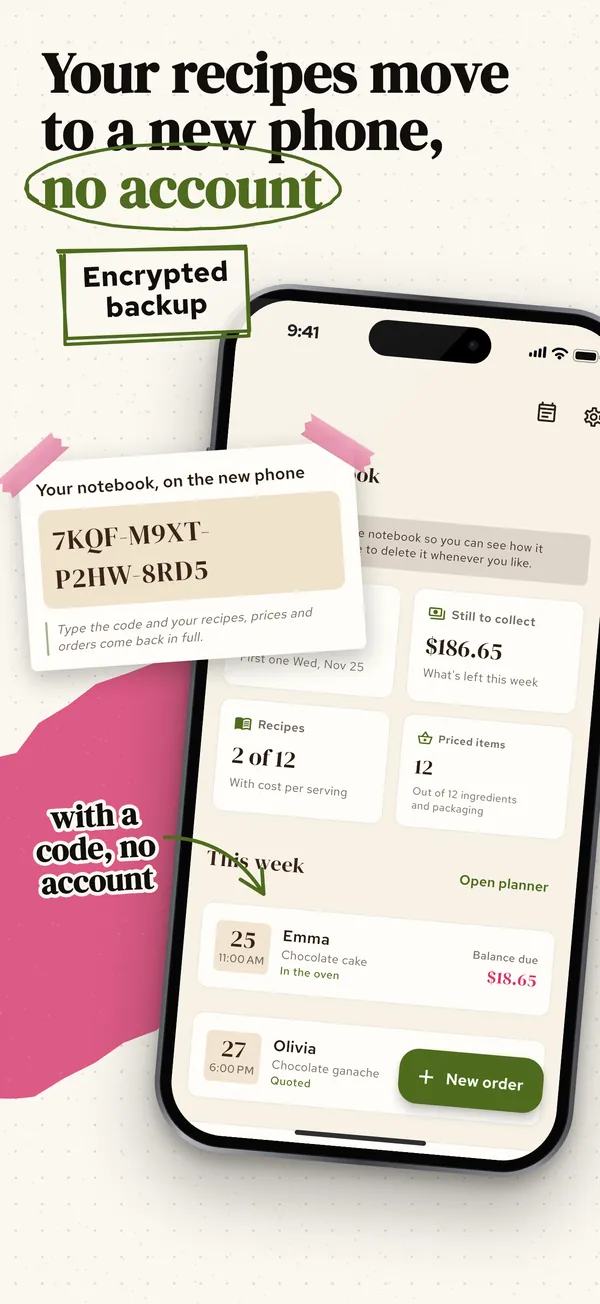
New phoneEnd-to-end encrypted backup and a code (or QR) to bring the notebook back; no account
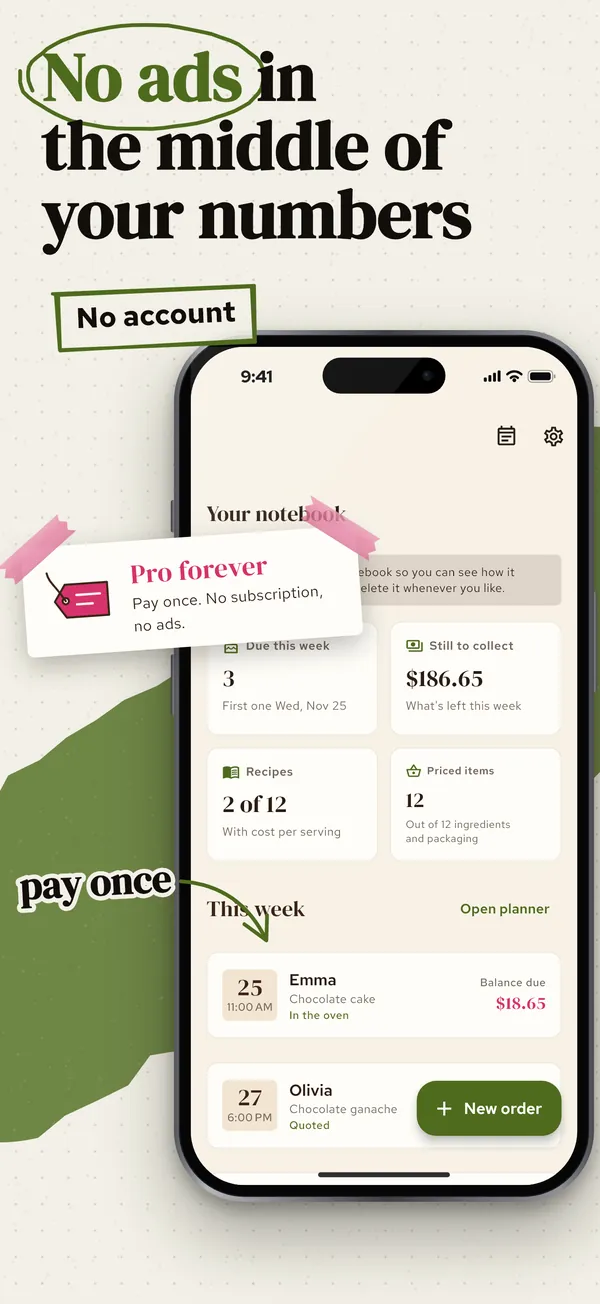
Free and Pro12 recipes, unlimited ingredients and orders free; Pro is one payment for unlimited recipes, recipe sheets, monthly summary, shopping list, price history, spreadsheet export and a helper
Not in version 1.0Taxes or bookkeeping, taking payments, picking clients from your contacts, nutrition labels

See the app

Before you quote the next cake

Write recipes the way you bake them

Most home bakers measure in cups and spoons, so the app does too. Each cup is turned into grams with that ingredient's density: flour weighs one thing, sugar another, cocoa another. The line shows the cup size, the density and where it comes from, so you can check it, and if your scooped cup of flour weighs 130 g, you type that and every price follows.

The box is part of the cake

Clients pay for the whole thing, not just the batter. Boxes, cake boards, ribbons, cupcake liners and delivery go into the order with what they cost you, and so do the hours you spend at your hourly rate and a share of the month's electricity, gas and rent. That's the number most bakers leave out.

It tells you when a price loses money

Choose margin or markup and the formula sits under the price with your numbers in it, so you can see why 40% markup isn't 40% margin. Add the percentage your marketplace or card reader keeps, round to a friendly price, and if the result is below what the cake costs you, the app says so in words, not just in red.

Every order in one week view

Write down who ordered, what, for when and how it gets there, the deposit she paid and what's still owed. Orders move from Quoted to Confirmed, In the oven, Delivered and Paid, and a reminder arrives the evening before and on the morning of delivery. No limit on clients or orders in the free version.

A quote the client can read

From the order, share a tidy quote as a PDF, an image or plain text: what's in it, the delivery, the total, the deposit and the balance. It goes through your phone's own share sheet to whichever chat you use. With Pro it carries your logo, your contact details and how you take the deposit.

Your recipes survive a new phone

Turn on the backup and the notebook is copied, end-to-end encrypted, so even we can't read it. On a new phone, type the code or scan its QR and everything comes back: ingredients, recipes, orders and clients. No account, no email, and it's part of the free version.

Orders and quotes stay free. Pro is one payment.

Unlimited ingredients, 12 recipes with every calculation, the whole order planner and the client quote cost nothing, carry no ads and won't be cut back in a later version. When you outgrow 12 recipes or want branded quotes, recipe sheets, the monthly summary, the shopping list, price history, spreadsheet export or a helper on her own phone, Pro unlocks them with a single purchase. There's no renewal to remember, you see your country's price before paying, and it follows your Google Play account to any phone.

How it works

  1. Open the sample notebook that comes with the app to see a cake priced end to end, then delete it with one tap.

  2. Add the ingredients and packaging you buy, with the price you paid and how much came in the pack.

  3. Write a recipe in cups, spoons or grams, or paste one from a message and check each line.

  4. Create an order: the cake, the box, your hours and the delivery. Pick margin or markup and look at the price.

  5. Share the quote, write down the deposit, and let the reminder tell you when it's time to bake.

Frequently asked questions

How much should I charge for a cake?

Start from what it really costs you: every ingredient at the price you paid, the box and ribbon, your working time and a share of the month's bills. The app adds those up for each order and then applies the margin or markup you choose, showing the formula. It never decides the price for you, but it warns you when a price doesn't cover the cost.

Can I enter recipes in cups instead of grams?

Yes. Cups, half cups, tablespoons and teaspoons are converted into grams using the US cup (236.6 ml) and each ingredient's density, with the source shown. Densities are averages, not a scale: if your cup weighs differently, change it and the costs update.

What's the difference between margin and markup?

Markup is added on top of the cost; margin is the share of the price that's left after the cost. A $20 cake with a 50% markup sells for $30, which is a 33% margin. The app lets you pick either one and always shows the calculation with your numbers.

How do I price the same cake in a bigger pan?

Open the recipe and choose Another pan. Going from an 8-inch to a 10-inch round pan multiplies the recipe by 1.56 (the ratio of the areas), and the app shows the new quantities and the new cost. If you give both pans a height, it scales by volume instead.

Does it work for cookies, cupcakes and other sweets?

Yes. A recipe yields servings or pieces, plus its finished weight if you know it, so a batch of 24 cupcakes is priced per piece and a tray of cookies per kilo; an order can be a box of 12. Frostings and fillings are recipes of their own that you can use inside others.

Will I lose my recipes if I change phones?

Not if the backup is on. The notebook is copied end-to-end encrypted, and on the new phone you enter its code or scan the QR. It's free and needs no account. Without the backup, everything stays only on the phone where you wrote it.

Does the app do my taxes or take payments?

No. It works out costs and prices from what you type, including a fee or tax percentage you set yourself, and it records the deposit a client paid. It doesn't calculate your taxes, keep your books, charge clients or create payment links.

Support

A price that doesn't look right? Write to soporte@ambarstudios.app with the recipe or order and the numbers you expected, and we'll go through it line by line. Pro is tied to the Google Play account that bought it: on a new phone, sign in with that account and tap Restore purchases in Settings.