Contact lens tracker listings all promise the same thing: "never forget to replace your lenses." The differences only show up after a few months. We read about 50 negative reviews of apps in this category, installed the most-downloaded Android ones on a current phone, and boiled it down to three questions.
Question 1: Does the reminder actually arrive?
This is the whole job, and it's where the category fails most. Of roughly 50 negative reviews, 26 say the change reminder never came. "App tracks but doesn't alert, which was the whole point," as one put it. The pattern is the same in English, German and Japanese.
When we installed one popular Japanese app for two-week lenses, its own home screen told users that if notifications don't arrive, they should allow auto-start in their phone's settings. The test notification did arrive. The real one fires only on the last day.
What we built against that: reminders scheduled on the phone itself, no internet needed, set again whenever you open the app or restart the phone. Settings has an "Are your reminders arriving?" check that looks at the notification permission and battery saver and sends a test.
Question 2: Does it count what you actually do?
Almost every tracker counts days from a start date. That's the right baseline: monthly lenses are replaced 30 days after opening, worn or not. But six reviews ask for something on top: counting the times they actually put lenses in, or not having to "skip" days by hand.
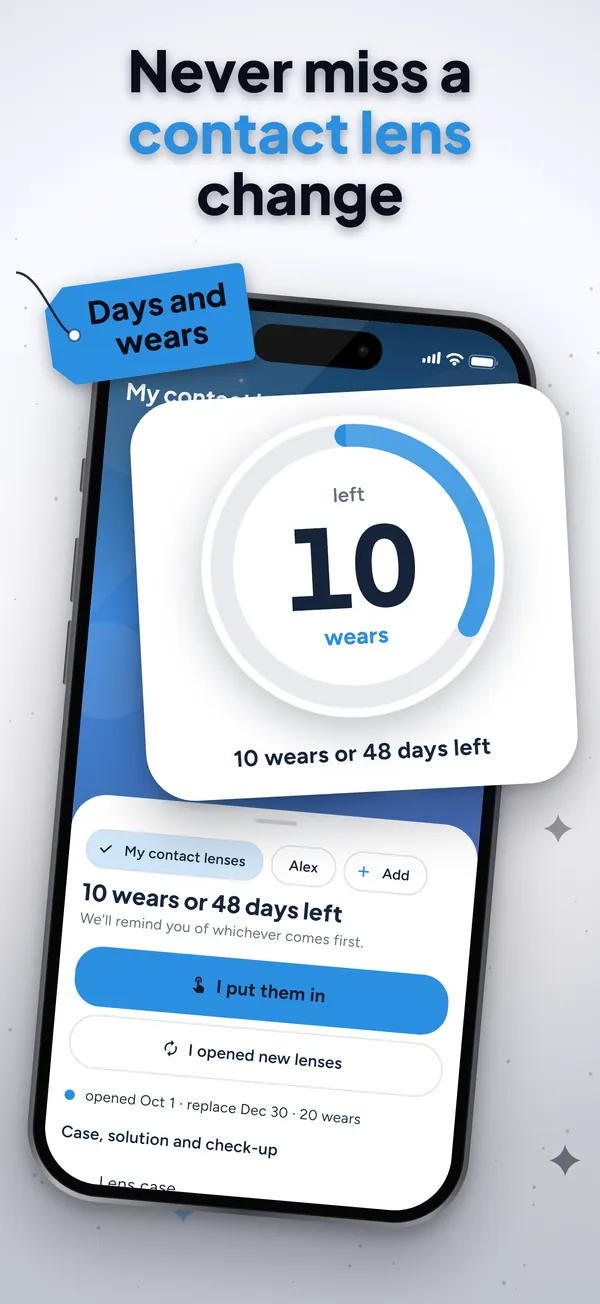
Ours keeps both limits at once. Days since opening are always on and never exceed the type (1, 14, 30 or 90 days, or less if your eye doctor says so). If you also count wears, it reminds you by whichever comes first. It never lets you stretch a pair past its days.
Other things worth checking: left and right eye tracked separately (ours: free; the App Store leader: premium), and logging a wear without opening the app. Our daily reminder has a "Yes, I put them in" button, and the widget logs a wear with one tap.
Question 3: What does a year cost?
For a reminder, prices vary more than you'd think. US data from November 17, 2026:
| App | Ratings | Cost over a year | Ads |
|---|---|---|---|
| Contact Lenses Tracker (DOUBLE U), App Store | 949 (4.59) | $14.99/yr, or $1.49/mo | Video ads in the free version, per reviews |
| Contact Lens Reminder - Widget, App Store | 75 (4.68) | $3.99 once to remove ads | Yes, until you pay |
| Lensly, App Store | 3 (4.67) | $0.99–$19.99 | — |
| Smart Contact Reminder, Google Play | 575 (4.44), 10K+ | $0.99–$32.99 | No "Contains ads" label |
| Lens Manager, Google Play | 1K+ downloads | Premium subscription; $3.49–$40.41 in the store | Full-screen ad on open, then a banner |
| Contact Lenses Time, Google Play | 306 (3.81), 10K+ | Free | Last updated December 2017 |
| Contact Lens Days Left by Eye (ours), Google Play | Launched Nov 2026; zero ratings so far | Free essentials; $2.99 once | Never |
Over twelve months the App Store leader costs five times our one-time price, and its German reviewers complain about 30- to 90-second video ads before they can log a change.
The abandoned-app problem
Here's something listings don't tell you. On Google Play, three of the four most-downloaded apps in this category (Contact Lenses Time, Contact lenses by Slavik_pr and My Contact Lenses, each 10K+ downloads) can no longer be installed on a current phone: Play says they were built for an older version of Android. Their last updates date from 2017, 2018 and 2023. If you have one from years ago it may still open, but a new phone won't get it.
Cases where we'd point you elsewhere
- iPhone users: we're on Google Play only for now. On the App Store, DOUBLE U's tracker has the most ratings by far.
- You want your optician in the loop. Some apps come from opticians or lens makers and connect to their store and appointments. Ours doesn't talk to any shop.
- You want everything free and don't mind ads. Lens Manager tracks days per eye without paying.
- You want proof at scale. There are no reviews of ours yet.
What's missing from ours
- Case, solution, spares, eye exam reminders, multiple pairs, stats and CSV export are in the $2.99 purchase. One pair with both limits, each eye, the widget, the reminder and history are free.
- No account and no cloud sync. Moving to a new phone uses an encrypted backup file.
- Zero ratings. Launched in November 2026, so there's no long-term track record.
A five-minute test before you commit
Install two candidates. Add a fake pair and use the test-reminder option if there is one. Lock the phone and wait. Check what's behind the paywall and whether an ad shows before you can log anything. Still unsure about the rules themselves? Read how long you can wear monthly contacts and how often to replace your contact lens case. Ours is on its page.
This app only records and reminds. It doesn't replace your optometrist or ophthalmologist. If your eye is red, painful or your vision is blurry, take your lenses out and get it checked.