A free trial isn't free if you forget it. Most convert into a monthly or yearly charge the moment they end, and some go straight to a full year. Canceling is simple, but only if you do it in the right place and at the right time.
The two rules that matter
- Cancel where you started. A trial started in an iPhone app is canceled in your Apple subscriptions, not in the app and not on the company's website. One started on a website is canceled on that website. Deleting the app cancels nothing.
- Don't wait for the last day. On the App Store, a subscription renews unless you cancel at least 24 hours before the period ends. Other platforms have their own cutoffs. Canceling a few days early is the safe habit.
On iPhone or iPad
- Open Settings and tap your name.
- Tap Subscriptions.
- Tap the trial and choose Cancel Free Trial (or Cancel Subscription).
Apple notes that when you cancel during a free trial, you might lose access right away. If you want to finish the trial first, set a reminder for two days before it ends and cancel then.
On Android
- Open Google Play.
- Tap your profile picture, then Payments & subscriptions, then Subscriptions.
- Pick the trial and tap Cancel subscription, then follow the prompts.
Read the confirmation screen: it tells you until when you keep access. If you have more than one Google account on the phone, make sure you're in the one that started the trial.
On a website
If you signed up on the company's site with a card, cancel there:
- Look under Account, Membership, Plan or Billing.
- Some services only let you cancel from a web browser, not from their app.
- Expect a "Are you sure?" screen or a discount offer. Keep going until you see a clear cancellation confirmation.
- If there's no cancel button at all, use their support chat or email and ask for written confirmation.
On a streaming device or smart TV
Trials started on a streaming stick or a TV are often billed by the device's platform, not by the streaming service. Cancel in that platform's account (on the device, or on its website under subscriptions). If you can't find the trial in the service's own account page, this is usually why.
Through your carrier or a bundle
Trials that came with a phone plan or internet bundle are canceled with the provider that bundled them. Call or use their app, and ask for the end date in writing.
Keep proof
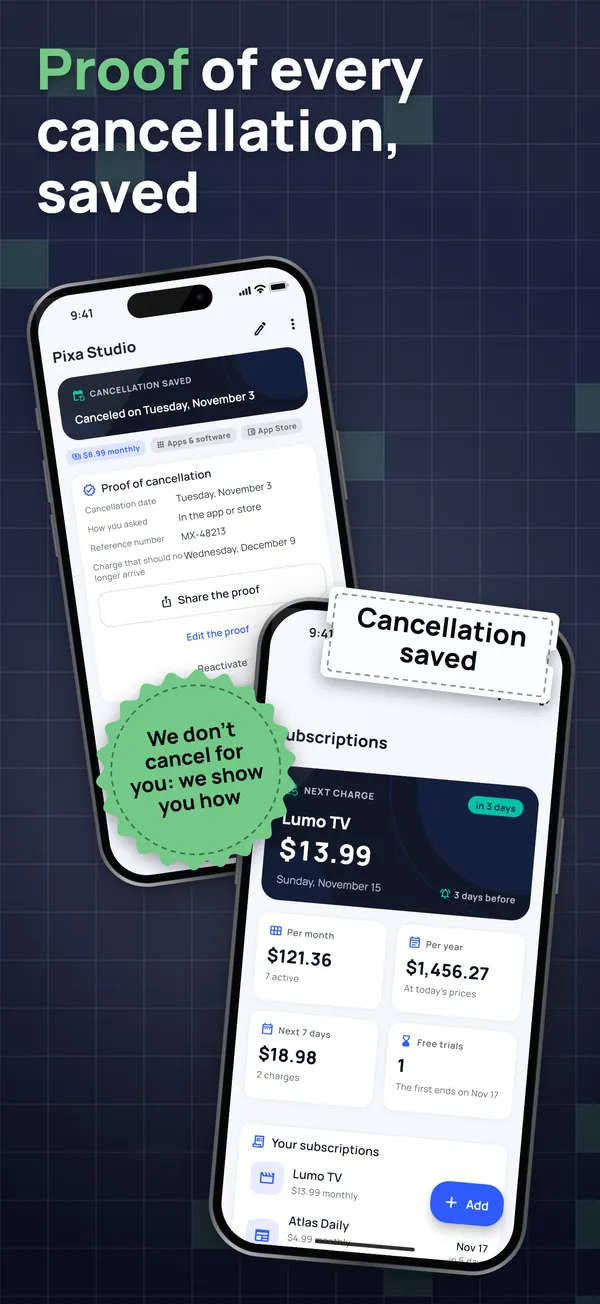
Whatever the channel, save the evidence: a screenshot of the cancellation screen, the confirmation email and the date. If a charge shows up anyway, that proof is what gets your money back. Being charged after canceling is the most common complaint we found in reviews of subscription apps: 224 of the 1,230 negative reviews we read.
Already charged?
- App Store: request a refund at reportaproblem.apple.com. Apple reviews each request; forgotten trials and accidental purchases are common reasons.
- Google Play: within 48 hours of the charge you can request a refund from your Play order history. After that, Google points you to the app's developer, whose contact email is on the app's Play listing.
- Website or service: contact support with your cancellation proof and ask for a refund in writing.
- Still stuck: your card issuer can open a dispute for a charge after a documented cancellation.
Stop it from happening again
The real fix is to set the reminder when you start the trial, not later. You'll want:
- the date the trial ends,
- the price it turns into,
- and a reminder a couple of days before.
That's three things to remember for every trial, which is exactly where people slip. Some apps sell this as a premium "trial detector"; one we looked at charges $39.99 to $69.99 for it.
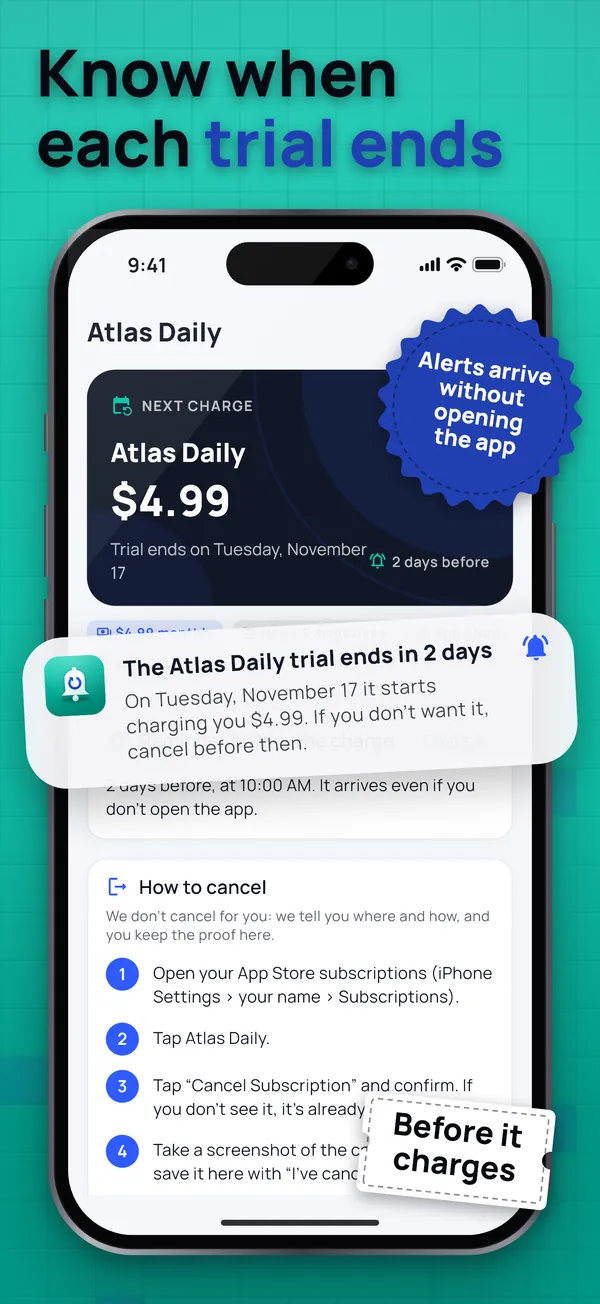
In Subscription Tracker & Bills, you mark a subscription as "It's a free trial", enter the trial end date and the price after the trial, and the app schedules the end-of-trial alert on its own. Every regular subscription also gets a reminder 3 days before it renews. The alerts are local on your phone and arrive without opening the app, and the app checks that notifications are allowed so they don't silently fail.
When you cancel, you can save the date, channel, confirmation number and a screenshot as proof. On the day the next charge would have landed, the app asks whether you were charged again and, if so, walks you through disputing it.
It's free for up to 7 subscriptions, trial alerts included, with no bank link, no account and no ads. Unlimited is one $9.99 payment. To catch the trials you've already forgotten, start with how to find all my subscriptions. If you're comparing apps, see our best subscription tracker apps roundup, and for a monthly routine, our subscription tracker app guide.