You don't need a paid service or a bank-linked app to find your subscriptions. You need about half an hour and a place to write things down. The trick is knowing where to look, because subscriptions are billed through at least four different channels, and each one keeps its own list.
Set up a note or spreadsheet with five columns: name, amount, how often, next charge date and billed through. That last column matters most later, because it decides where you cancel.
Round 1: your phone's app stores
This round usually turns up the most forgotten free trials.
iPhone
- Open Settings.
- Tap your name at the top.
- Tap Subscriptions.
You'll see Active and Expired. Read both. Each active one shows its price and renewal date. If a charge on your card says Apple but you can't match it to anything here, check Settings > your name > Media & Purchases > View Account > Purchase History, which lists every charge with its date.
If your family uses Family Sharing, the organizer may be paying for things others signed up for. Ask around.
Android
- Open Google Play.
- Tap your profile picture in the top right.
- Tap Payments & subscriptions, then Subscriptions.
If you have more than one Google account on the phone (personal and work, for example), switch accounts and check again. Each has its own list.
Round 2: cards and bank accounts
Round 1 only finds what you bought through the app stores. Everything you signed up for on a website is billed straight to your card.
- Open the last three months of statements for every card: debit, credit, and any you share with a partner. Look for the same amount on roughly the same day each month.
- Then scan twelve months for one-off charges. Those are annual renewals, the ones most likely to catch you off guard.
- Watch for unfamiliar merchant names. Many services bill under a parent company name, not the app's name. Search the merchant name online if you're unsure.
- Check your card app for a recurring-charges view. Several US card issuers now group recurring merchants in one screen. It's a good starting point, not a complete list.
- Look at checking-account auto-pays (gym, insurance, storage unit, utilities with add-ons). These come out by ACH, not by card, and live in a different part of your banking app.
Round 3: email, online wallets and shopping accounts
Your inbox
Search for each of these terms: receipt, renewal, "your plan", "free trial", "trial ends", invoice, subscription. In Gmail you can combine them, for example `subject:(receipt OR renewal OR "free trial")`, then sort by date. You'll find trial confirmations, renewal notices and price-increase emails you skipped.
Online wallets
If you pay with PayPal, open Settings > Payments > Manage automatic payments. Merchants you approved years ago can still charge you from there, and the name on your card statement will just say PayPal.
Shopping accounts
Big retailers bundle subscriptions too: delivery memberships, "subscribe and save" orders, video add-ons. Check the memberships and subscriptions page of any store account you use.
Round 4: the places nobody checks
- Your phone bill. Look for "third-party charges" or "premium services." Some subscriptions are billed through your carrier after a tap on an ad or a text message. Ask your carrier to block third-party billing if you don't use it.
- Bundles that start charging later. A phone plan or internet deal that "includes" a streaming service free for six months will often start billing on its own.
- Plans someone else pays for. A family member's account you're on, or one you pay for that someone else uses.
- Things you pay in cash or by check. Rare, but count them.
Turn the list into reminders
An audit is only useful if you don't have to repeat it from scratch every year. This is what we built Subscription Tracker & Bills for:
- "Find the forgotten ones" opens the App Store and Google Play subscription lists from Round 1 and reminds you to check your bank.
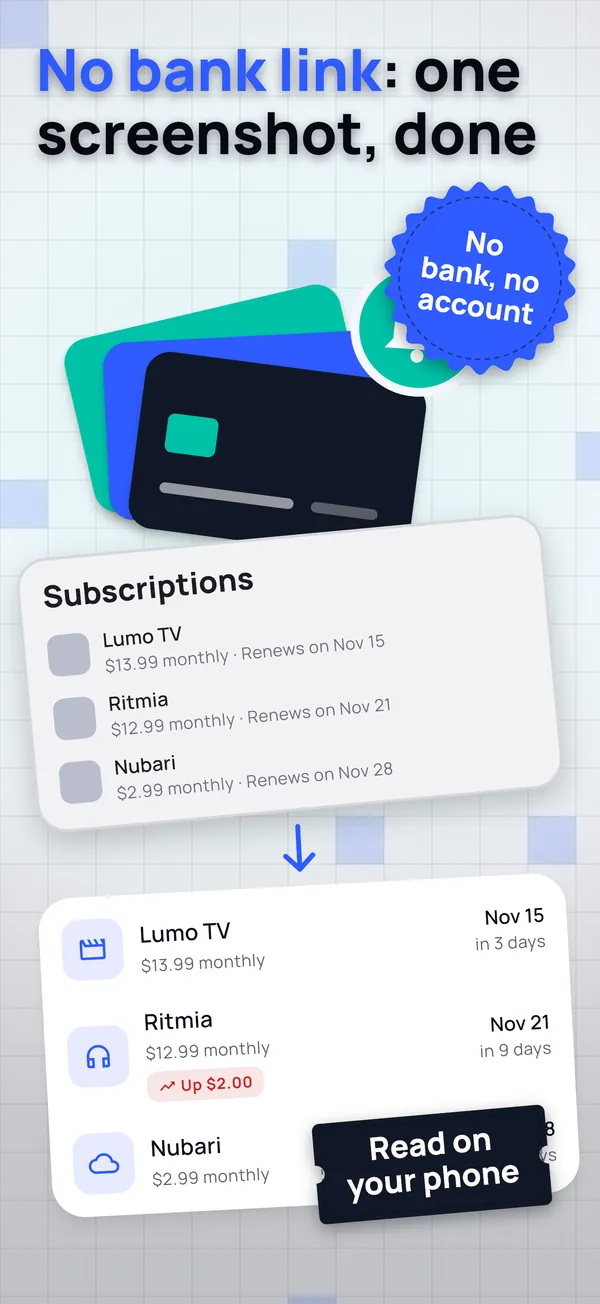
- Take a screenshot of each list, a statement line or a receipt. The app reads it on your phone, with no AI and no server, fills in each name, amount and date for you to confirm, and deletes the image.
- Every subscription gets a reminder 3 days before it renews, and trials get their own end-of-trial alert.
- Run the screenshot again later and the app flags anything that went up in price.
We'll be upfront about one thing: no app can read your iPhone subscriptions on its own, and we won't ask for your bank login. That's why the screenshot step exists. It takes a couple of minutes and nothing leaves your phone.
It's free for up to 7 subscriptions, with reminders, cancellation guides and proof of cancellation. Unlimited is a single $9.99 payment, not another subscription.
The short version
- App store lists on every phone and every account.
- Three months of every card statement, then twelve months for annual charges.
- Checking-account auto-pays.
- Email search, PayPal automatic payments and store memberships.
- Phone bill, bundles and family plans.
Found one you want gone? If it's a trial, see how to cancel a free trial before it converts. For a monthly routine that keeps the list current, read our subscription tracker app guide, and if you're choosing an app, here's our comparison of the best subscription tracker apps.