Skip to content

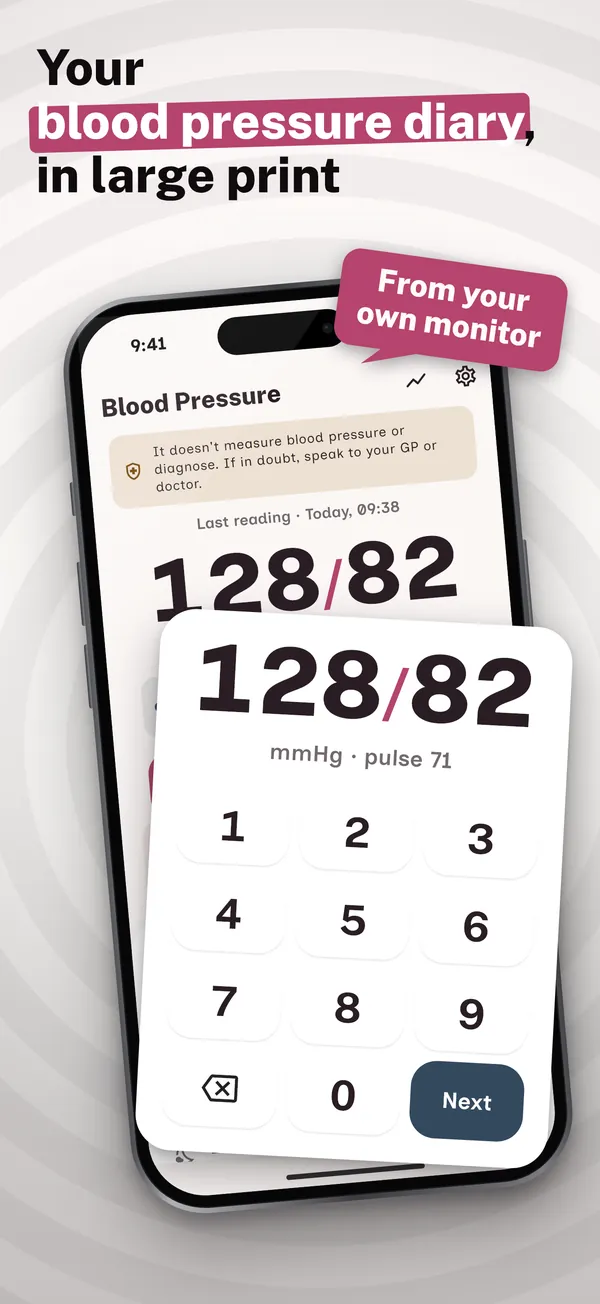
Your blood pressure diary, in large print

Add the blood pressure and pulse your monitor shows in seconds, with a large keypad and huge numbers. The app guides the home readings week your GP or nurse asks for (morning and evening, two readings a minute apart) and gives you the averages and a one-page PDF for the surgery. It doesn't measure blood pressure: it records your monitor's. No account, no adverts.

Download on the App StoreComing soonGet it on Google PlayComing soon

See the app

Why this blood pressure diary

The home readings week your GP asks for

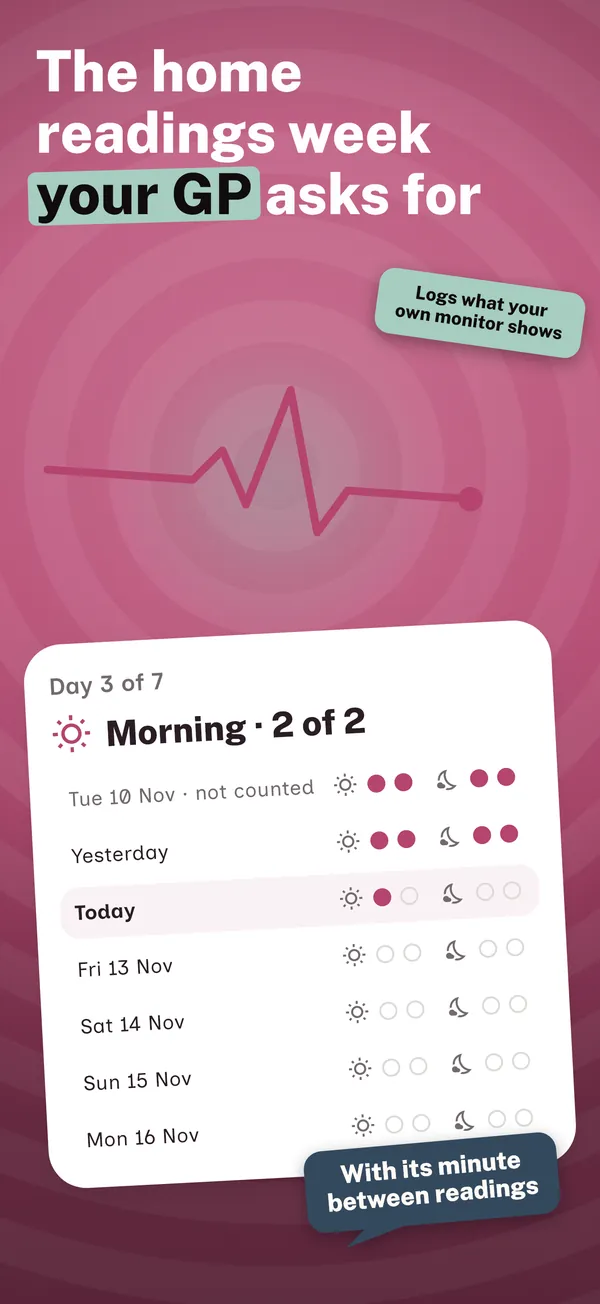
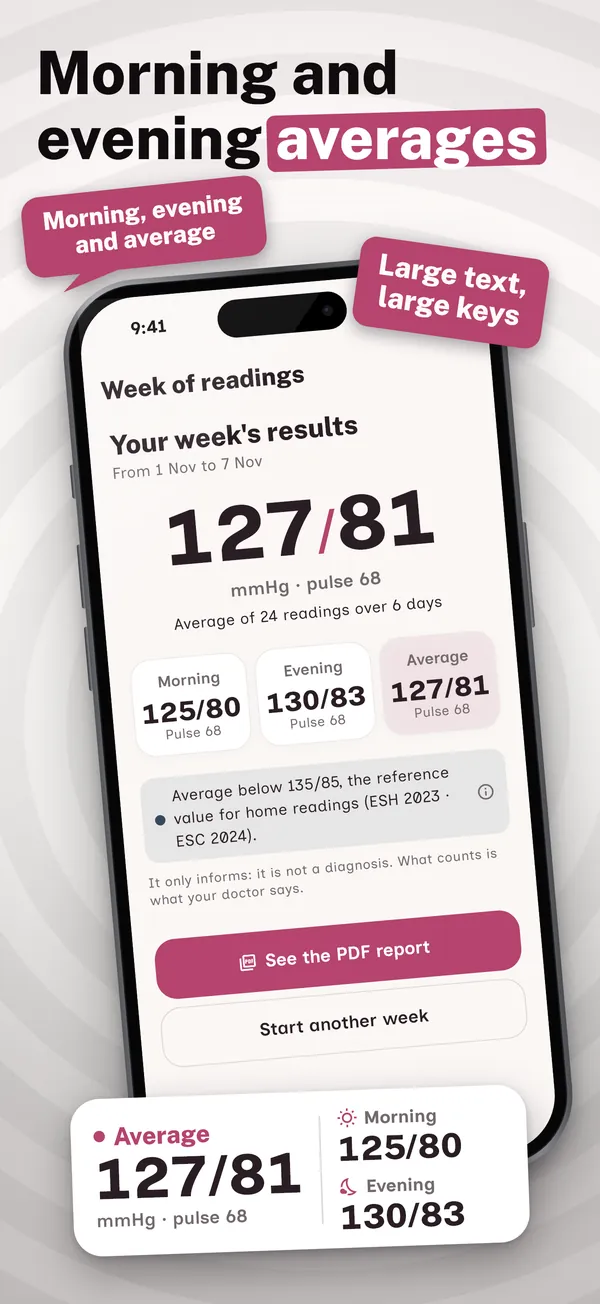
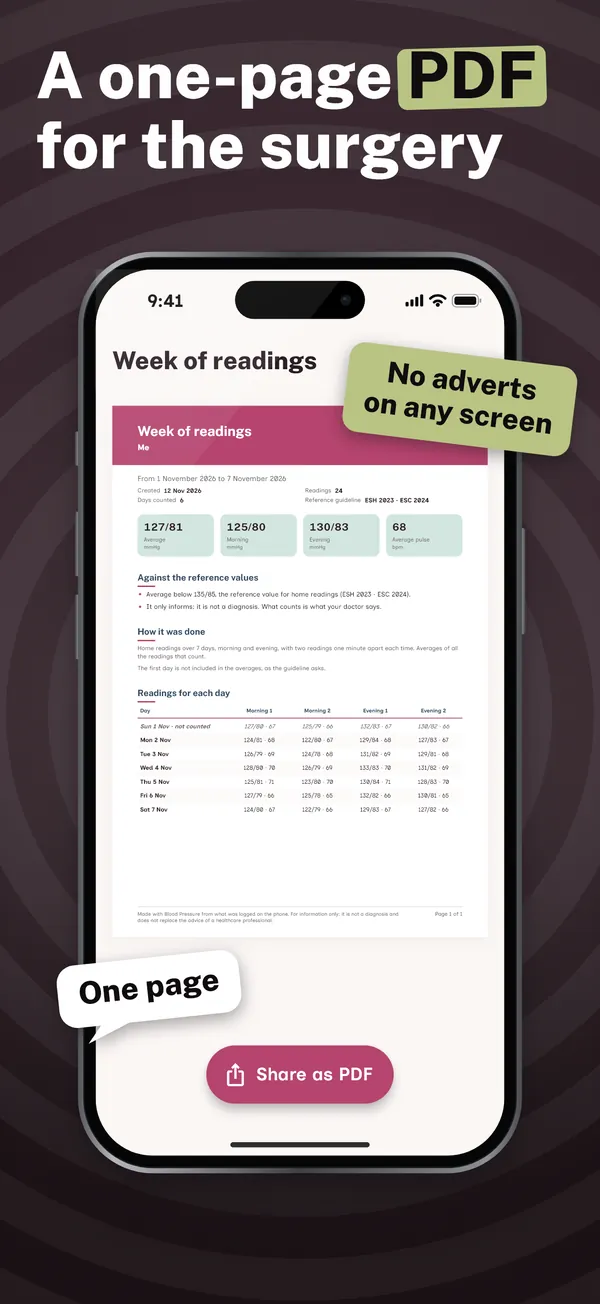
Home readings the way guidelines describe them, step by step: 3 to 7 days, morning and evening, two readings one minute apart with a countdown and "what's next" on the main screen. At the end, your morning, evening and overall averages, leaving out the first day if your guideline says so, and a one-page PDF to hand to your GP.

Large keys, huge numbers

Systolic, diastolic, pulse, done: a large keypad made to be easy to read, with arm, position and a note if you like. Your latest reading appears in huge numbers on the main screen, with good contrast, large text throughout the app and a simple mode with a single button to record.

Your target, with its source

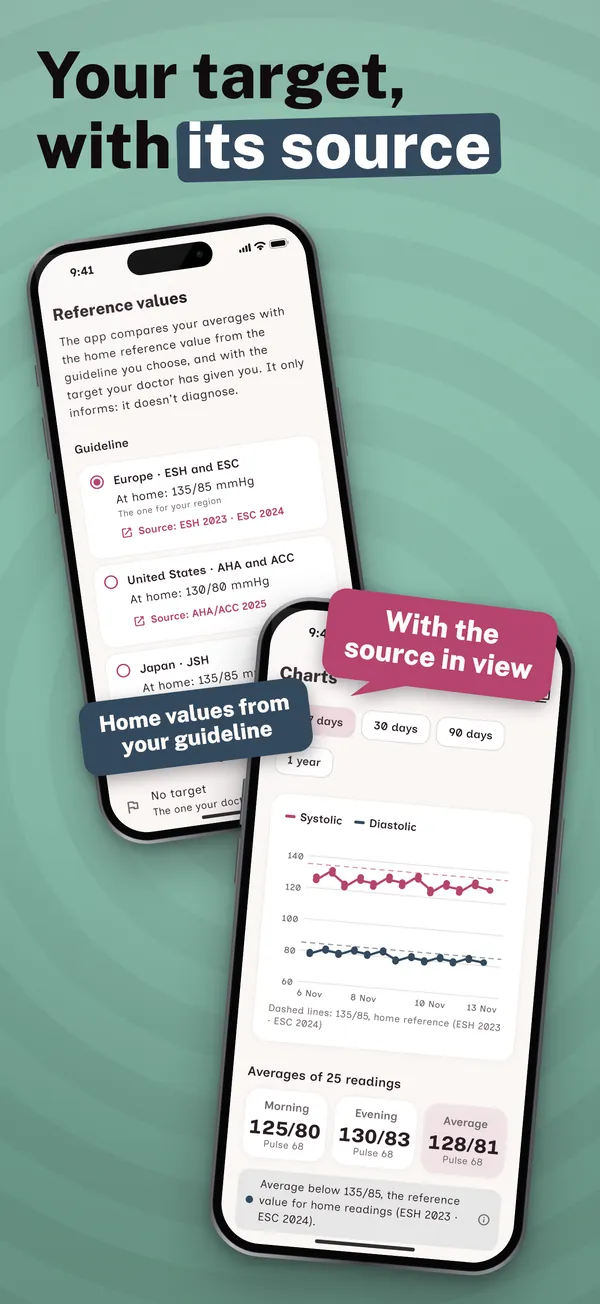
Your averages are compared with the home reference value of the guideline you choose, with the source in plain view: ESH 2023 and ESC 2024 (135/85 mmHg), AHA/ACC 2025 (130/80) or JSH 2025 (135/85). If your GP gave you a different target, that one wins. No stages and no scary labels: just "at or above" or "below".

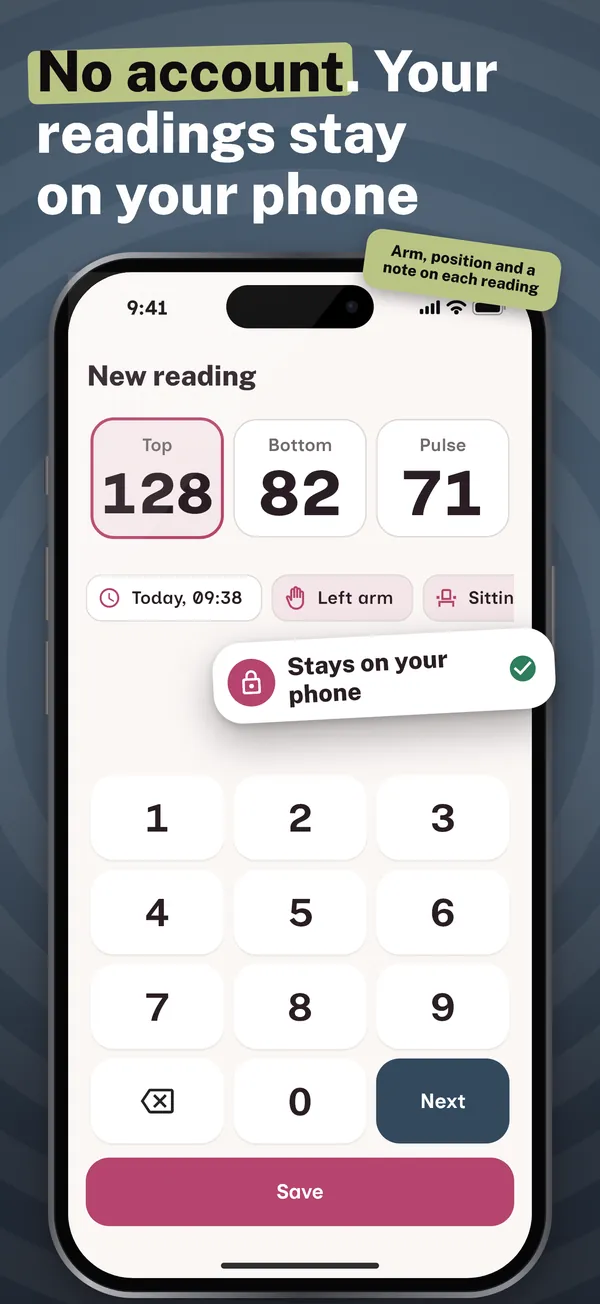
Your readings stay on your phone

No account and no server: your readings never reach us. Export them any time as a CSV or an encrypted backup, free. Premium adds Apple Health or Health Connect (read and write blood pressure and pulse), full history, 30-day PDF reports, profiles for a relative and the Home Screen widget.

What your appointment needs, free and without adverts

Unlimited readings with the large keypad, the home readings week with its countdown, morning and evening averages and PDF, the last week's chart, your guideline's reference and your GP's target, reminders for readings and medication, large text, simple mode, CSV export and the encrypted backup cost nothing, for ever. Premium adds full history and charts, 30-day or custom date range PDF reports, Apple Health or Health Connect, several profiles and the widget, as a yearly plan with a one-month free trial or a one-off lifetime purchase. Your readings are never locked.

How it works

  1. Open the app: no account, no forms. One screen tells you what it does and what it doesn't: it doesn't take your blood pressure, it records your monitor's.

  2. Take your blood pressure with your own monitor and add it with the large keypad: systolic, diastolic and pulse. It's saved with the time, and you can add the arm, your position and a note.

  3. When your GP asks, start the home readings week: the app reminds you at your times, counts the minute between readings and, at the end, gives you the averages and the PDF.

Frequently asked questions

Does this app measure blood pressure?

No, and we say it first: a phone can't take your blood pressure on its own, not with the camera and not with your finger. This BP diary records what your own upper-arm or wrist monitor shows, typed in on a large keypad.

Is this blood pressure diary free?

The essentials are free, with no adverts: unlimited readings, the home readings week with its averages and PDF, the last-week chart, reminders, CSV export and the encrypted backup. Premium (yearly with a one-month free trial, or a lifetime purchase that isn't a subscription) adds full history, 30-day PDFs, Apple Health or Health Connect, profiles and the widget. Your local price is shown before you pay.

What is the home readings week?

It's home blood pressure monitoring as guidelines recommend it, to see your real numbers away from the surgery: 3 to 7 days, two readings in the morning and two in the evening, one minute apart. The app tells you what's next, reminds you at your times and works out the averages, leaving out the first day if your guideline says so.

What does it compare my averages with?

With the home reference value of the guideline you choose, with its source: ESH 2023 and ESC 2024 (135/85 mmHg), AHA/ACC 2025 (130/80) or JSH 2025 (135/85). If your GP set a different target, enter it and that one counts. The app shows no stages and never says you have high blood pressure: that's for your GP to judge.

Is it easy to use for older adults?

Yes, it is made to be easy to read: huge numbers, large text and keys, good contrast and a simple mode with just your latest reading and a single button to record. No account or password, and with Premium a relative can keep their own profile on the same phone.

Does it work with Apple Health or Health Connect?

Yes, with Premium and only if you switch it on in Settings: it reads and writes blood pressure and pulse, nothing else. You see readings from other apps, and yours reach Health. That data never leaves your phone, goes to no server and is never used for advertising.

Where is my data stored? Is it a medical device?

Only on your phone, with no account and no server of ours. Only your purchase and anonymous usage and crash statistics leave it, with no readings. It isn't a medical device and doesn't diagnose: it doesn't replace your GP, and if you feel unwell, call 999 or NHS 111.

Support

Questions or problems? Email soporte@ambarstudios.app and include the support code shown in the app's Settings. If you bought Premium and don't see it, tap Restore purchases in Settings, using the same store account.