Skip to content

A meal prep planner that ends in the shopping list

Sunday evening, and nobody knows what's for dinner on Tuesday. Tell the app how many of you there are, what you won't eat and any allergies, tap Plan my week, and lunch and dinner for all seven days come out of home recipes. That plan becomes the shopping list, sorted by aisle and rounded to what the shop actually sells: whole tins, a box of six eggs, a full bag of rice. If half a tin is left over, it goes into another meal that week. Share the list with a code and both phones tick items off, even with no signal. No account, no email, no ads.

Get it on Google PlayComing soon

What version 1.0 does

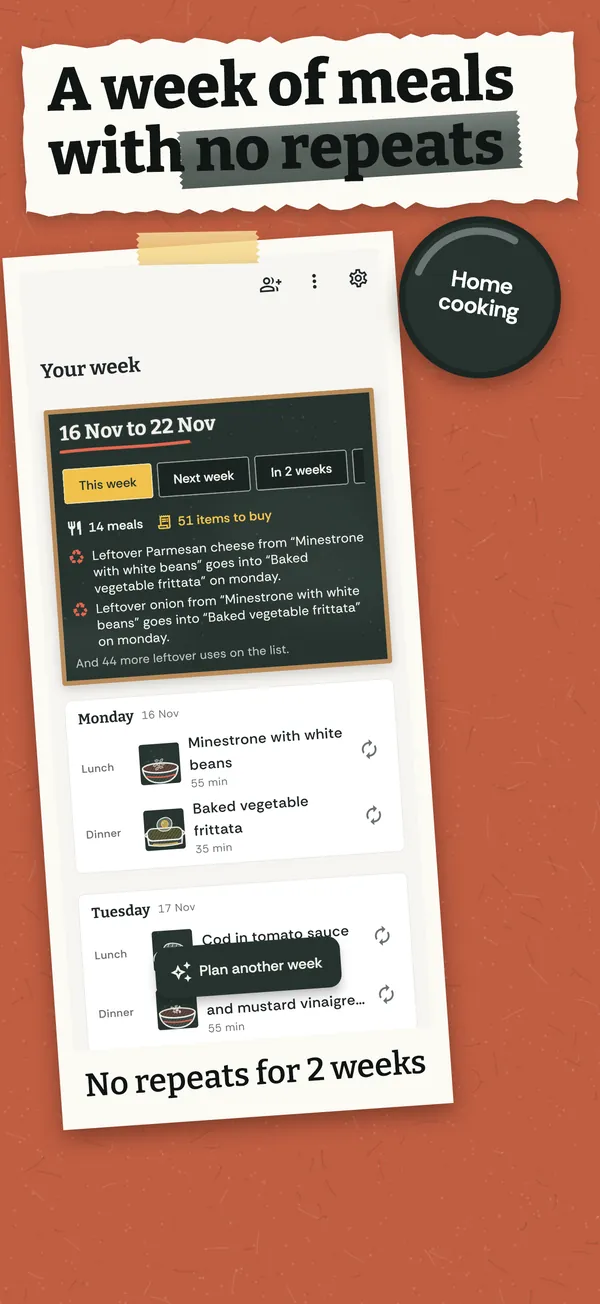
The planLunch and dinner for 7 days, filled in by the planner or by hand; no dish repeats within two weeks, and Something similar swaps one in a tap
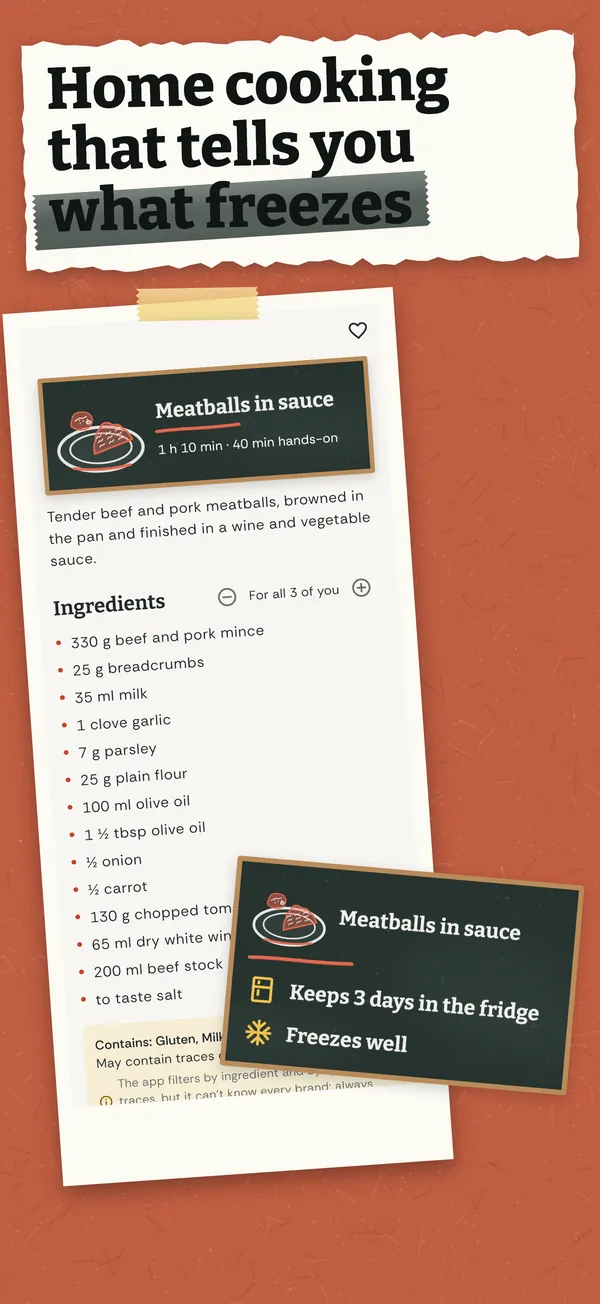
Recipe book150 home-cooking recipes written by us (60 everyday, 45 Spanish and 45 Mexican), drawn in chalk, each with time, equipment, whether it freezes and how many days it keeps in the fridge
Your recipesUnlimited: typed in or pasted from any text, which the phone splits into ingredients and steps offline
Shopping listBy aisle in the order of your shop, in whole packs and tins, with leftovers placed in another meal and room for anything you add by hand
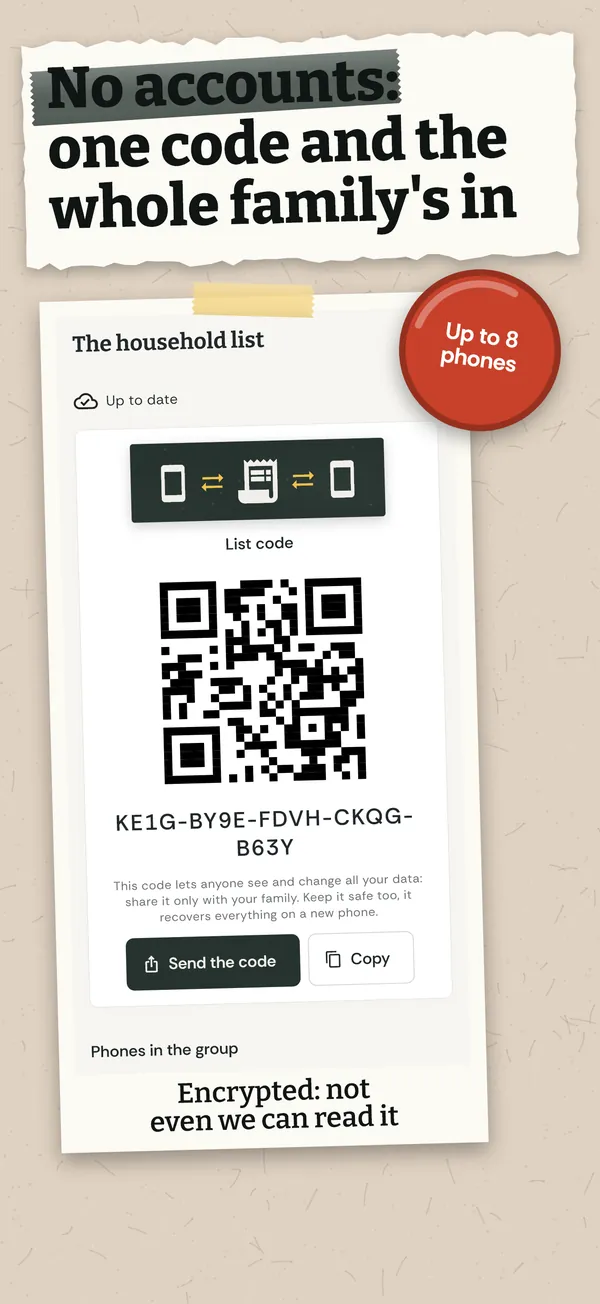
SharingBy code or QR, up to 8 phones, no sign-up; end-to-end encrypted and usable offline
Allergies and dislikesThe 14 allergens the EU requires on labels, with the usual traces of each ingredient, plus any ingredient you never want to see
UnitsGrams and litres, or cups and ounces
Cooking modeStep by step in large type, screen kept on, with a timer on every step
Not in version 1.0Calories and diets, shop prices, importing recipes from a website and AI-made plans
Account and adsNeither
PriceThis week's and next week's plan, the recipe book, the list and sharing it are free; Premium (batch cooking, 4 weeks, pantry, breakfasts and PDF) is yearly with a one-month trial, or monthly

See the app

From Sunday's chalkboard to the last container of the week

Buy what the shop sells, not loose grams

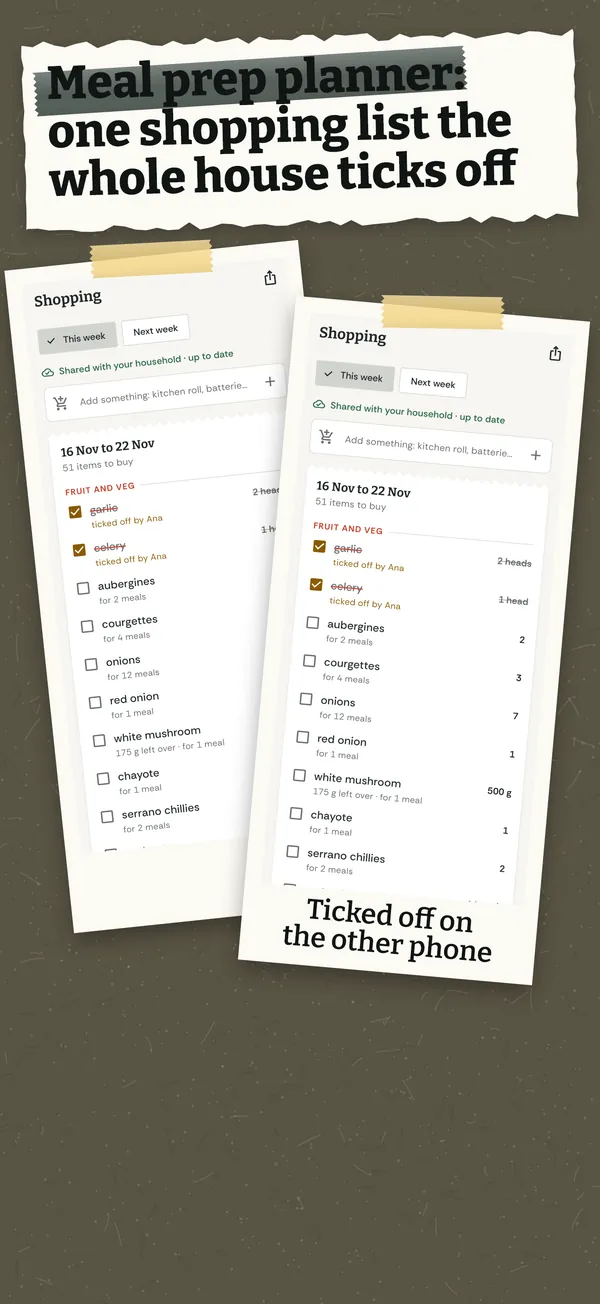
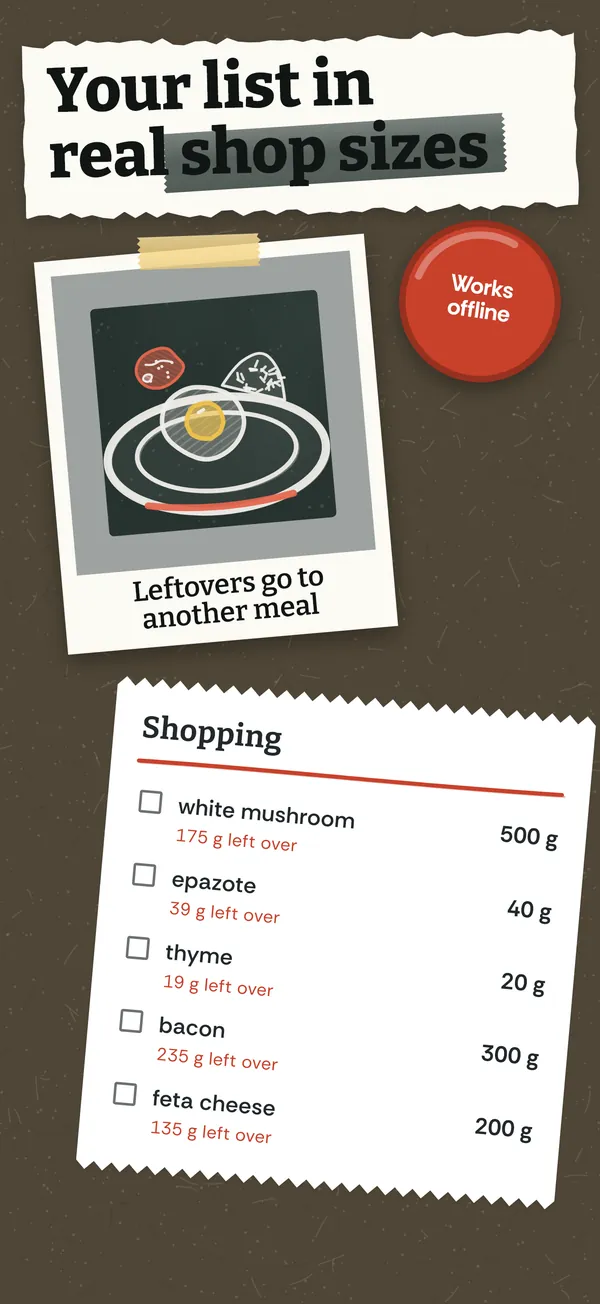
The list adds up the ingredients of the whole weekly plan and turns them into packs: if the recipes need 600 g of chopped tomatoes, it puts two 400 g tins. And it doesn't leave the 200 g that's left sitting in the fridge: it puts it into another meal that same week and tells you where. It runs by aisle, in the order of your shop, and you can add things no recipe asks for, like kitchen roll.

One list, two phones, nobody signs up

Tap Share and you get a code and a QR. Your partner types it or scans it and you have the same list: whatever one of you ticks off shows up ticked on the other phone, with the name of who did it. Up to 8 phones can join. With no signal at the back of the shop, the list keeps working and catches up when you walk out. It travels end-to-end encrypted: the server can't read it.

What you don't eat stays out

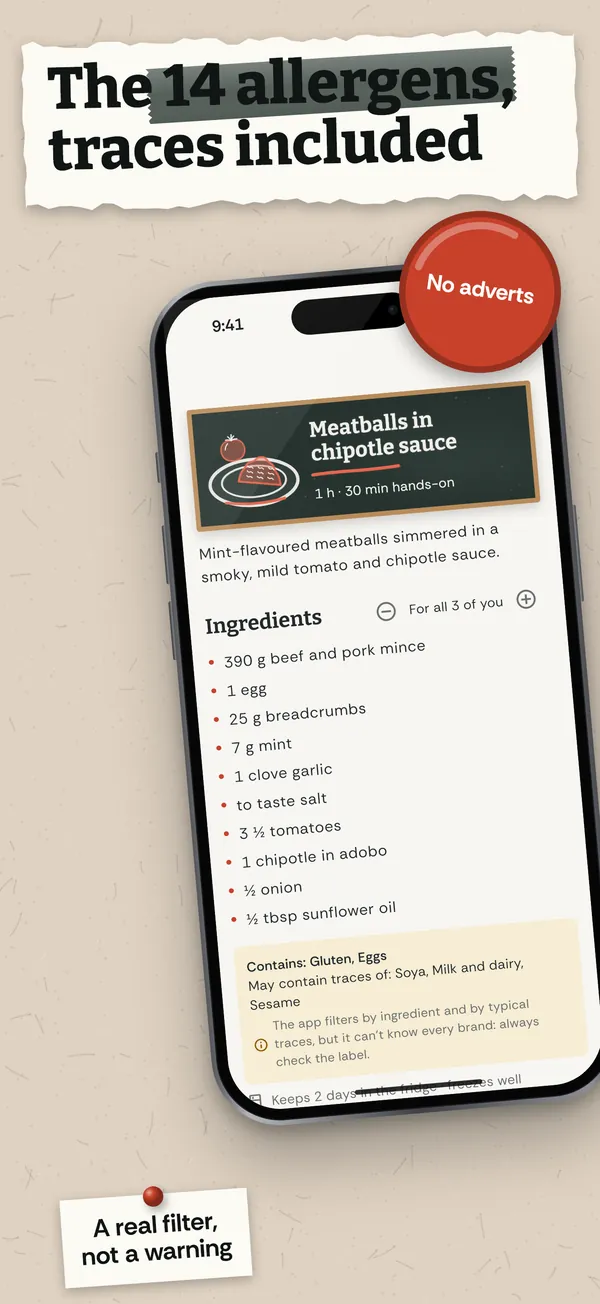
Allergies are a hard filter: the 14 allergens the EU requires on labels, including the usual traces of each ingredient, like bread that may contain soya. Dislikes count the same way: no peas, or no tomatoes ever, removes every recipe that has them. The app can't know every brand, so always check the label.

Your week doesn't hang on a password

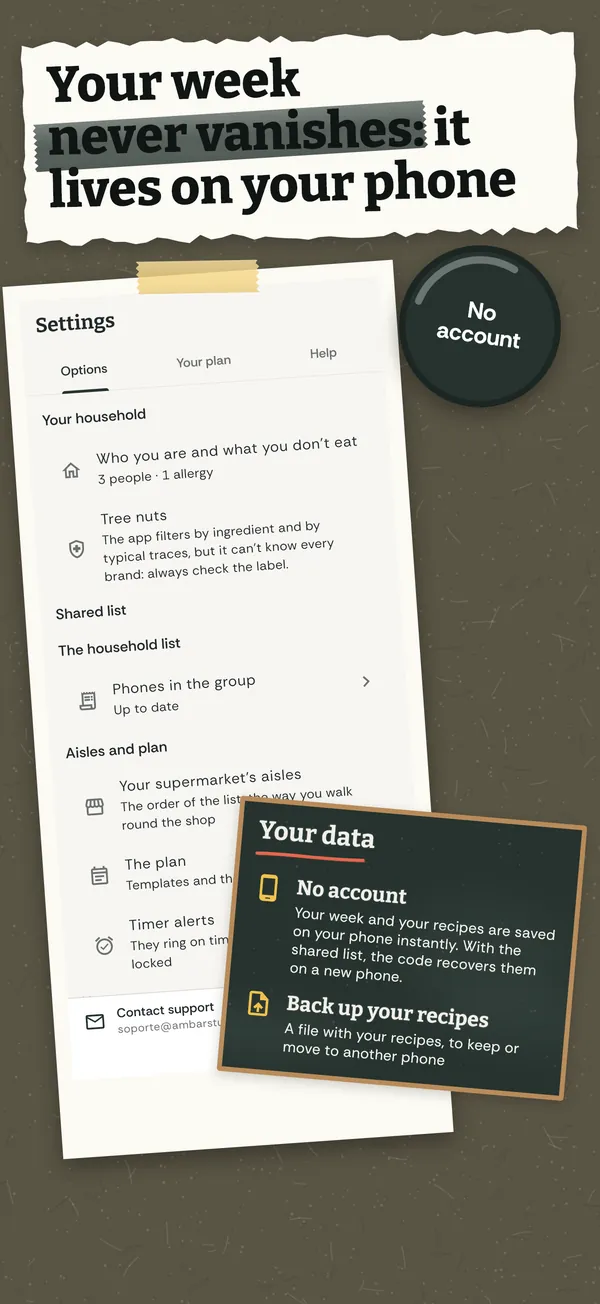
There is no account to forget or lose. The plan, your recipes and the list are saved on the phone the moment you touch them, and nothing deletes itself. If you switch phones and you had the list shared, the code brings the plan and the list back on the new one.

One afternoon of cooking for five days

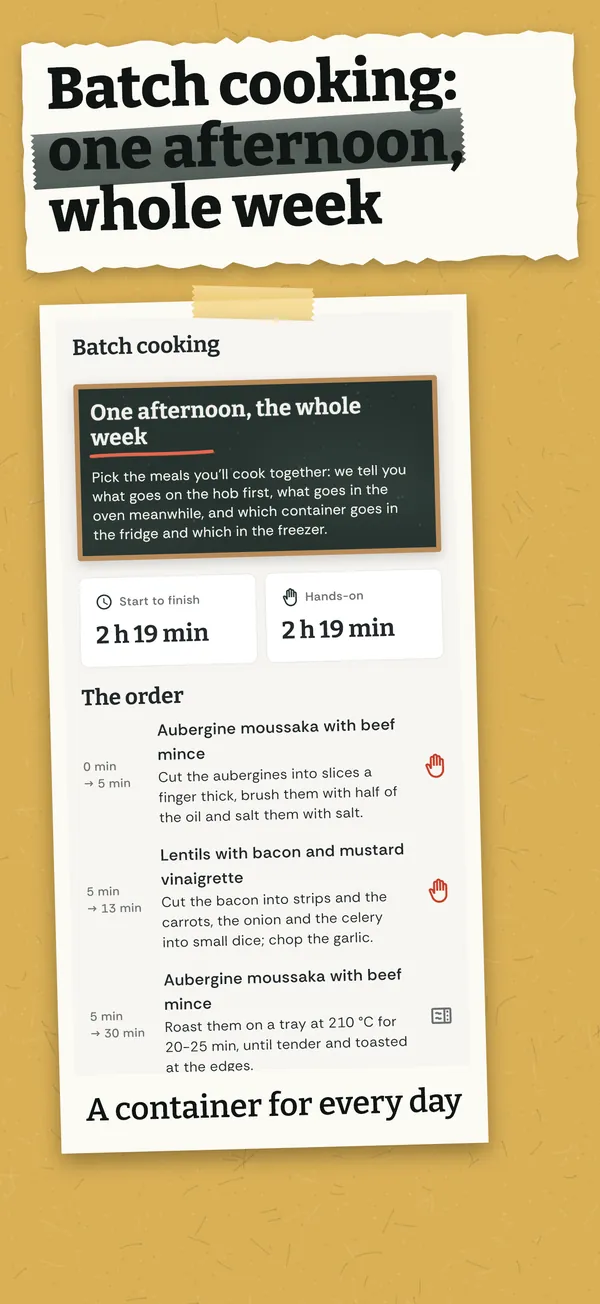
With batch cooking you pick the dishes to cook together and the app builds the session: what goes on the hob first, what goes in the oven meanwhile and what gets chopped once for several dishes, with the container for each day and how long it keeps in the fridge or freezer. Your first session is free.

The weekly basics are never charged for

Planning this week and next, the whole recipe book, your own recipes, the shopping list with its quantities, the allergy filters and sharing the list with the whole household are free and will stay free. Premium adds what saves time: batch cooking, planning up to 4 weeks with repeating dishes, a pantry that comes off the list, breakfasts and snacks in the plan, and the week as a PDF for the fridge. It is yearly with a one-month free trial, or monthly, and one purchase covers the household. The app reminds you before the first charge.

How it works

  1. Tell the app about your household: how many of you, adults and children, what you won't eat, allergies and your busy days.

  2. Tap Plan my week. Don't fancy a dish? Something similar swaps it, or drag it to another day.

  3. Open the shopping list: it's already by aisle and in whole packs. Add anything that isn't from a recipe.

  4. Share it with a code or a QR and tick items off together in the shop.

  5. In the kitchen, open the day's recipe in cooking mode and follow the steps with their timers.

Frequently asked questions

How does the app plan the week's meals?

You answer a few questions about your household (how many of you, what you won't eat, allergies and busy days) and tap Plan my week. The planner picks lunch and dinner for all seven days from the recipe book with all of that in mind, plus how much time you have each day, and doesn't repeat a dish within two weeks. You can also place dishes by hand or drag them between days.

Does my partner need to pay to see the shared shopping list?

No. Sharing the list is free for the whole household, up to 8 phones, and nobody creates an account: the code or the QR is enough. Both of you can add and tick off items even if neither has Premium.

Does the list work with no signal in the shop?

Yes. The list lives on the phone: you tick off and add items offline, and as soon as the signal is back it syncs with the other phones in the household.

Why does the list say tins and packs instead of grams?

Because shops don't sell 600 g of chopped tomatoes, they sell 400 g tins. The list adds up what every recipe of the week needs, rounds it to the pack that is sold and tells you what's left over; when it can, it places the leftover in another meal that week.

Can I leave out ingredients we don't like?

Yes. Besides allergies, you list specific ingredients you don't want, and no recipe with them gets into the plan. You can change them any time in the household settings.

How does it handle allergies and traces?

The 14 allergens the EU requires on labels are a hard filter, and the app also counts the usual traces of each generic ingredient. It can't know what each brand contains, so always check the label on the packet. It is a tool for organising meals, not medical advice.

Can I add my own recipes?

Yes, as many as you like. Type them in, or paste the text of a recipe and the phone splits it into ingredients, amounts and steps, offline and without sending it to any server. Check what it read and the recipe goes into the plan and the list like ours.

Does it count calories or build diets?

No. The app organises home meals: the plan, the list and the cooking. It doesn't count calories or macros and doesn't make weight-loss diets.

What does Premium add, and what does it cost?

Batch cooking (the first session is free), planning up to 4 weeks and saving weeks as templates, a pantry that comes off the list, breakfast, mid-morning and snack slots in the plan, and the week's menu as a PDF. It is yearly with a one-month free trial, or monthly; you see the price for your country before confirming, and one purchase covers the household.

Support

An item on the list that doesn't add up, or a pasted recipe that reads wrong? Write to soporte@ambarstudios.app with the name of the dish and we'll look into it. Paid for Premium and it isn't showing? In Settings, tap Restore purchases with the same Google Play account you paid with.