Skip to content

Your cutting list, from the client's message to the saw

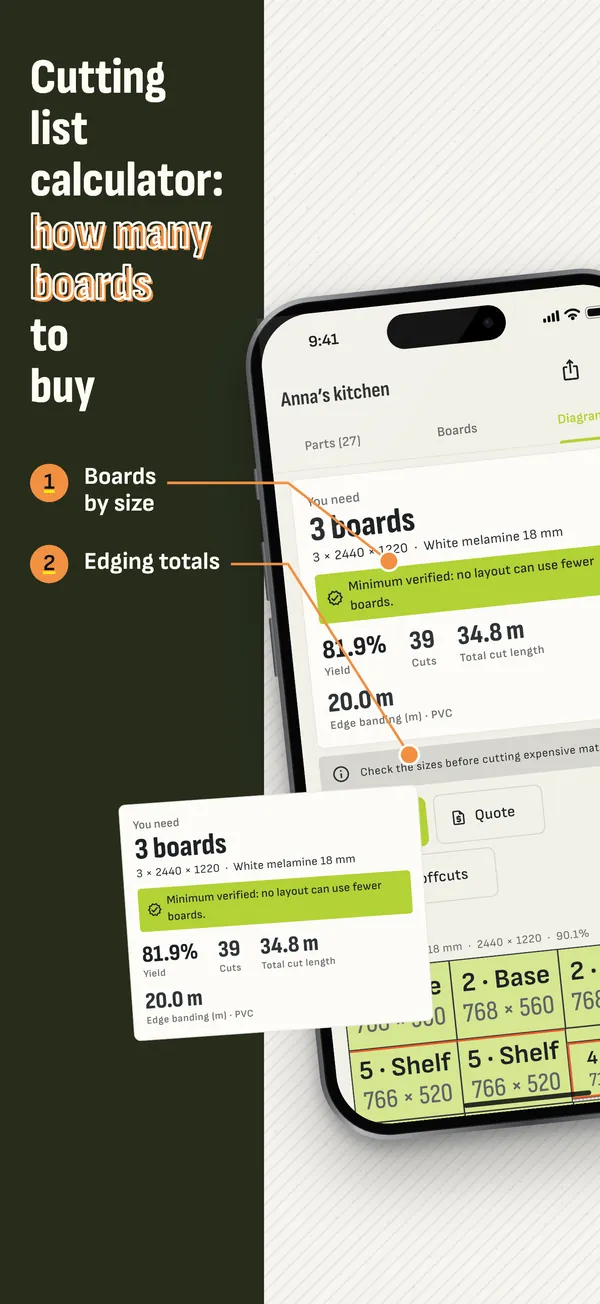
The client sends the kitchen as a message: 36 parts, in millimetres, some edged and some not. Paste it and every line becomes a part. Tap Calculate and you'll see how many boards of each material to order from the timber merchant, every board drawn to scale with its parts numbered, and the cuts in the order you'll make them, with the blade kerf, the edge trim and the grain already allowed for. It all happens on your phone: no account, no adverts, nothing uploaded.

Specification, version 1.0

CutsGuillotine, edge to edge: panel saw (3 passes), table saw, sliding table saw or track saw
Allowed for in every layoutBlade kerf (3.2 mm by default), edge trim, board and part grain, rotation free or locked per part, first cut along, across or automatic
UnitsMillimetres, centimetres or inches with fractions
Board sizes loaded for the UK2440 × 1220, 2800 × 2070 and 3050 × 1220 mm, 18 mm thick: the usual sizes, so change them, add your own and set your stock
CalculationOn the phone, with no server: a first layout straight away, improving for up to 3 seconds
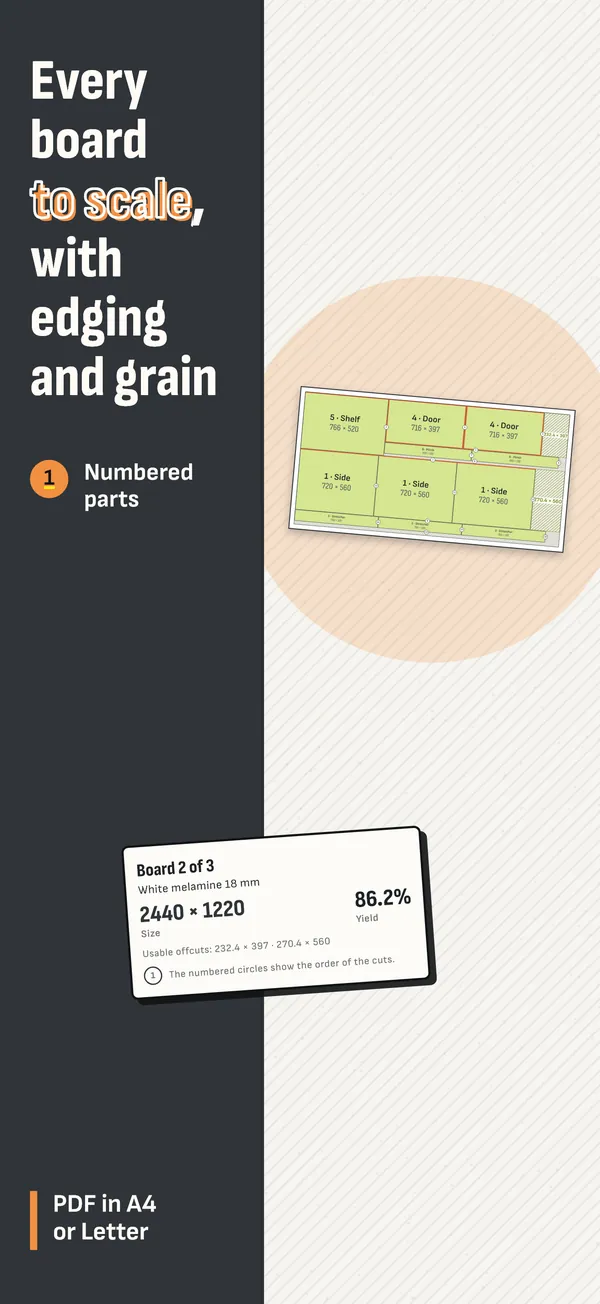
ResultBoards per material, yield and waste, metres of edging by type, number and length of cuts, usable offcuts with their size
ExportsPDF in A4 or Letter, colour or black and white; one image per board; plain text; the order as PDF, text or CSV
JobsUnlimited, saved on the phone at every change; password-protected backup; job files to share
Not in version 1.0Non-rectangular parts, free nesting, CNC or DXF files, cutting lengths of bar or profile
Account and advertsNeither
PriceCutting free with no limit; Pro is a one-off payment, never a subscription

See the app

From the client's list to the last cut

Paste the cutting list, don't retype it

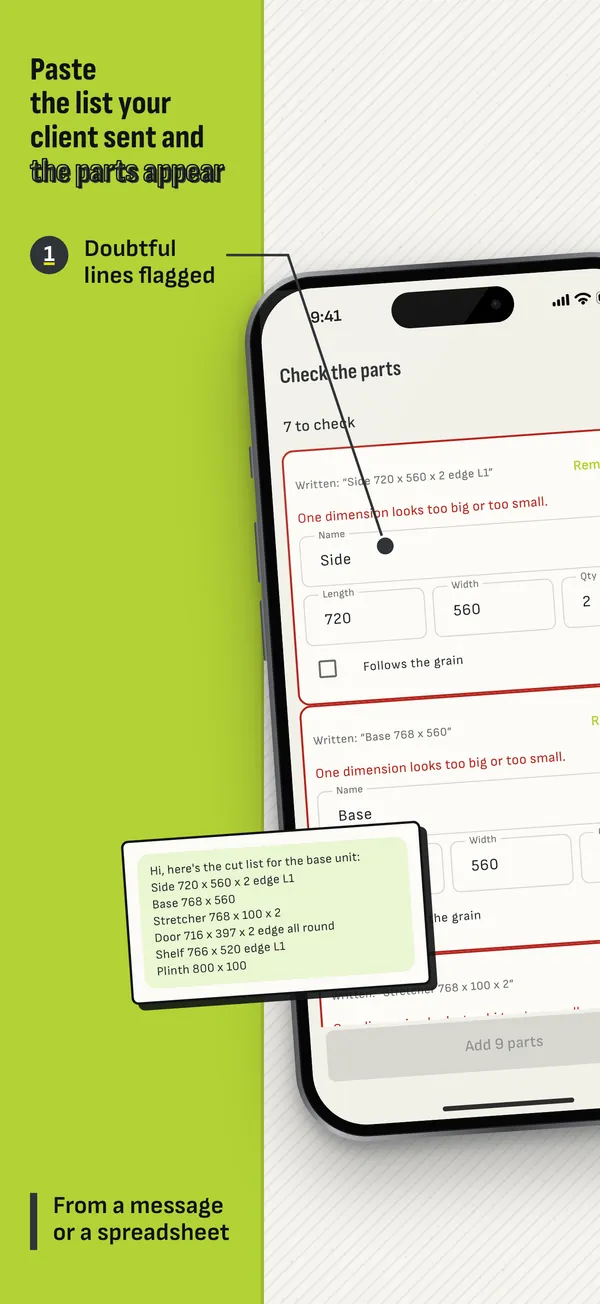
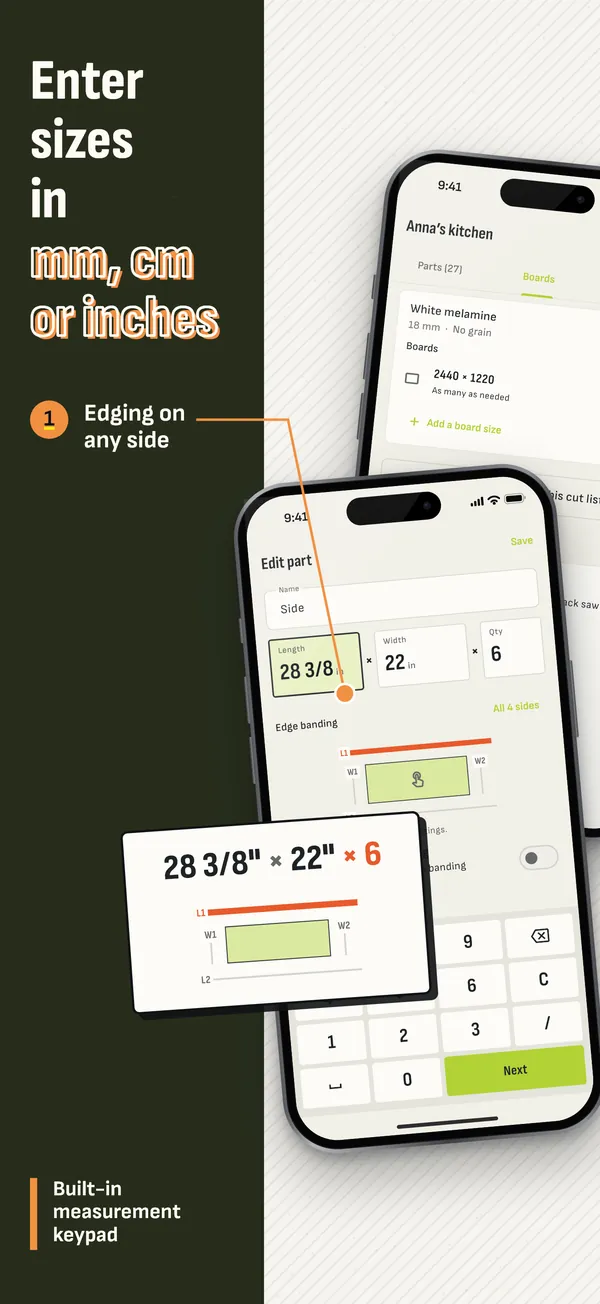
Copy the parts from a message or a spreadsheet and paste them: a line like “Side 720 x 560 x 2 edge L1” becomes a part with its size, quantity and edging, and anything the app isn't sure of is flagged before it goes in. For a handful of parts, the app's own keypad takes millimetres, centimetres or inches with fractions. On the check screen, a flagged line shows the text as it arrived and the reason, so you can correct it before it's added.

It tells you which part won't fit, and why

If a part won't go on any board, the result names it and gives the reason: it's bigger than the board, or the grain won't let it turn. When the app can prove that no layout uses fewer boards, the plan says so: “Minimum verified”.

Cut by cut, beside the saw

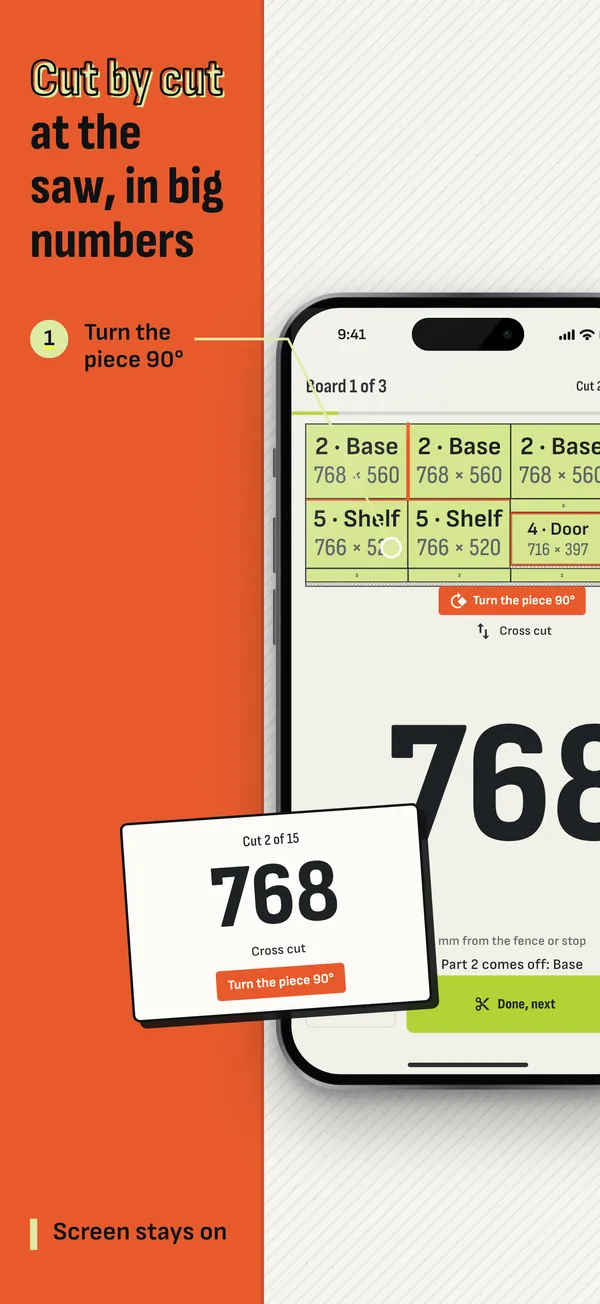
Workshop mode takes you through every rip and cross-cut: the measurement from the fence in figures you can read at arm's length, what comes off with each cut and when to turn the piece, with the cut in progress marked on the board drawing. The screen stays on, a tap moves on to the next cut, your progress is saved so you can carry on from the same cut, and there's a dark mode for the workshop.

Ready for the timber merchant, the fitter and the client

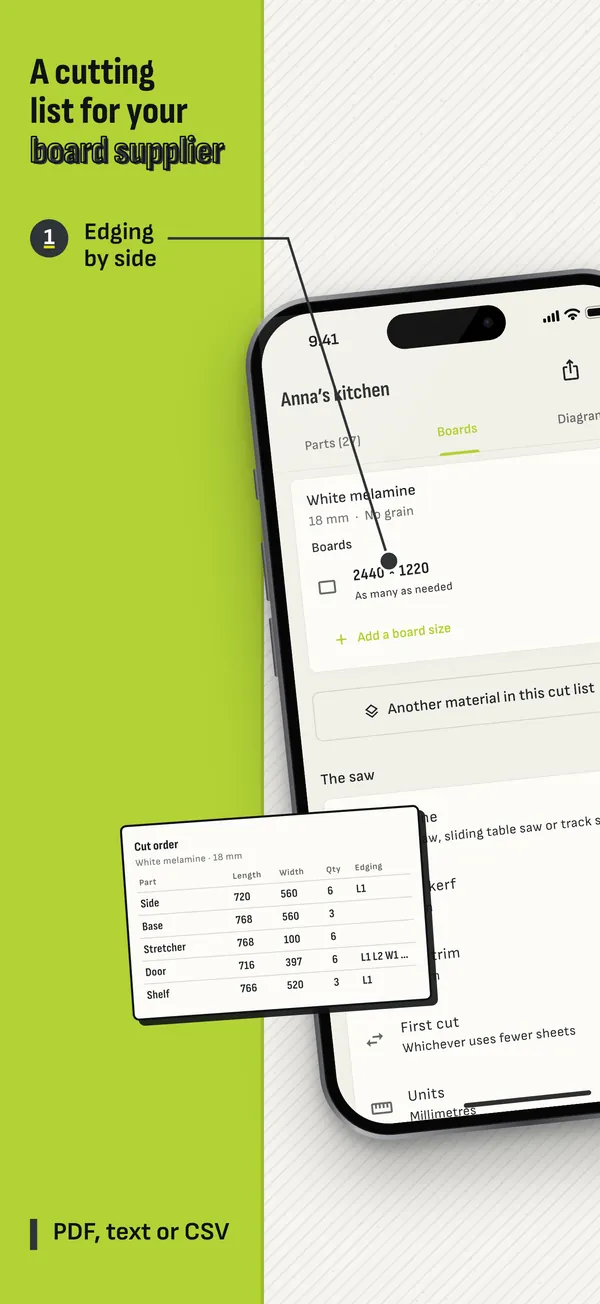
Send the plan as a PDF in A4 or Letter, in colour or black and white, as one image per board that reads on a small phone, or as plain text. The order for a cutting service lists every part by material and thickness, with quantity, edging per side and grain, as PDF, text or CSV. A short link and a QR code for the app sit in the footer; nothing is printed over your plan.

Jobs that stay put

Every change is saved on the phone as you go, with no limit on jobs. New phone? Save a backup locked with your password and open it there. A single job can go to a colleague as a file.

One payment, for the jobs you charge for

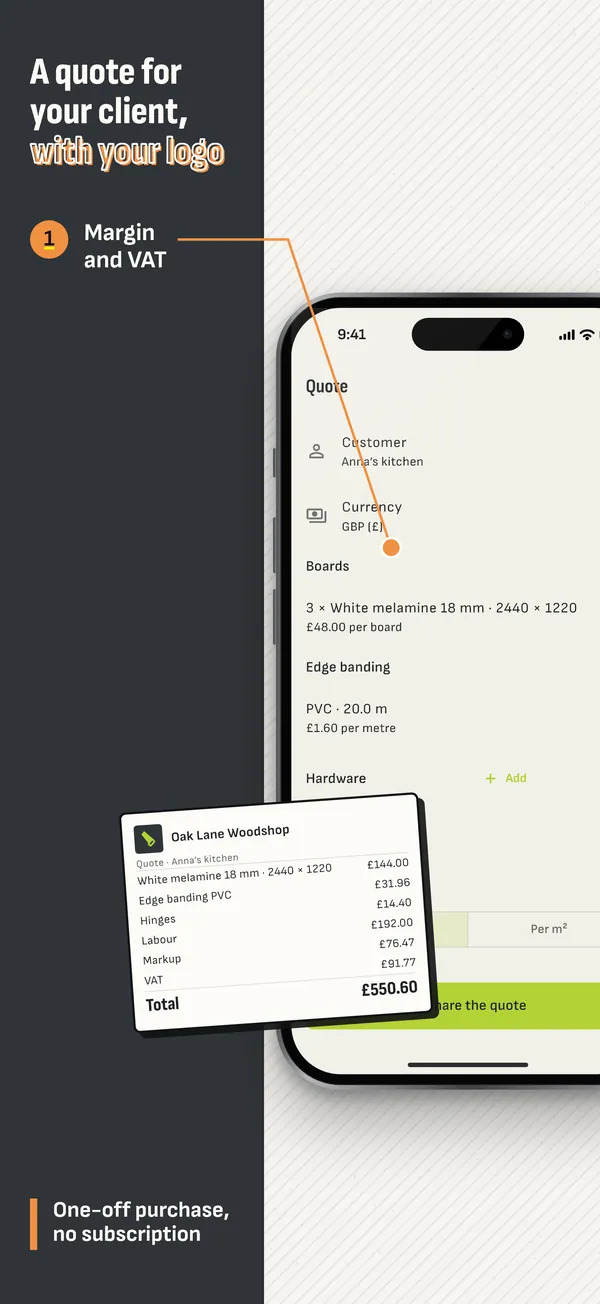
Pro adds a quote for the client with the price of each board and each metre of edging, hardware, labour (fixed or per square metre), markup and VAT, in your currency and with your workshop's name, logo and phone number; several materials in one job, each optimised on its own; offcuts saved from one job and used first in the next; and your header on every PDF. It's a single payment through Google Play, and nothing renews.

Cutting costs nothing. Pro is for quoting.

Unlimited layouts, the plans, the order sheet, cut-by-cut mode and your jobs cost nothing, carry no adverts and won't be cut back in a later version. If you quote for work, the one-off Pro purchase adds the quote, several materials per job, saved offcuts and your own header. It never becomes a subscription, the price for your country shows before you pay, and Restore purchases brings it back on a new phone.

How it works

  1. Start a job. The material and the board sizes usually sold in your country are filled in; change them to what your supplier stocks.

  2. Add the parts: paste the list or type them on the keypad, then check them. Tap a part's sides to edge them.

  3. Tap Calculate. The first layout appears straight away and improves for a few seconds; a part that won't fit is named, with the reason.

  4. Send the plan or the order to whoever cuts or sells the boards.

  5. At the saw, open Cut by cut and work through each board.

Frequently asked questions

How many boards do I need for my cutting list?

Enter the parts and the board size, and the app lays them out with edge-to-edge cuts, allowing for the blade kerf, the edge trim and the grain. The result shows the boards each material needs, how much of each board is used and the offcuts left over. When it can prove that no layout uses fewer boards, it says “Minimum verified”.

Can I paste a cutting list from a message or a spreadsheet?

Yes. Copy the list and tap Paste list: lines such as “Shelf 766 x 520 edge L1”, or columns copied from a spreadsheet, become parts with their size and quantity. Anything the app is unsure about is flagged, and if the unit isn't clear it asks whether the sizes are millimetres, centimetres or inches.

Can I stop halfway through cutting and carry on later?

Yes. Workshop mode saves how far you got on each board as you go, so when you reopen the project, Resume takes you to the cut you'd reached, marked on the board drawing. Back takes you to the previous cut if you want to check it again.

Which saws is it for?

Any cut that runs from edge to edge of the board: a panel saw, a table saw, a sliding table saw or a track saw. You set the blade kerf, the edge trim, whether the first cut runs along or across, and the machine, because a panel saw cuts in three passes. Version 1.0 doesn't do non-rectangular parts, free nesting or CNC files.

Which board sizes does it start with in the UK?

The ones usually sold here: 2440 × 1220, 2800 × 2070 and 3050 × 1220 mm, 18 mm thick, with A4 for the PDF. Check them against your supplier: you can change any size, add your own and say how many boards you have in stock.

Do I need an account or a connection?

No account, ever. Layouts, plans and jobs are worked out and saved on the phone, so cutting doesn't need a connection. Only buying Pro goes through Google Play.

What does Pro add, and is it a subscription?

Pro is a one-off payment, not a subscription. It adds the client quote with your prices, labour, markup and VAT; several materials in one job; offcuts kept for the next job; and your workshop's name, logo and phone number on every PDF. Everything you need to cut stays free.

Where do my jobs and my clients' details go?

Nowhere: they stay on your phone. The app doesn't upload your lists, your prices or your clients' names. A PDF, an order or a job file only leaves the phone when you share it, and the backup only opens with the password you chose.

Does it handle MFC, MDF and ply?

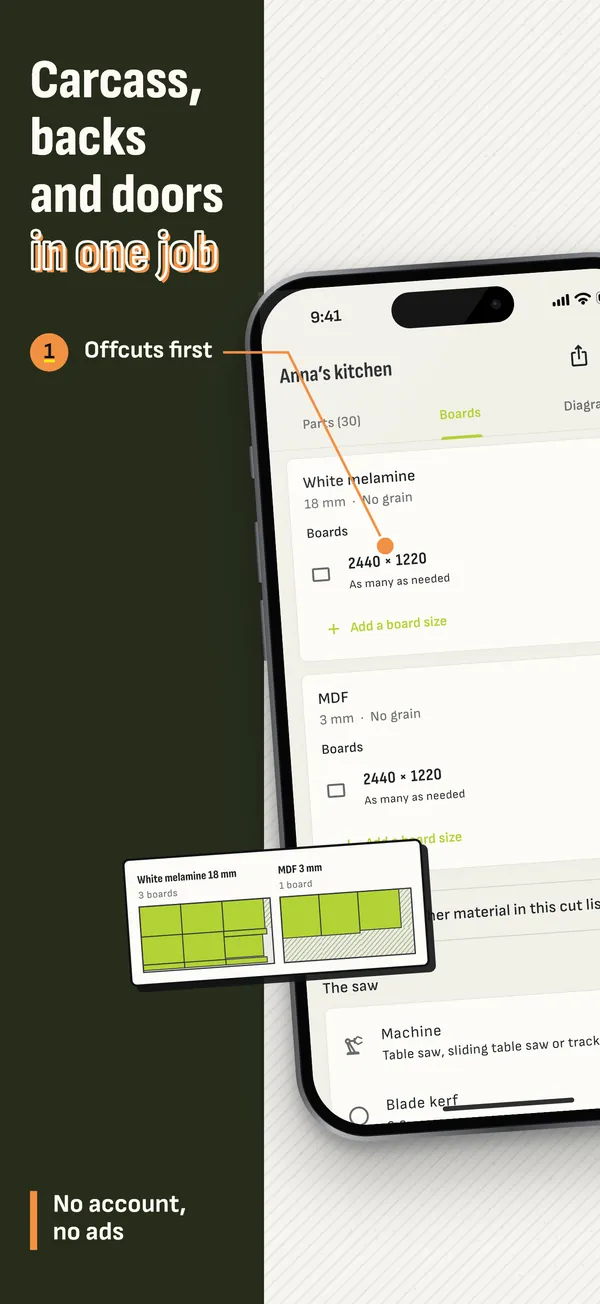
Any rectangular board: melamine-faced chipboard, MDF, plywood or whatever you use, with or without grain. Each material has its name, thickness and board sizes, and with Pro one job can mix several, such as an 18 mm carcass, 3 mm backs and MDF doors, each optimised on its own.

Support

A plan that doesn't add up? Use Send as a file in the job's menu to email it to soporte@ambarstudios.app, and we'll check it with the same figures. Bought Pro and can't see it? Go to Settings → Restore purchases, signed in with the Google Play account you paid with.