The early weeks with a newborn are counted in feeds. Day and night, short on sleep, baby on one arm and phone in the other hand, it is easy to lose track of when the last feed started, which side it was and how long it went on. That is why so many parents keep a feeding log: in a notebook, on a sheet on the fridge, or in a breastfeeding app.
This guide covers what is worth noting down, what a free breastfeeding app should give you, and how ours, Breastfeeding, Nappy & Pumping, goes about it.
What to note at each feed
You do not have to write down everything. What matters is what helps you keep on top of things, and what your midwife, health visitor or GP might ask about.
- Start time and length. So you know when the last feed was without guessing at three in the morning.
- Which side. Left, right or both, and which one you finished on. It is the bit everybody forgets, and the question everybody asks: "which side is it now?"
- Any bottles. Formula or expressed milk, and how much, in ml. Lots of feeds are mixed: a while at the breast and a bottle afterwards.
- Nappies. Wet, dirty or both. In the first days it is one of the questions you will hear at home visits.
- Sleep and expressing. Naps, and if you use a breast pump, when and how much.
What a log should not do is tell you how much or how often your baby ought to feed. Every baby is different, and that is for your midwife, health visitor or infant feeding specialist to look at. A log keeps count; it does not draw conclusions on its own.
Notebook or app
A notebook works, but it has three drawbacks: you cannot read it in the dark, it does not time anything, and only the person holding it knows what is in it. A breastfeeding app sorts all three: a timer that keeps going with the phone locked, the last feed at a glance and, if you share it, you both know the same thing without having to ask.
What to expect from a free breastfeeding app
Before we built ours, we read the 721 most recent negative reviews (since 2024) of the most popular breastfeeding and baby tracking apps in Spain, the US and Mexico. The same complaints come up so often that they make a handy checklist for choosing any app:
- Free should stay free. The top complaint, with 232 reviews: apps that were free and then started charging, or that lock your records as read-only unless you pay. What you logged about your baby should always be there for you.
- Sharing with your partner should actually work. 125 reviews: feeds that take hours to reach the other phone, sharing that breaks between iPhone and Android, or paying separately for each parent.
- Nothing should go missing. 107 reviews of logs that disappeared, mostly after changing phones or reinstalling.
- Nothing should interrupt a feed. 105 reviews about adverts and pop-ups, including a video advert with sound that woke the baby.
- No account. 104 reviews about forced sign-ups, passwords and being logged out.
- You should be able to correct things. 69 reviews because a feed could not be edited, added later or fixed when someone forgot to stop the timer.
How Breastfeeding, Nappy & Pumping does it
We built the app around that checklist.
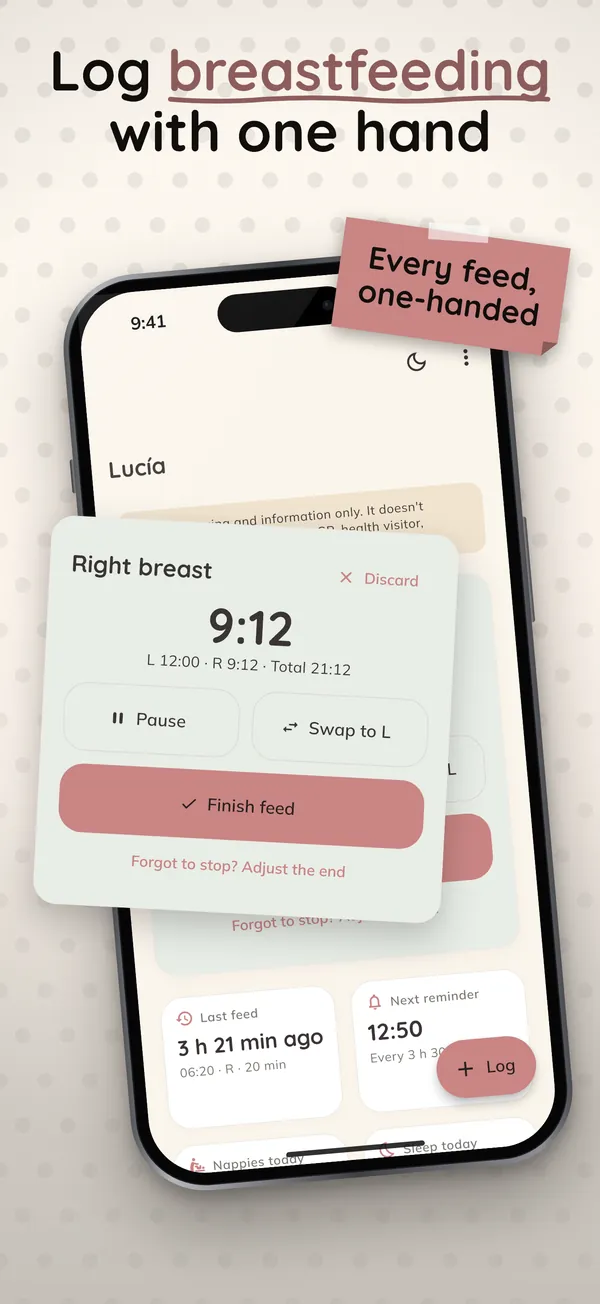
One hand, lights off. Tap "Left" or "Right" and the timer starts. Pause it, switch sides and finish. The buttons are big, the text is large, and night mode keeps the brightness down so nobody wakes up. The app tells you which side is next.
Breast and bottle in one feed. A mixed feed is logged as exactly that: left side, right side and a bottle of formula or expressed milk, in ml or oz. You can also log nappies, naps, pumping sessions and growth measurements.
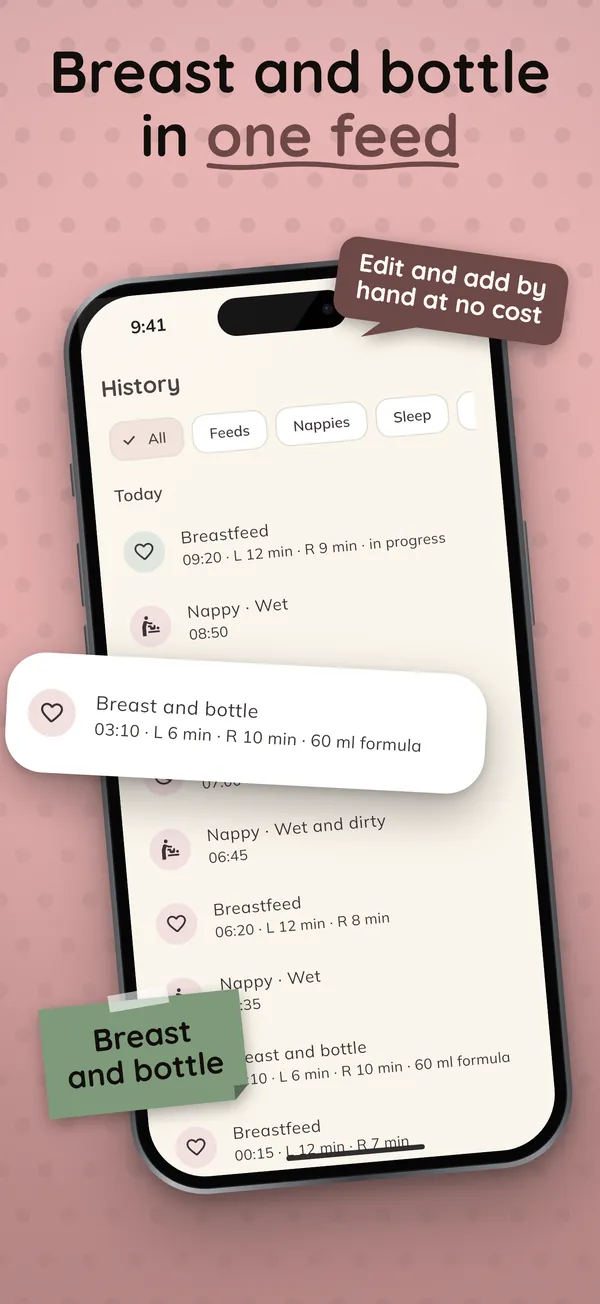
Everything can be corrected. Editing, deleting or adding an earlier feed by hand is free. Forgot to stop the timer? Change the end time.
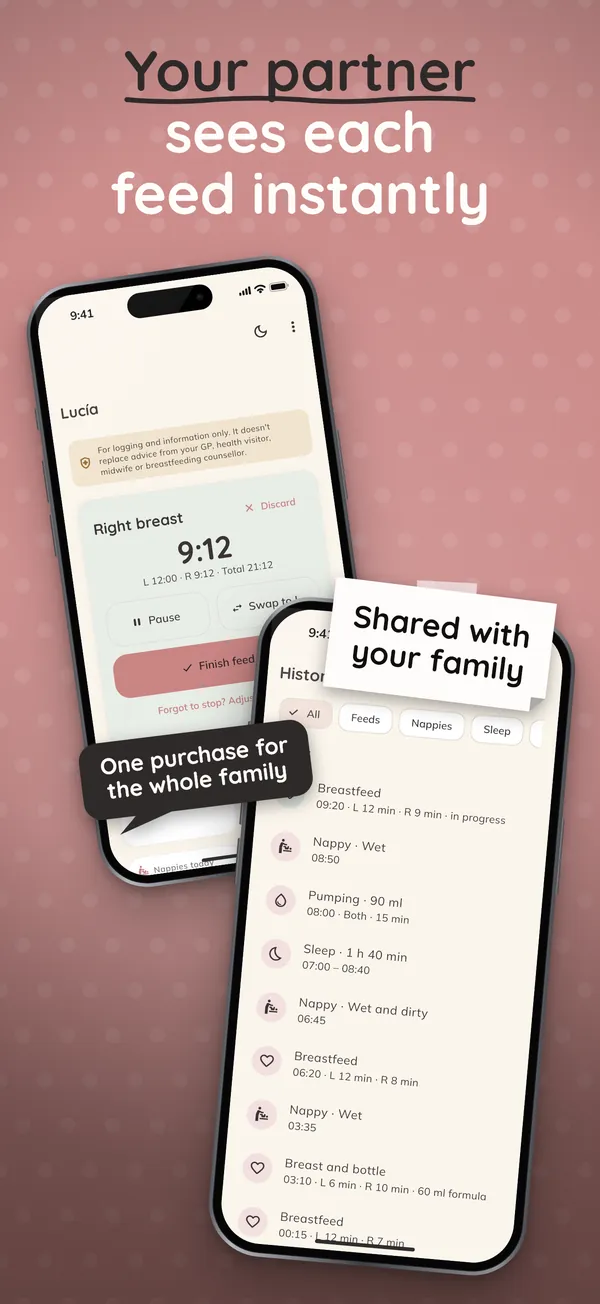
Your partner sees each feed instantly. In Settings you create a family code, and your partner types it in or scans its QR code. From then on, whatever one of you logs appears on the other phone straight away, between iPhone and Android, with no account. The data is end-to-end encrypted, so we cannot read it.
No signal, nothing lost. Each feed is saved on the phone the moment you tap, online or offline. When you change phones, the system backup, an encrypted backup file or the family code brings the whole log back.
The timer on your lock screen. On iPhone it shows on the lock screen and in the Dynamic Island; on Android, as an ongoing notification. There is also a widget with the last feed. Both are free.
No adverts, no AI, no account. Nothing pops up while you are logging a feed. The app makes no predictions: the next-feed reminder uses the interval you choose.
What is free and what is not
Logging is free for good, with no limits: breastfeeds, bottles, mixed feeds, nappies, sleep, pumping, growth, the full history, CSV export, backup, the lock screen timer and the widget. What you log is never put behind a paywall.
The family plan is optional. It adds instant sharing with your partner, stats and charts, WHO growth percentiles, more than one baby and a PDF report to take to appointments. You can take it yearly with a one-month free trial, or pay once for lifetime access, at a fraction of what the big-name trackers charge. One purchase covers up to 8 phones in the family, so your partner never pays again.
An important note
The app is for logging and information only. It shows what you have logged, but it does not diagnose, does not recommend amounts or intervals, and is no substitute for advice from your midwife, health visitor, GP or infant feeding specialist. If anything about your baby's feeding or nappies worries you, speak to them.
Still packing for the big day? Our hospital bag checklist covers what to take, including what helps with breastfeeding in the first days.
Breastfeeding, Nappy & Pumping is out now on Google Play and is coming soon to the App Store.