The first weeks with a newborn run on feeds. Day and night, half asleep, with the baby on one arm and the phone in the other hand, it is hard to remember when the last feed started, which side it was on and how long it lasted. That is why so many parents keep a feeding log: on paper, on a sheet stuck to the fridge, or in a breastfeeding tracker app.
This guide covers what is worth logging, what to look for in a free breastfeeding tracker, and how ours, Breastfeeding, Bottle & Diaper, does it.
What to log at each feed
You do not need to log everything. The useful part is what helps you stay organized and what your pediatrician or lactation consultant may ask about at a checkup.
- Start time and length. So you know when the last feed was without guessing at 4 a.m.
- The side. Left, right or both, and which one you finished on. It is the detail everyone forgets and the question everyone asks: "which side is next?"
- Bottles, if any. Formula or pumped breast milk, and the amount in ounces or milliliters. Plenty of feeds are combination feeds: some time at the breast and a bottle after.
- Diapers. Wet, dirty or both. In the first days it is one of the usual questions at checkups.
- Sleep and pumping. Naps, and if you pump, when and how much.
What a log should not do is tell you how much or how often your baby should eat. That depends on the baby, and it is your pediatrician or lactation consultant who looks at it. A log keeps count; it does not draw conclusions for you.
Paper or app
Paper works, but it has three problems: you cannot read it in the dark, it does not time anything for you, and only the person holding it knows what is on it. A breastfeeding tracker app fixes all three: a timer that keeps running with the phone locked, the last feed at a glance and, if you share it, both of you know the same thing without asking.
What to look for in a free breastfeeding tracker app
Before building ours, we read the 721 most recent negative reviews (since 2024) of the most used breastfeeding and baby tracker apps in the US, Spain and Mexico. The complaints repeat so often that they work as a checklist for choosing any app:
- Free should stay free. The number one complaint, with 232 reviews: apps that were free and started charging, or that turn your data read-only unless you pay. What you logged about your baby should always be yours to see.
- Sharing with a partner should work. 125 reviews: feeds that take hours to show up on the other phone, sharing that fails between iPhone and Android, or a separate subscription for each parent.
- Nothing should get lost. 107 reviews of logs that vanished, mostly after switching phones or reinstalling.
- Nothing should interrupt a feed. 105 reviews about ads and pop-ups, including a video ad with sound that woke the baby.
- No account. 104 reviews about forced sign-ups, passwords and sessions that log you out.
- You should be able to fix mistakes. 69 reviews because a feed cannot be edited, added after the fact, or corrected when you forgot to stop the timer.
How Breastfeeding, Bottle & Diaper handles it
We built the app around that checklist.
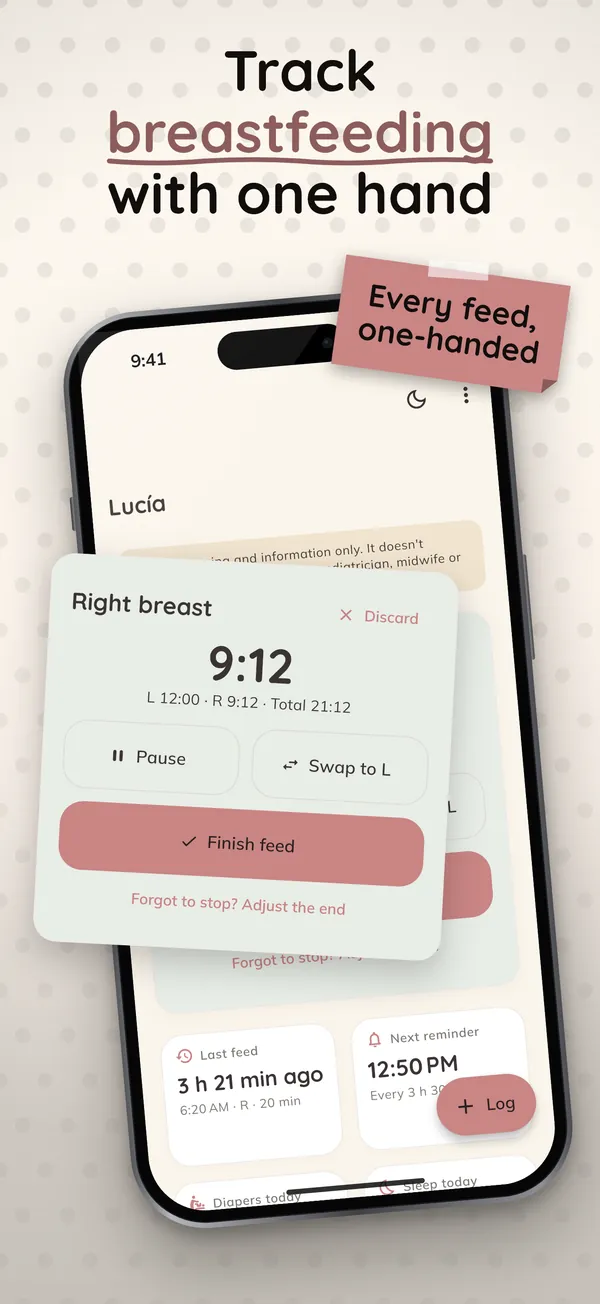
One hand, in the dark. Tap "Left" or "Right" and the timer starts. Pause it, switch sides and finish. The buttons are big, so is the text, and night mode keeps the brightness low so nobody wakes up. The app tells you which side is next.
Breast and bottle in the same feed. A combination feed is logged as what it is: left side, right side and a bottle of formula or pumped milk, in ounces or milliliters. You can also log diapers, naps, pumping sessions and growth measurements.
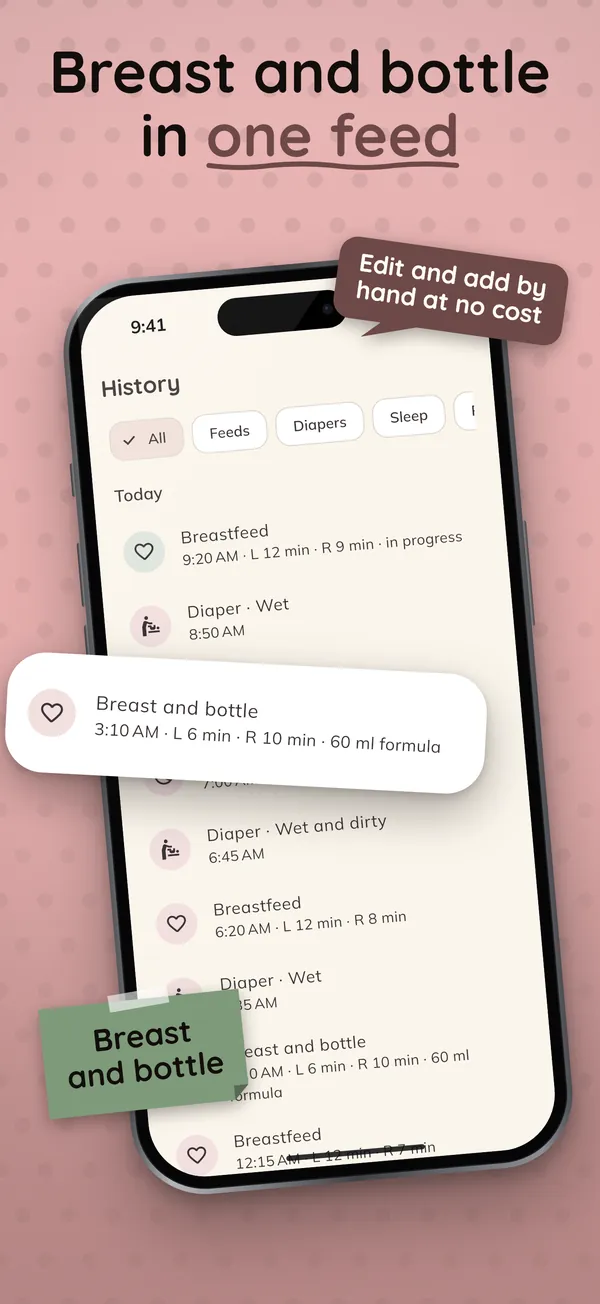
Everything can be fixed. Editing, deleting or adding a past feed by hand is free. Forgot to stop the timer? Change the end time.
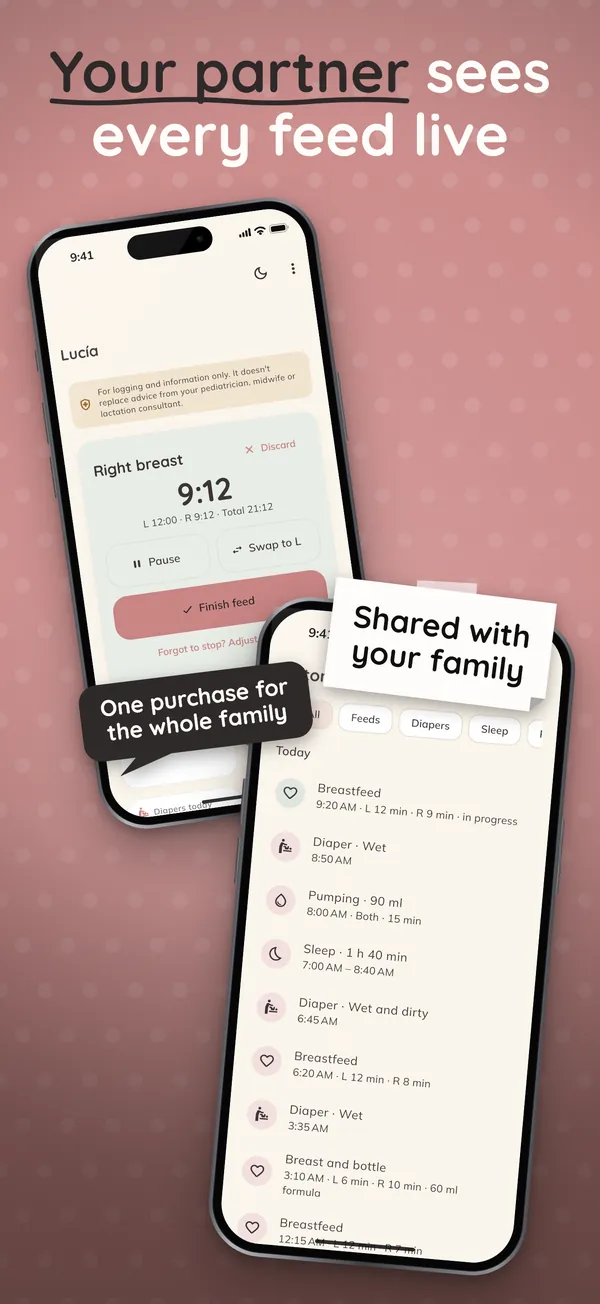
Your partner sees every feed live. In Settings you create a family code, and your partner types it in or scans its QR code. From then on, whatever one of you logs shows up on the other phone instantly, between iPhone and Android, with no account. The data is end-to-end encrypted: we cannot read it.
No signal, nothing lost. Every feed is saved on the phone the moment you tap, online or offline. When you switch phones, the system backup, an encrypted backup file or the family code itself brings back the whole log.
The timer on your lock screen. On iPhone it shows on the lock screen and in the Dynamic Island; on Android, in an ongoing notification. There is also a widget with the last feed. Both are free.
No ads, no AI, no account. No pop-up appears while you log a feed. The app makes no predictions: the next-feed reminder uses the interval you choose.
What is free and what is not
Logging is free forever, with no limits: breastfeeds, bottles, combination feeds, diapers, sleep, pumping, growth, the full history, CSV export, backup, the lock screen timer and the widget. What you log never ends up behind a paywall.
The family plan is optional. It adds live sharing with your partner, stats and charts, WHO growth percentiles, several babies and a PDF report for the pediatrician. It costs $19.99 a year with a one-month free trial, or $14.99 once, for life. It covers up to 8 phones in the family, so your partner never pays again.
An important note
The app is for logging and information only. It shows what you logged, but it does not diagnose, does not recommend amounts or intervals and does not replace advice from your pediatrician, your midwife or your lactation consultant. If anything worries you about how your baby is feeding or about their diapers, talk to them.
Breastfeeding, Bottle & Diaper is available now on Google Play and is coming soon to the App Store.