Ask anyone how many subscriptions they pay for and the first answer is usually wrong. The streaming service, the music app, cloud storage, the gym, the phone contract, a newspaper, the fitness app from January, the meal box you tried once and a free trial that quietly turned into an annual payment. Each one feels too small to bother with. Added up, they are often one of the biggest outgoings of the month, and the forgotten ones are money for nothing.
This guide sets out a simple routine that works with or without an app, then shows how our subscription tracker app, Subscription Tracker & Bills, takes care of the tedious bits.
Step 1: find every subscription and direct debit
You can't manage what you can't see. Give it fifteen minutes once; it pays for itself.
- Your phone's own lists. On iPhone, open Settings, tap your name, then Subscriptions to see everything billed through the App Store. On Android, open Google Play, tap your profile picture and go to Payments & subscriptions. Forgotten trials tend to hide here.
- Your bank app's list of direct debits and standing orders. Most UK banks show them in one place. Gyms, phone contracts, insurance and council tax usually live here.
- Card payments that repeat. Scroll back through two or three months of card statements for amounts that land on the same day each month, and small payments with odd merchant names. Annual renewals are the sneaky ones, so look back twelve months if you can. These are often "continuous payment authorities", which don't appear in your direct debit list.
- Your inbox. Search for "receipt", "renewal", "your plan" and "trial ends".
For each one, note the name, the price, how often it's taken (weekly, monthly, yearly), the next payment date and how you pay. That list is your tracker, whether it's a spreadsheet, a notebook or an app.
Step 2: set a reminder before every renewal
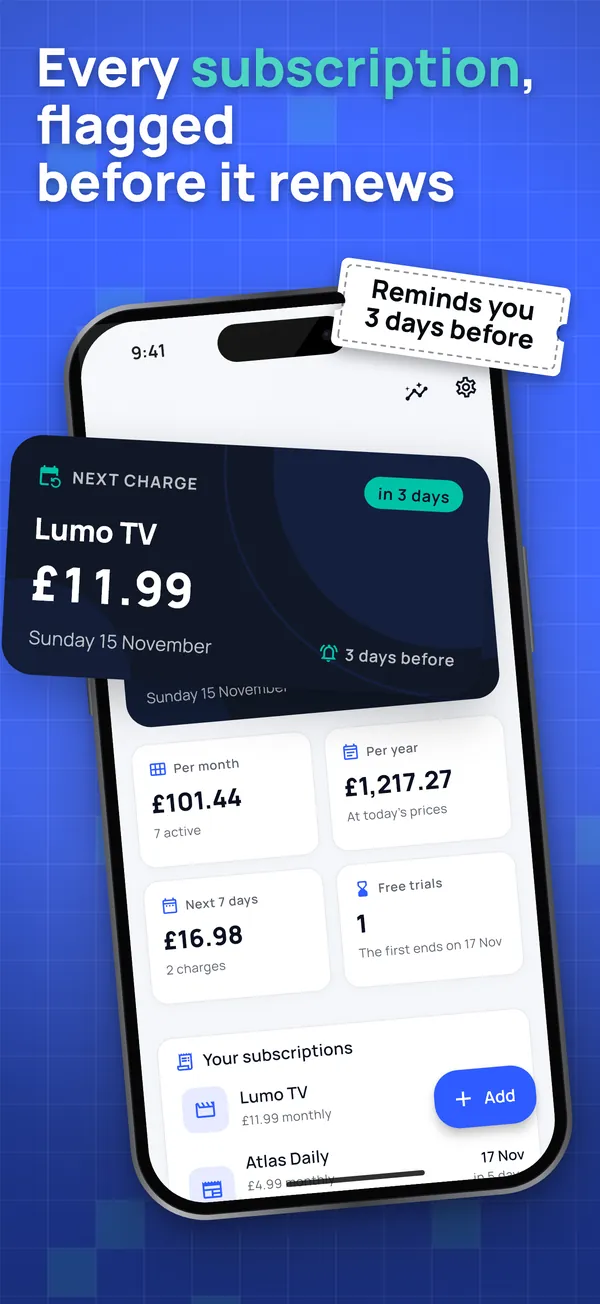
Finding them once isn't enough. Prices rise, trials convert and annual plans roll over while you're not looking. The answer is a reminder a few days before each payment, early enough to decide calmly whether it's still worth it.
Three days suits most people: enough time to cancel, not so early that you forget again. Free trials need their own reminder, because the day the trial ends isn't always the day of the first payment, and some services take a full year's fee the moment it ends.
Step 3: cancel through the right channel
Cancelling is where most money slips away, because how you cancel depends on where you signed up, not on the service.
- Anything billed through the App Store: cancel in iPhone Settings, your name, Subscriptions. Deleting the app cancels nothing.
- Anything billed through Google Play: cancel in Play, Payments & subscriptions. Uninstalling doesn't cancel either.
- Streaming and music services you pay directly: cancel on their website, in the account or membership section. Some only let you do it from a web browser, not inside their app.
- Gyms, phone contracts, insurance and newspapers: these may need a form, a call or written notice, and some have a minimum term or a notice period. Check the contract before you rely on the date.
- Anything bundled with something else (for example, an extra on your phone or broadband bill): cancel with whoever bills you.
Whatever the channel, two habits protect you: cancel a few days before the renewal date rather than on the day, and keep proof — the confirmation email, a reference number or a screenshot of the "your subscription has been cancelled" screen. The most common complaint about subscription apps, across more than 200 reviews we read, is "they charged me after I cancelled". With proof and a date, getting your money back is a short conversation.
Step 4: check the next statement
On the day the next payment would have gone out, check your statement. If it was taken anyway, contact the company with your proof first. For direct debits, the Direct Debit Guarantee lets you ask your bank for an immediate refund of a payment taken in error. For a recurring card payment, your bank can also stop future payments to that company if you ask.
How Subscription Tracker & Bills handles all this
We built the app around that routine, and around what people complain about most in other subscription trackers.
Every subscription comes with its own reminder. Add one and its reminder, 3 days before the payment, is already set: no extra screens. Trials get a separate "trial ends" reminder. The app also checks that reminders can actually get through (notification permission, and on Android exact alarms and battery optimisation), because "notifications don't work" is a frequent complaint about the best-known apps.
No bank login, no account, no email. You never hand over your banking details. You add subscriptions by hand or from one screenshot: a screenshot of a receipt, an email or your phone's subscription list is read on your phone, without AI and without a server. You check the name, price and date, and the image is deleted. It never leaves the phone.
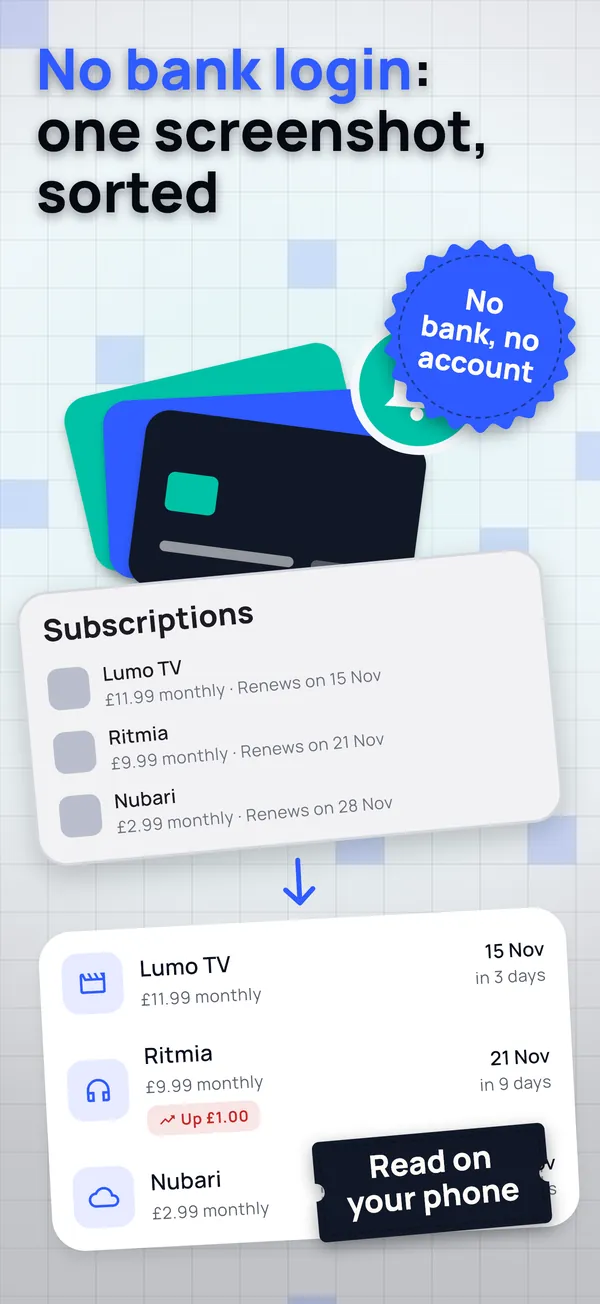
"Find forgotten ones". It opens the App Store and Google Play subscription lists from step 1, so you can screenshot them and add everything in one go.
A cancellation guide, and proof. Each subscription has a guide to cancelling it with the official link. When you cancel, you save the date, the channel, the reference and a screenshot of the confirmation. On the day the next payment would have been due, the app asks whether you were charged again and, if you were, explains how to claim it back.
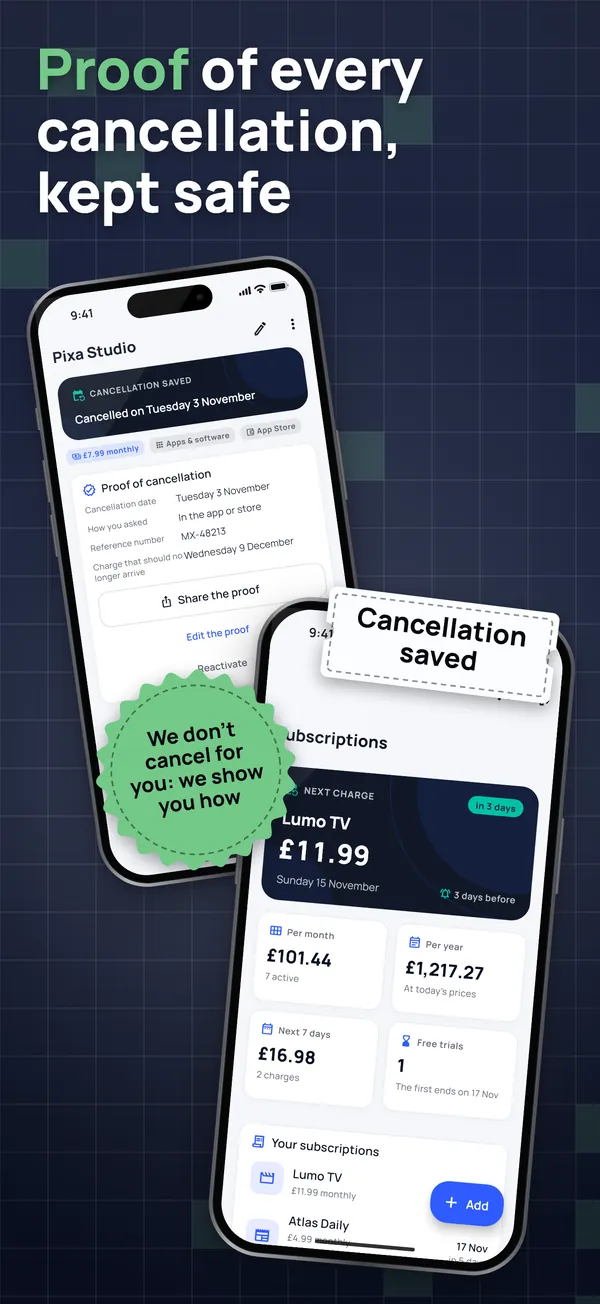
What you pay, at a glance. Monthly and yearly totals, your next payment in a Home Screen widget, CSV export and import, an encrypted backup and a Face ID or fingerprint lock.
One thing to be clear about: the app does not cancel for you. No app honestly can without your passwords, and "we'll cancel for you" services that don't are another common complaint. We tell you how, remind you in time and keep the proof.
A one-off payment, not another subscription
Paying a subscription to keep track of your subscriptions makes little sense, and it's the third most common complaint in this category. Some trackers charge weekly; others want a monthly fee or ask you to link your bank.
Subscription Tracker & Bills is free for up to 7 subscriptions, with their reminders, the cancellation guide, the proof, the widget and one screenshot import. A single one-off purchase unlocks unlimited subscriptions, unlimited screenshot imports and the charts by category and year. No weekly plan, no annual plan, nothing that renews.
What you have stays yours: no ads, free features never become paid, your data is never locked, and buyers get new features too. If you go over 7 on the free version, nothing is hidden or deleted; you just can't add more.
A five-minute monthly check
- Open your tracker and look at the next 30 days.
- For each payment, ask: did I use this last month?
- Cancel what you don't use, a few days before it renews, and keep the proof.
- Scan last month's statement for anything you don't recognise.
Done monthly, it's usually worth more than any voucher. The app is on Google Play now and coming soon to the App Store.