A crochet PDF usually has three parts: materials and gauge, abbreviations, and the instructions, written row by row or drawn as a symbol chart. On paper, a pencil and a sticky note handle all of it. On a phone you need a plan for three things: keeping the file safe, reading it comfortably, and not losing your line every time you look down at the work.
Step 1: keep the file somewhere you'll find it
When you buy a pattern, the PDF comes by email or from the designer's shop page. Save it to a folder on your phone (call it "Patterns") the day you buy it. Download links expire and emails get buried; a file on your phone doesn't.
Old paper patterns work too: photograph each page straight on, in good light, without your shadow over it.
Step 2: open it in something that won't fight you
A generic PDF viewer is fine for reading but awkward for crocheting. Tapping to turn a page makes it jump, and switching apps can drop you somewhere else in the file when you come back.
Before you start a project, check that whatever you use:
- Opens the whole file, including long patterns, big charts and scanned PDFs. Photo tutorials and symbol charts make files heavy.
- Opens edit-protected PDFs. Many designers lock editing to protect their work. That doesn't stop you reading it, but some apps refuse to open the file.
- Works offline. You crochet on trains, in waiting rooms and at the cabin. The pattern has to live on the phone.
Step 3: zoom the part you're working, then leave it
Symbol charts (ovals for chains, crosses or plus signs for single crochet, tall "T"s with a slash for double crochet) are unreadable at full-page size. Pinch into the section you're on and leave the screen there. Written patterns are the opposite: keep three or four rows in view so you can see what's coming.
Step 4: mark your row
This is the step that makes or breaks it. With paper, people slide a ruler, a sticky note or a magnetic strip under the current line. On a phone the equivalent is a highlight band across the row you're working.
The phone can do one thing paper can't: tie the band to your counter. Add a row and the band drops to the next line; subtract and it moves back. You never move anything by hand, and you never wonder where you left it.
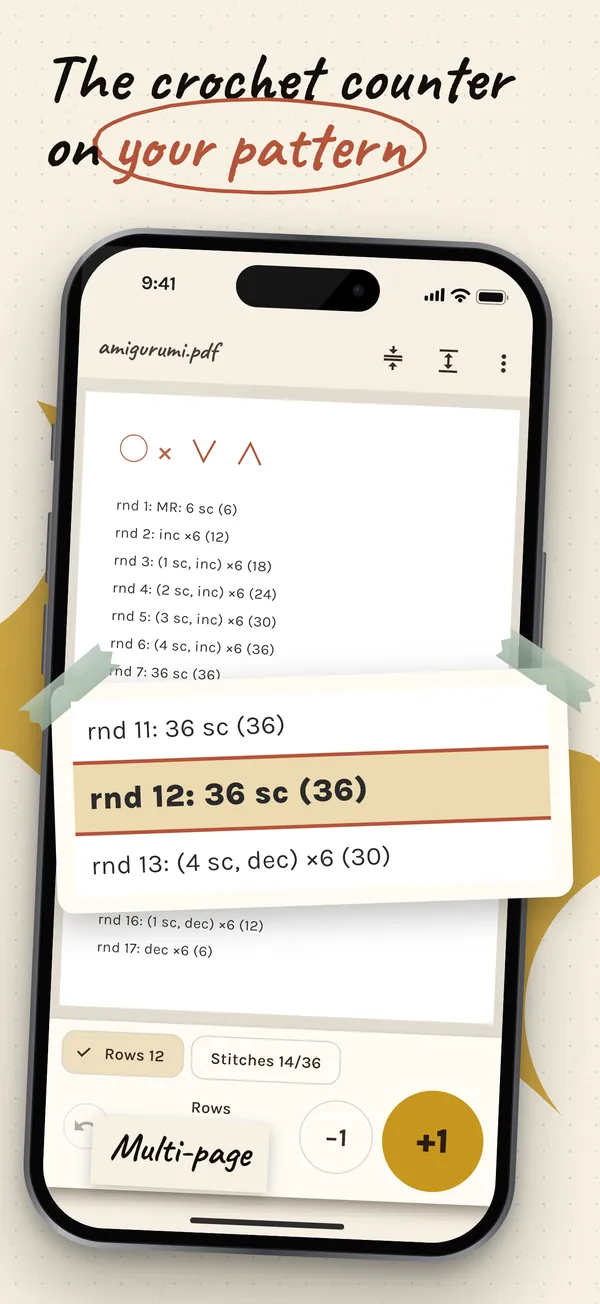
Knitting charts, and some crochet charts worked flat, are read from the bottom up, so there the band should climb instead.
Step 5: check which terms the pattern uses
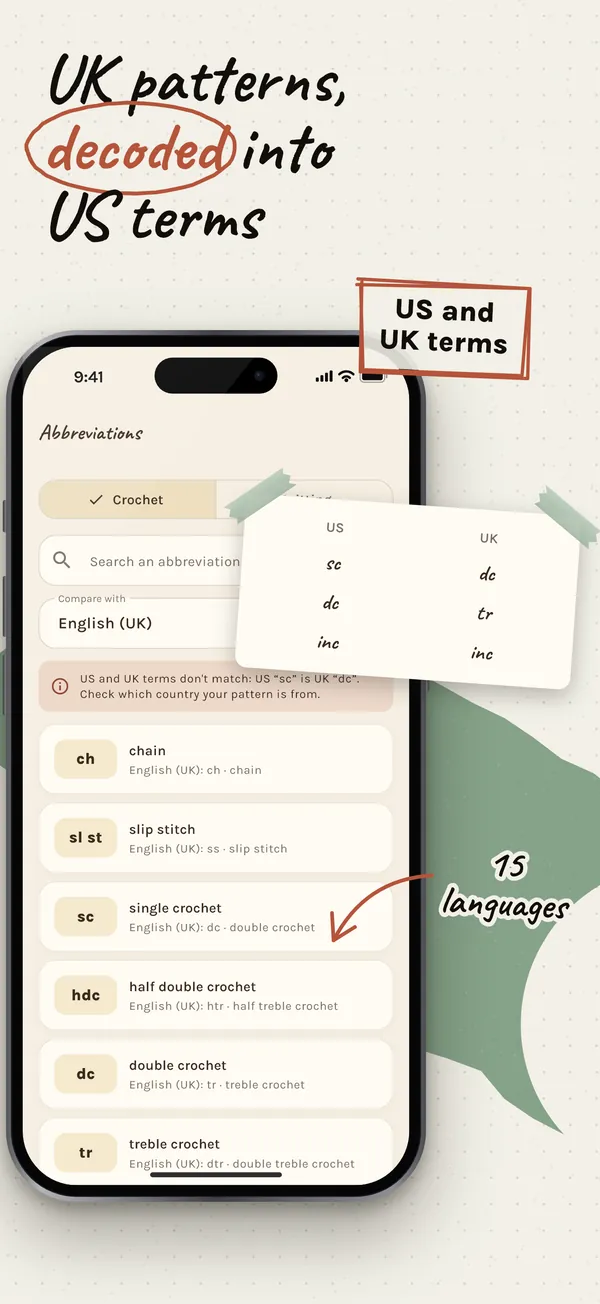
US and UK crochet terms use the same words for different stitches, and PDFs from all over the world end up in the same shops. Look for "US terms" or "UK terms" near the abbreviations list before you start.
| US | UK |
|---|---|
| single crochet (sc) | double crochet (dc) |
| half double crochet (hdc) | half treble (htr) |
| double crochet (dc) | treble (tr) |
| treble (tr) | double treble (dtr) |
A US pattern that says dc wants a tall stitch; a UK pattern that says dc wants a short one. Get it wrong and your amigurumi comes out twice the size.
When the PDF won't open
- Re-download it from the designer's shop, or ask the designer to resend it. A half-downloaded file can't be fixed on the phone.
- If it's huge, open it on a computer and export just the instruction pages.
- If it asks for a password (not just edit protection), you'll need the one that came with your purchase.
- If it's a crooked scan, a good photo of each printed page often reads better.
Habits worth avoiding
- Uploading a paid pattern to random websites "to view it better." It's your purchase and a designer's work; keep it on your device.
- Trusting patterns nobody has made. AI-generated amigurumi patterns and photos are circulating that simply can't be crocheted: the stitch counts don't match the picture. If a pattern has no known designer and no photos from people who've made it, be careful.
- Pattern in one app, counter in another. Every app switch is a chance to lose the row.
FAQ
Can I work a multi-page pattern this way? Yes. What matters is that your row marker follows you across pages and that the pattern reopens on the same page tomorrow.
What about chart-only patterns? Same approach: mark the row or round on the chart and zoom the section. In circular charts for amigurumi and granny squares, each ring is one round.
Do I ever need to print? Not really, but if you like pencil notes, print only the page that gives you trouble and keep the rest on your phone.
The short version
Save the PDF to your phone, open it in something that works offline and doesn't jump, zoom just the part you're working, check US versus UK terms, and above all mark your row. When the marker moves with your counter, "where was I?" stops being a question.