Skip to content

A film negative scanner in your phone camera, with the positive on screen before you shoot

Somewhere in the closet there's a shoebox of photo lab envelopes: orange strips of six frames, a few black and white rolls, a tray of slides from a road trip. Lay a strip on a white light, point your phone at it and the screen already shows the positive, with the color corrected from the edge of your own film. What you see is what gets saved, at your camera's full resolution, into your gallery with the roll's year inside. No scanner, no account, nothing uploaded anywhere.

Get it on Google PlayComing soon

Light box in your browser

Version 1.0 at a glance

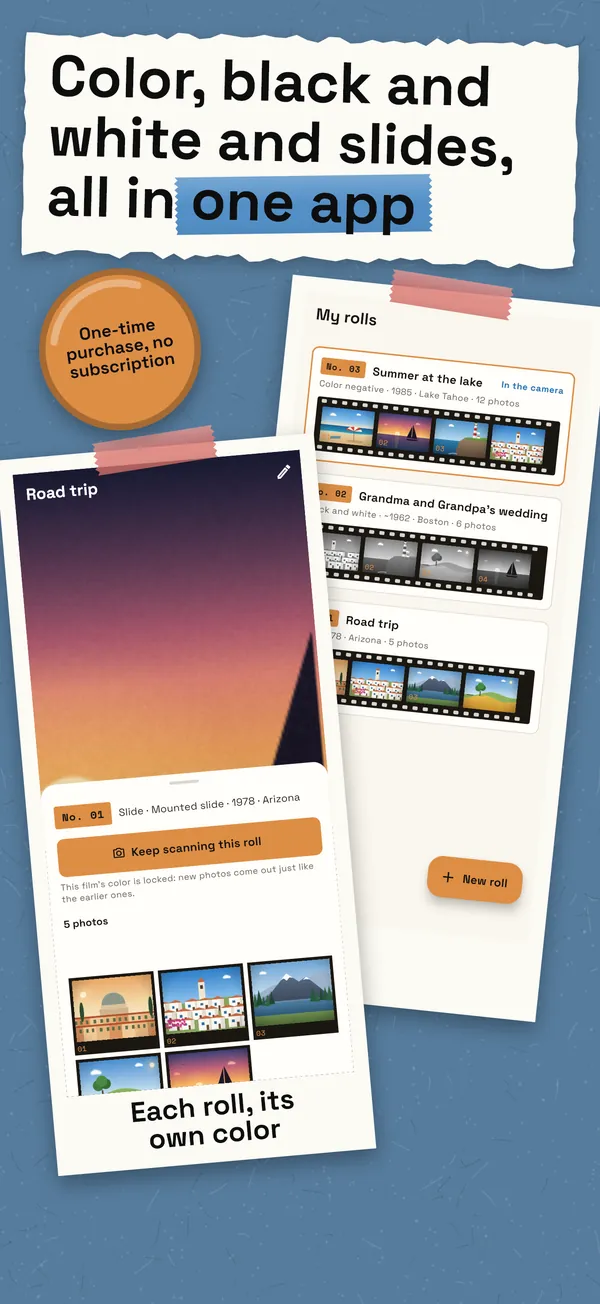
Film typesColor negative, black and white negative and slide film, in one app
Formats35mm, half frame, 6×4.5, 6×6, 6×7 and 6×9 (120 film), 110, 126 and mounted slides
ColorMeasured on the unexposed edge of your own film (or by tapping it, like an eyedropper) and kept per roll. Exposure, temperature, tint, contrast and saturation by hand, with undo
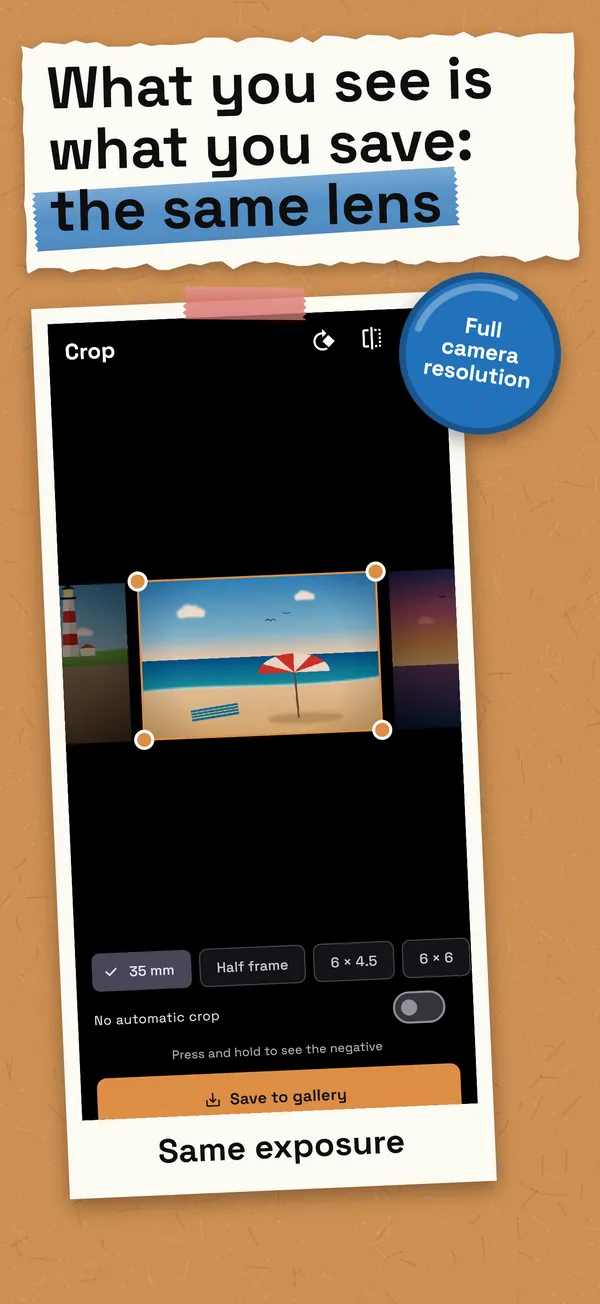
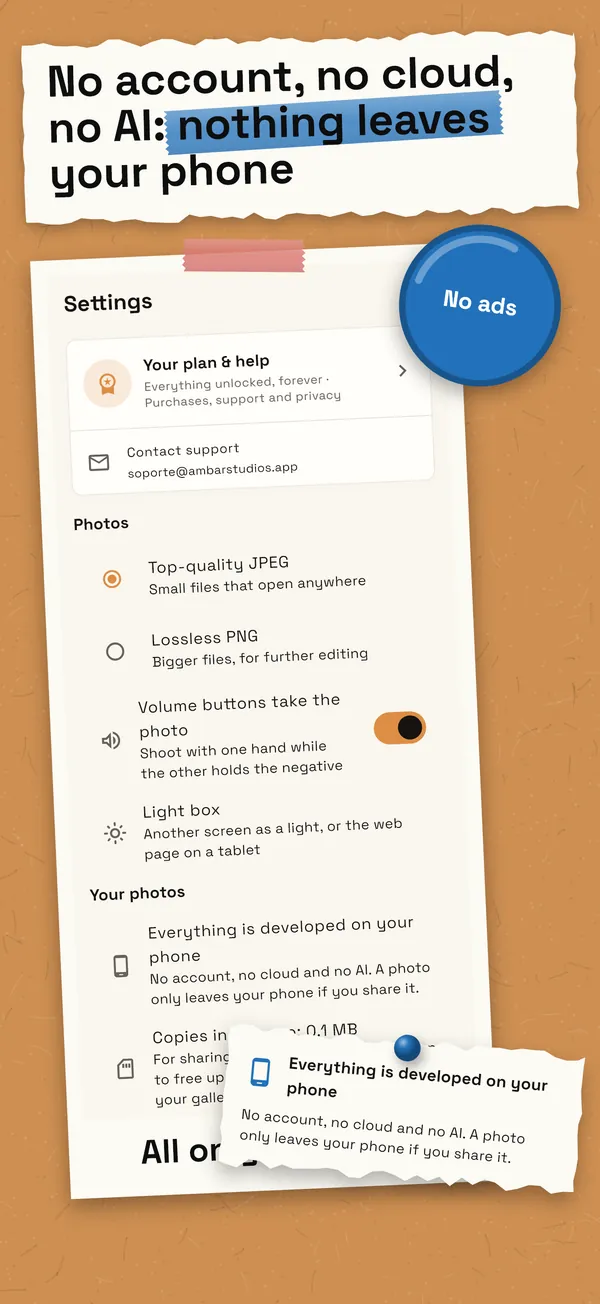
The photoSame lens and same exposure in the preview and in the photo; your camera's full resolution, as top-quality JPEG or lossless PNG
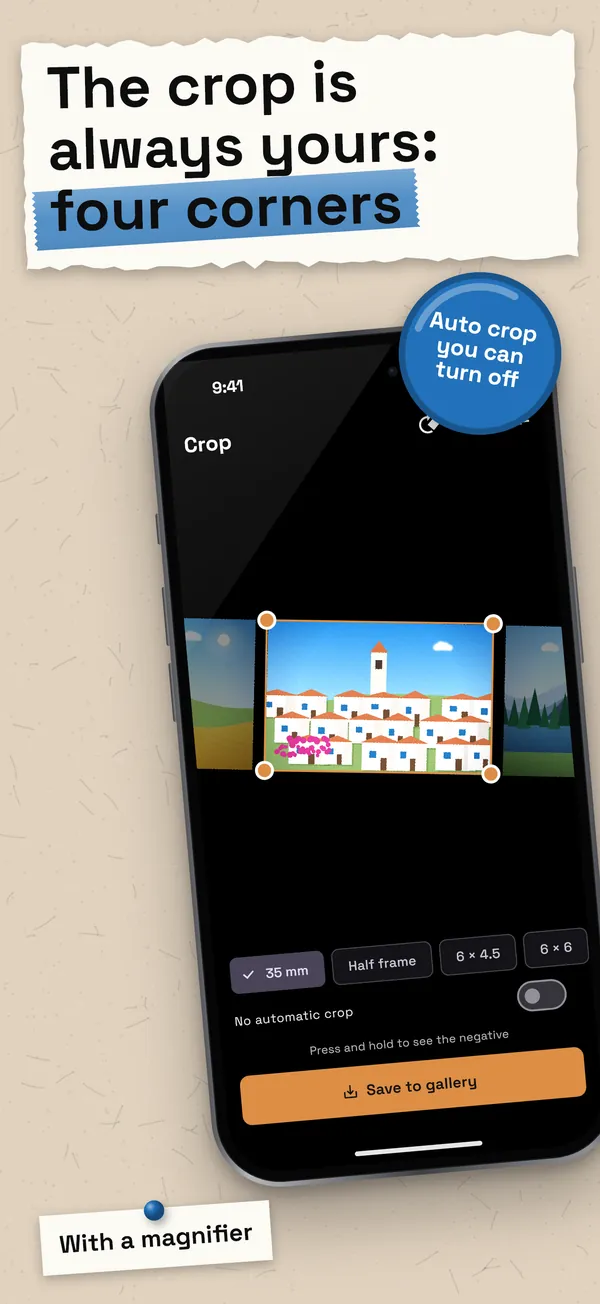
CroppingSuggested as you frame, always editable with four corners and a magnifier; rotate, mirror or turn it off
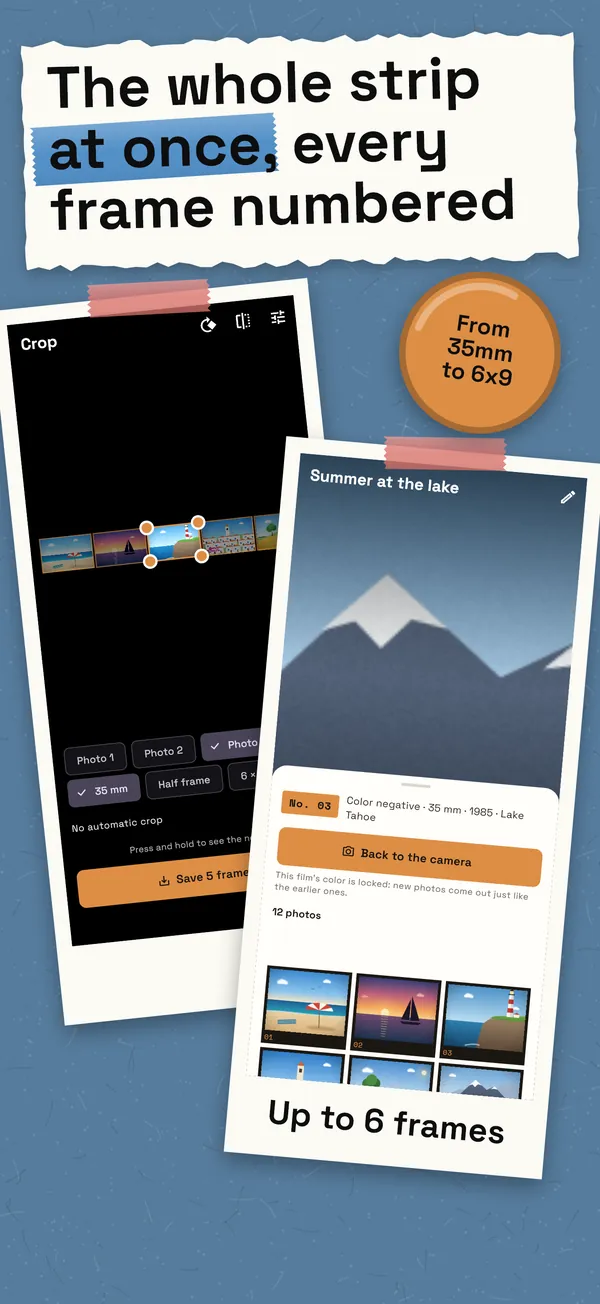
A whole stripUp to 6 frames at once, numbered and with matching color
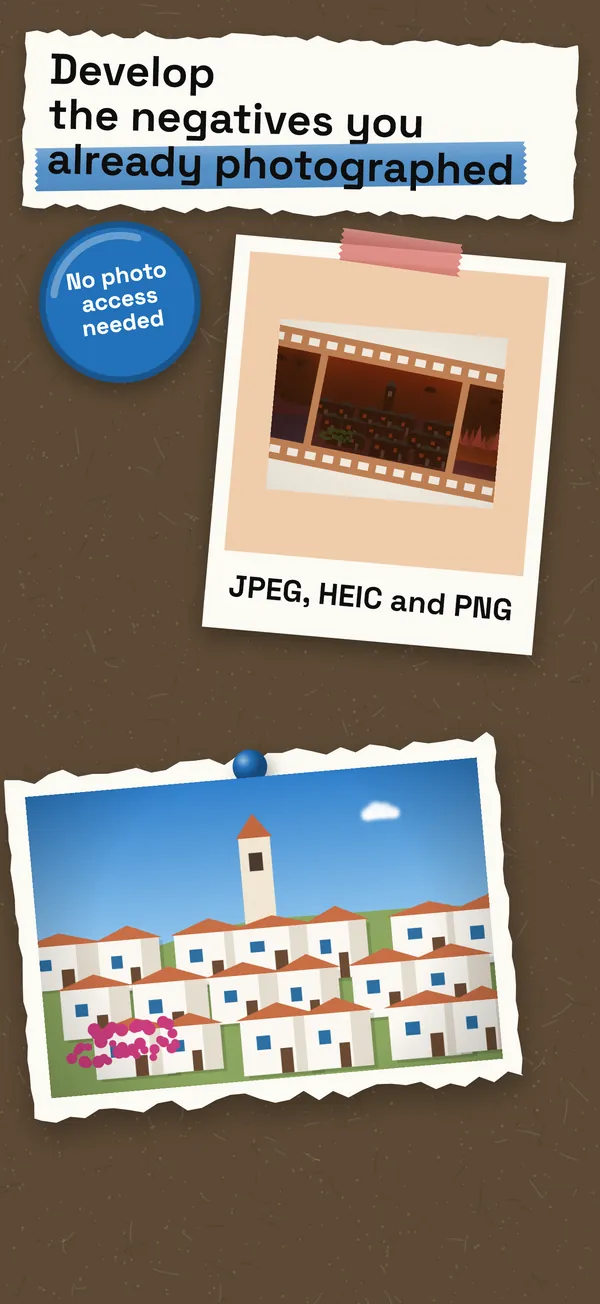
Photos you already tookNegatives you photographed before, from your gallery (JPEG, HEIC or PNG), without giving access to your photos
Hands-free shootingAuto capture when the image is still and sharp, volume buttons or a 2-second timer
Light boxAnother phone, a tablet or your computer as an even white light, in the app or on this site
Account, cloud and adsNone of them. Developing happens on the phone, with no AI
PriceYour first 20 photos are free and complete, with no watermark or time limit; after that, one payment that never expires
Not in version 1.0Paper prints, RAW capture, stitching several shots of a medium format frame and dust removal

See the app

From the lab envelope to your camera roll

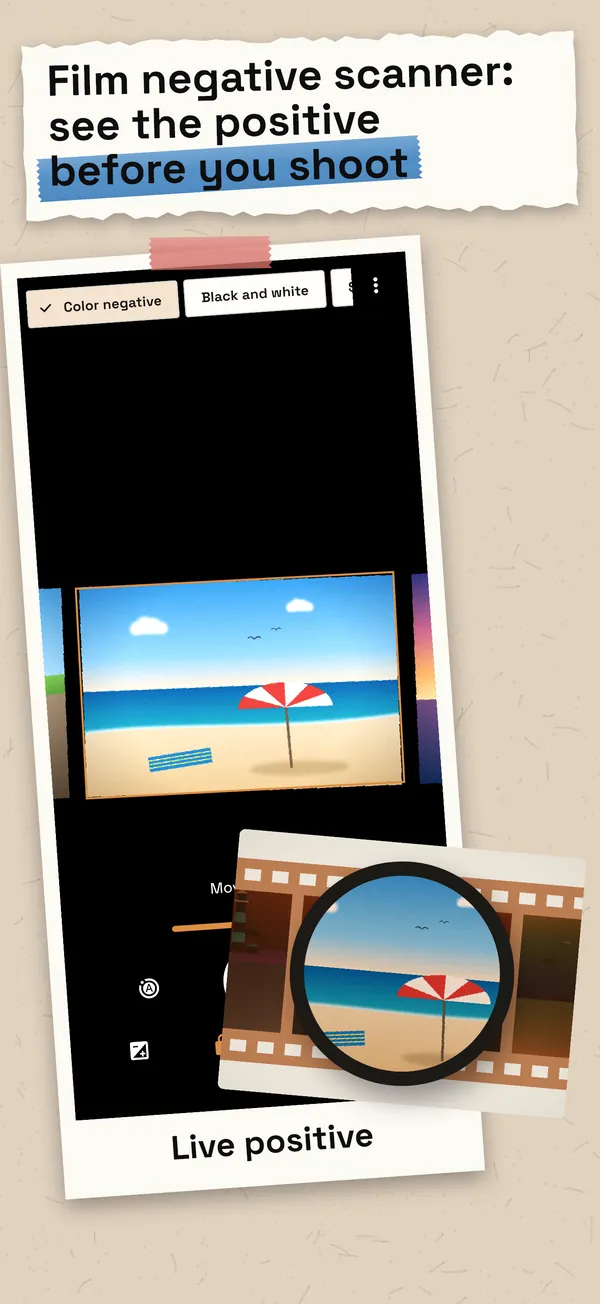
The positive is on screen before you press the shutter

An orange negative tells you nothing at a glance. Here you see it inverted and color corrected while you frame, so you know which photo it is and whether it's worth keeping before you do anything. Press and hold to see the original negative. Viewing is free and unlimited, which also makes it the quickest way to find one picture in a box of hundreds.

One roll, one color

Every film stock has its own orange base and its own cast. The app measures it on the unexposed edge of your negative and keeps it with the roll, so all 36 frames come out matching. Switch film, tap «measure again». Black and white negatives and slides get their own development, in the same app.

What you see is what you save

The preview and the photo come from the same lens, with the same exposure and the same development, so there are no surprises in your gallery. The photo is saved at your camera's full resolution with no smoothing, and on phones with several cameras the app picks the one that focuses closest by itself.

The crop is your call

The app suggests where the frame is, but you can always fix the crop with four corners and a magnifier, rotate it or switch it off. A whole strip on the light? It splits it into numbered frames and saves each one with the same color. And if you photographed your negatives years ago, it develops them straight from the gallery.

Family photos stay on your phone

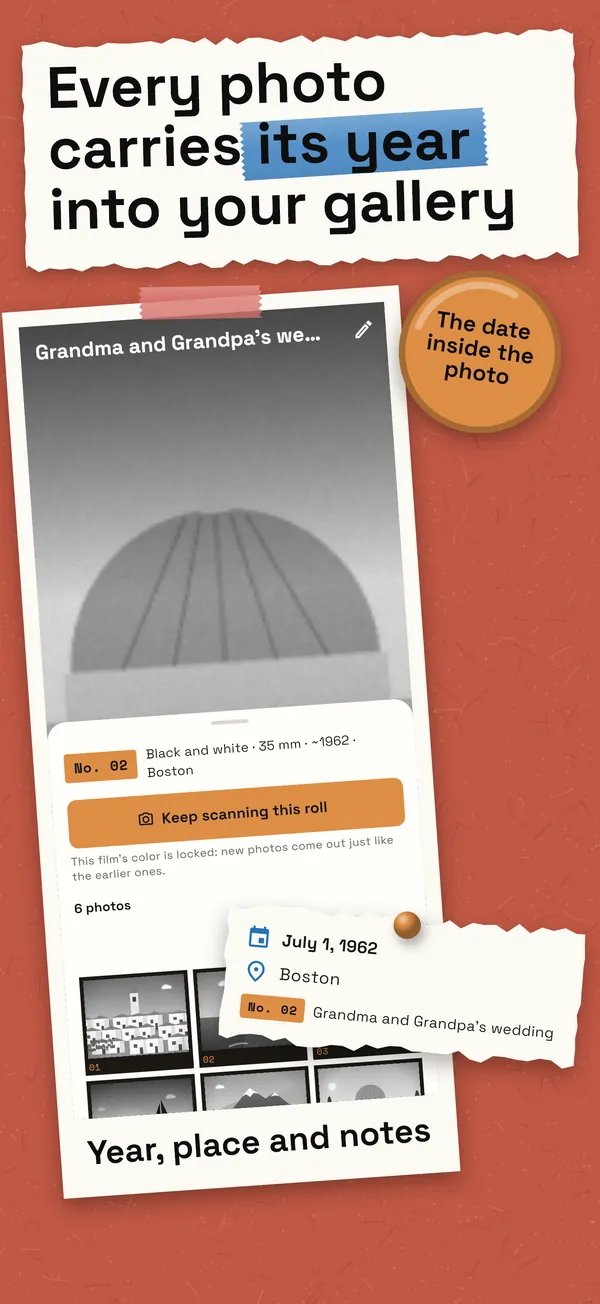
No account, no cloud and no AI: developing happens on the phone and a photo only leaves when you share it. Each roll keeps its name, year, place and notes, and the year goes inside the photo, so your gallery files the 1962 wedding under 1962, not under the day you scanned it.

20 complete photos before you pay anything

Your first 20 photos are saved with every feature, no watermark and no time limit. If you have a whole box to get through, one payment unlocks unlimited photos, a contact sheet of the roll as a PDF to pick what to print, and exporting a whole roll. It isn't a subscription and it doesn't expire.

Looking is free. Saving the whole box is one payment.

The positive viewfinder has no limit and your first 20 photos are complete, with no watermark and no expiry date. What's free today won't be cut back in a later version. The one-time purchase covers negatives and slides alike, you see your country's price before paying, and on a new phone «Restore purchases» unlocks it again.

How it works

  1. Find an even white light: a window with a sheet of paper in front, a tablet, or another phone running the light box in the app or on this site.

  2. Lay the negative or slide on top and pick the film type: color, black and white or slide.

  3. Point your phone at it: the screen shows the positive and suggests the crop. Adjust the color if you like.

  4. Shoot with the button, with the volume buttons, or let it shoot by itself once the image is still.

  5. Give the roll its name, year and place, and every photo lands in your gallery under its year.

Frequently asked questions

How do I scan film negatives at home without a scanner?

With your phone and a white light behind the negative: a window with a sheet of paper, a tablet, or the light box on this site on another screen. The app shows the positive while you frame, measures your film's color on its edge and saves the photo to your gallery. No extra hardware needed.

Does it work with black and white negatives and slides?

Yes. You pick the film type before shooting: color negative, black and white negative or slide, each with its own development. Formats: 35mm, half frame, 120 film (6×4.5, 6×6, 6×7 and 6×9), 110, 126 and mounted slides.

Can I convert negatives I already photographed into positives?

Yes. Pick the photo of the negative from your gallery (JPEG, HEIC or PNG) and the app develops it just as if you'd taken it with the app. It uses the system photo picker, so it only sees the photo you choose.

What quality can I expect?

Your camera's, at full resolution with no smoothing, using the lens that focuses closest. It depends a lot on your phone, the light and how still the negative is, so we don't promise a number: what you see in the preview is what's saved, and you can save 20 photos before paying to check it with your own negatives.

Why do my old negatives come out with strange colors?

Every film has its own orange mask and some shift over the years. The app measures the base on the unexposed edge of your negative and compensates for it; if it can't see the edge, it asks you to frame some or tap it with the eyedropper. Then you can fine-tune temperature, tint, contrast and saturation, and the setting stays for the whole roll.

Are my photos uploaded anywhere?

No. Developing happens on the phone, with no account, no cloud and no AI. The photo goes to your gallery and only leaves when you share it.

How much does it cost? Is it a subscription?

It isn't a subscription. Viewing positives is free and unlimited, and your first 20 photos are saved complete and without a watermark. After that, one payment unlocks unlimited photos, the contact sheet and roll export, for good.

What can I use as a light box?

Any even white screen. The app turns another phone or a tablet into a light box at full brightness, and this site does the same on a computer. If the screen's pixel grid shows up in the photo, the app warns you: slip a sheet of paper between the screen and the negative, or lift the negative a little.

Support

A negative that won't develop right? Email soporte@ambarstudios.app with a photo of the negative on the light and we'll take a look. Paid but can't save more? In Settings, tap Restore purchases with the same Google Play account.