
Skip to content

A P7M reader that opens the whole envelope: the document, the signer and what was checked

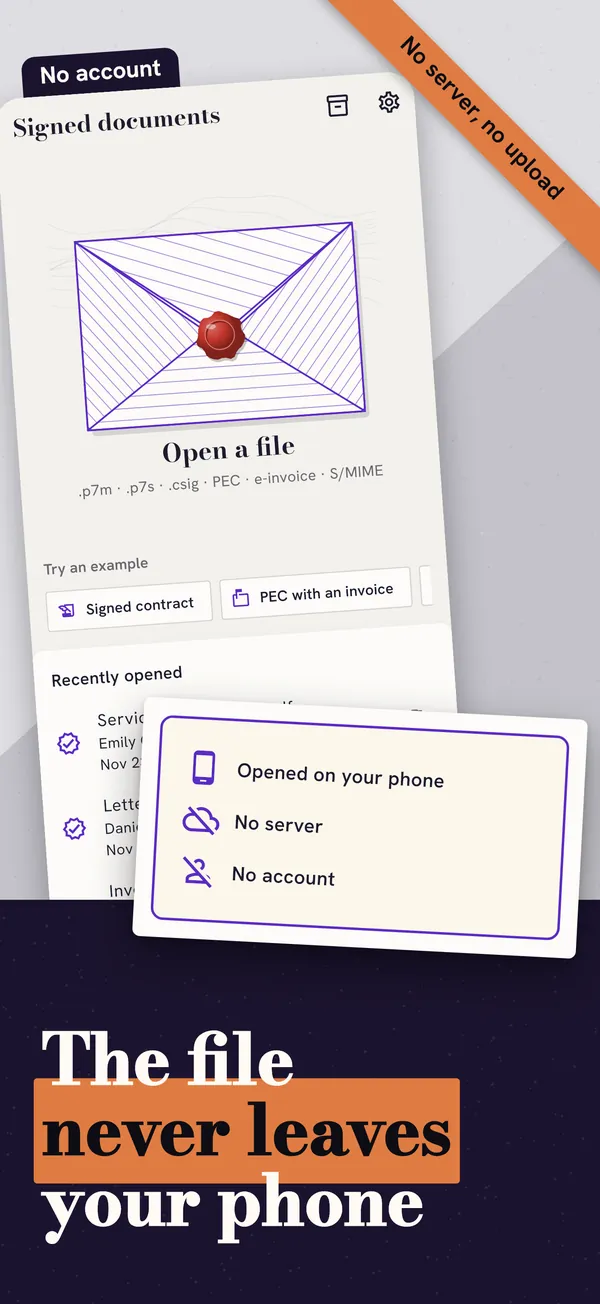
The attachment is called contract.pdf.p7m and your phone has no idea what to do with it. Tap Open with, pick this app, and the PDF inside appears in full, every page, next to the name of the person who signed it and the authority behind their certificate. The same goes for a .p7s beside its document, a .csig, an Italian certified email (PEC) saved as .eml, the e-invoice inside a .xml.p7m and a signed S/MIME email. It all happens on the phone: no account, no server, nothing uploaded.

Get it on Google PlayComing soon

P7M reader in the browser

Formats, checks and limits of version 1.0

Signed files.p7m (CAdES: binary, BER or base64, nested up to 6 layers), .p7s and .csig with their document, .m7m, .tsd and .tsr timestamps, signed PDFs (PAdES) and .zip
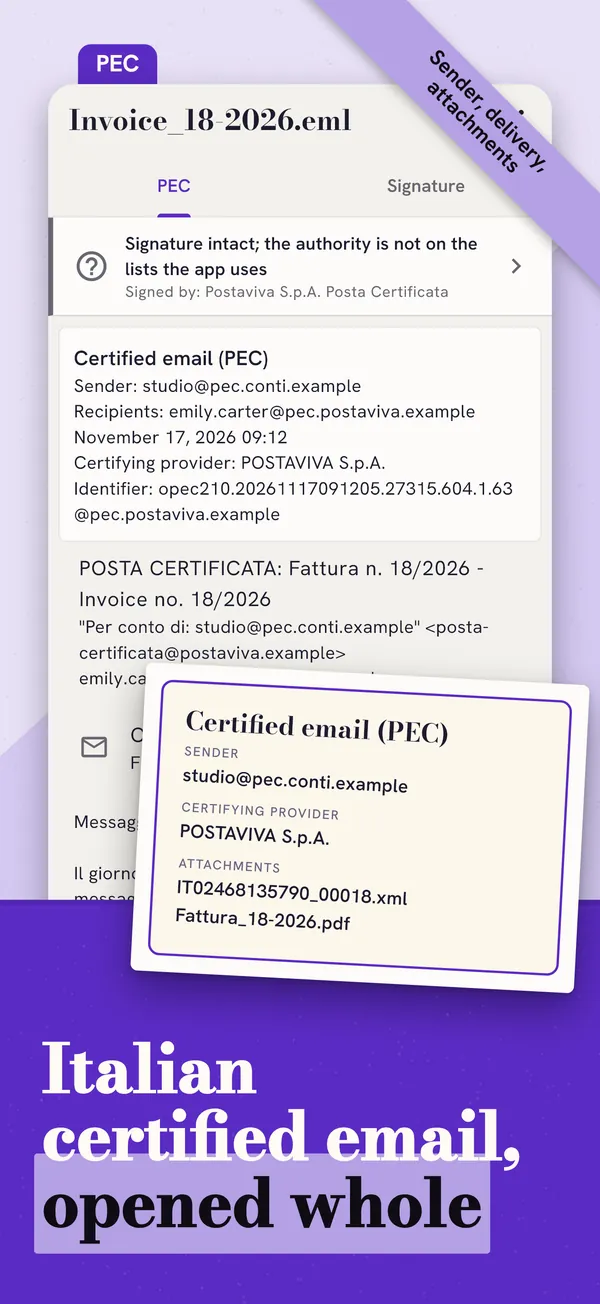
Italian certified email (PEC)The whole .eml: the delivery certificate (daticert.xml), the provider's signature, the original message with its attachments, and the receipts
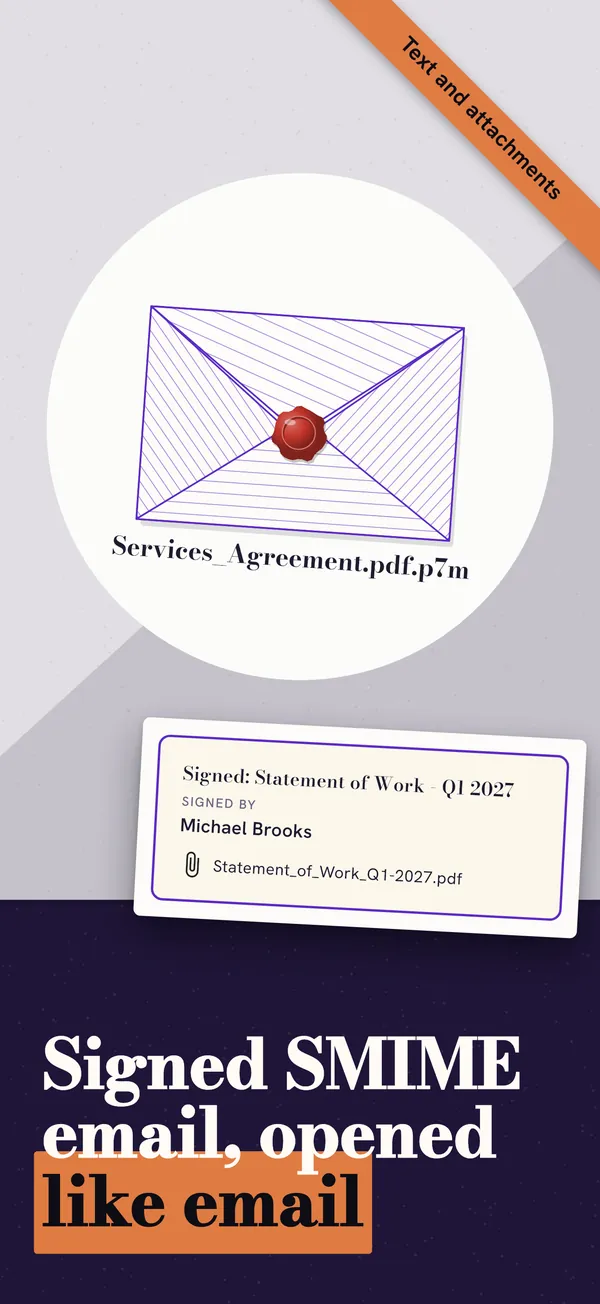
Signed S/MIME emailsmime.p7m and smime.p7s shown as an email: text, attachments and the person who signed
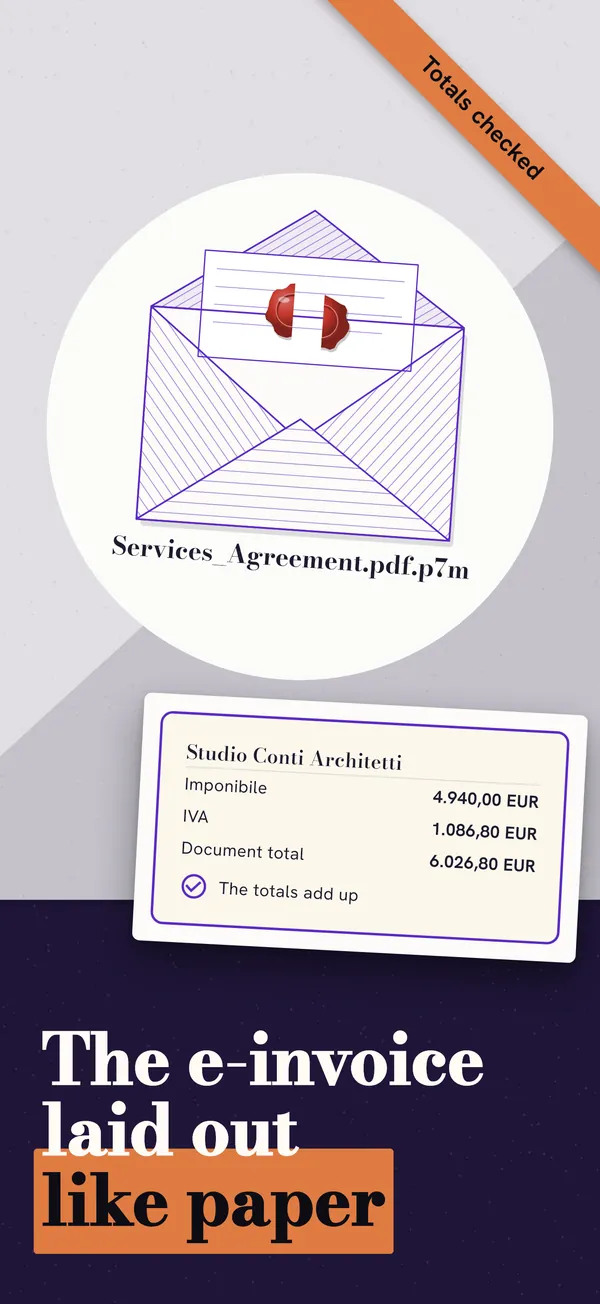
Italian e-invoice (FatturaPA)Laid out like the paper copy, with the total added up: ordinary invoices, credit notes, batches, simplified invoices and the files attached inside
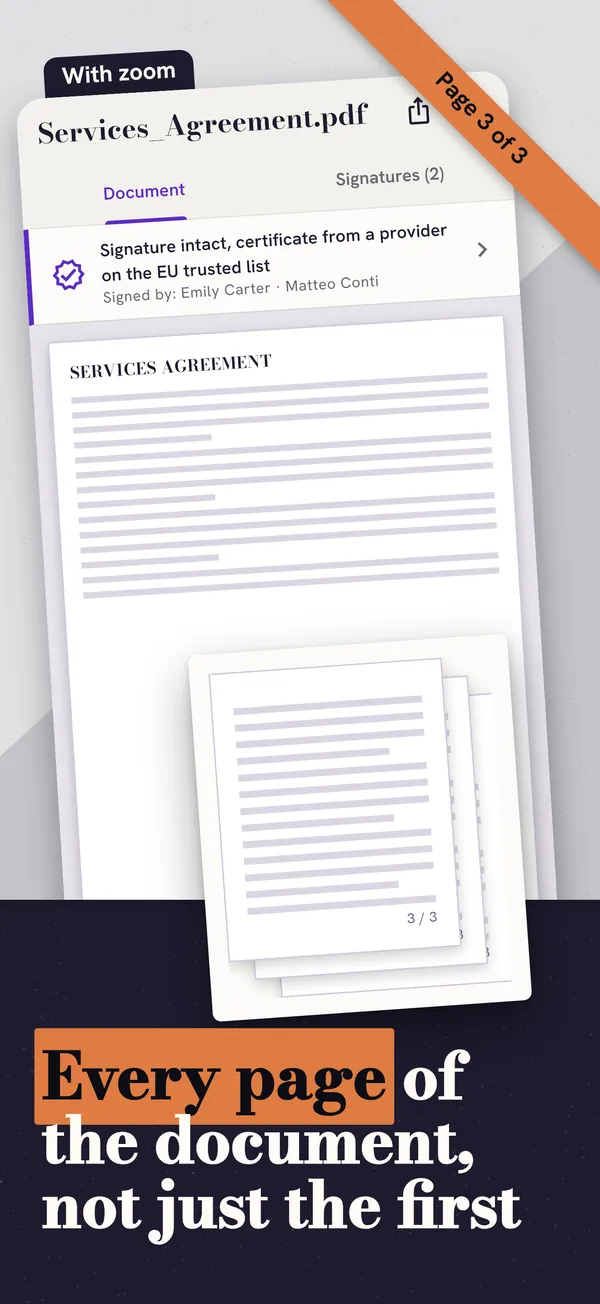
The documentEvery page, with zoom. The file inside can be saved or shared exactly as it was signed
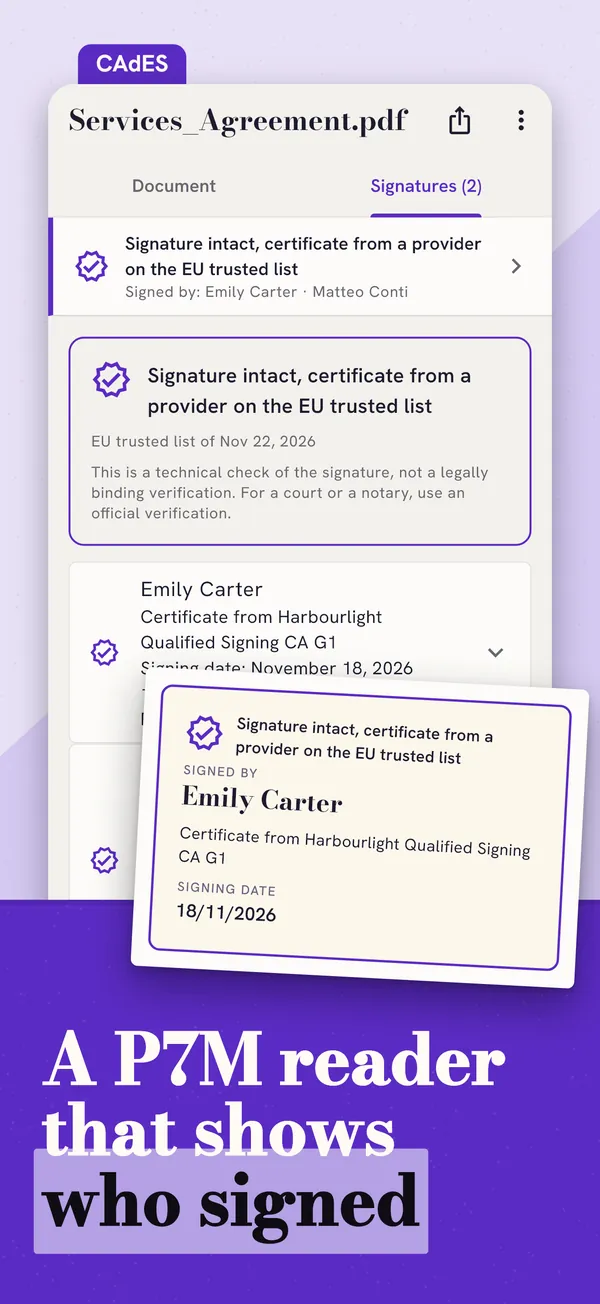
The signatureWho signed, which authority issued the certificate, the signing date, and whether the document changed after signing
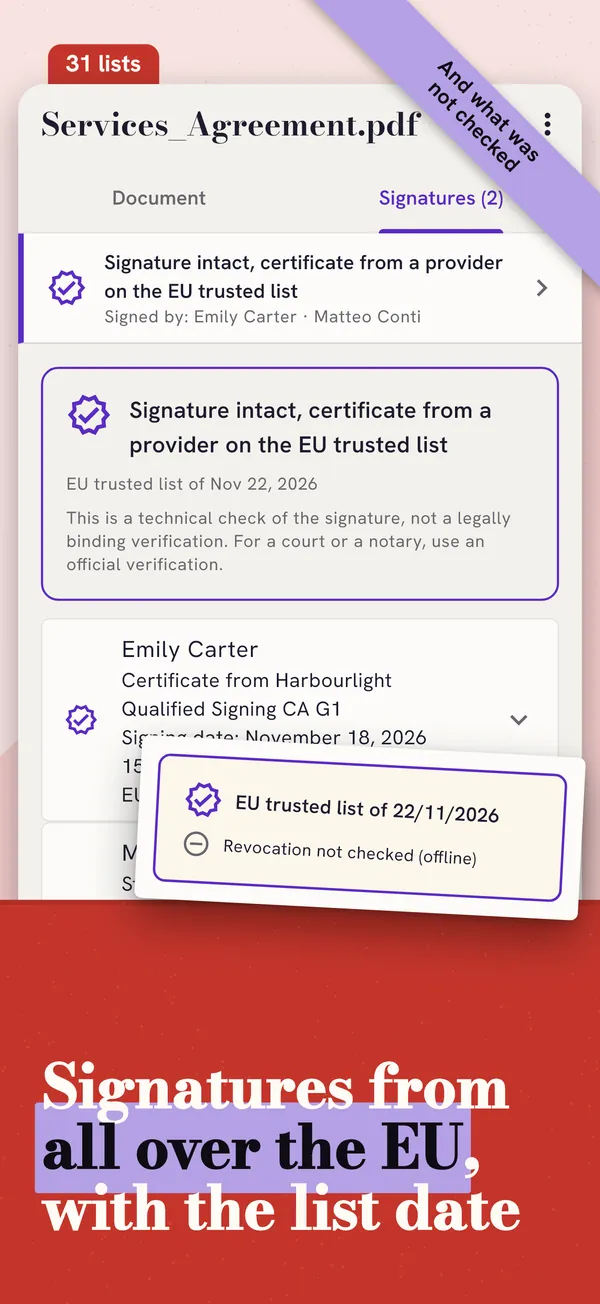
Where the authority is looked upThe EU trusted list (a dated snapshot that ships inside the app), the email certificate roots and ICP-Brasil
Not checkedRevocation: certificates are not looked up online, and every result says so
Opening a fileOpen with or Share from your mail app or file manager, or the system file picker. No storage permission
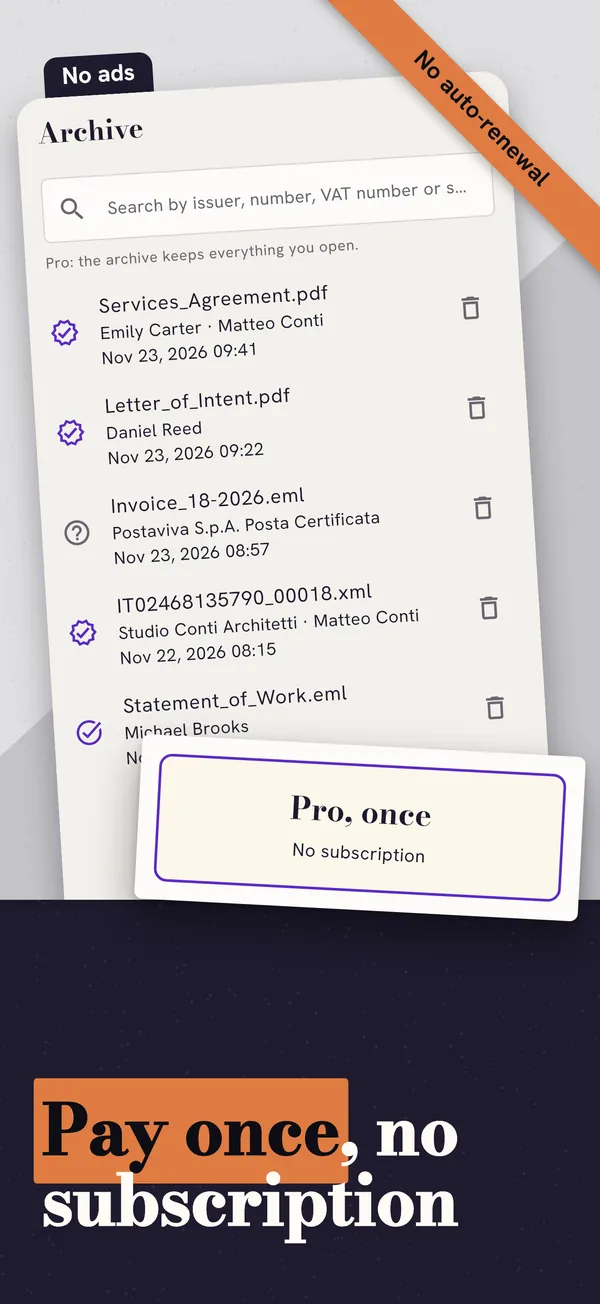
Free, with no adsEverything above with no limit, plus the last 10 files in the archive
Pro, one paymentInvoice and signature report as PDF, invoices to CSV, several files or a .zip at once, unlimited archive with search. Not a subscription
Platform and languagesAndroid (Google Play) for now. The app is in 13 languages

See the app

What comes out of the envelope

All 40 pages of a 40-page contract

There is no page limit and no counter. The PDF, XML, image or text inside the signature opens in full, with zoom, and you can save or share it exactly as it was signed. Files signed twice or more (.p7m.p7m), base64 or BER encoded open the same way, and a name like «contract (1).pdf.p7m» from a repeated download is no trouble.

A signature report in plain words

First the verdict on the bytes: signature intact, or changed after signing. Then the signer, the authority that issued the certificate and the date. The authority is looked up in the EU trusted list, a dated snapshot of the 31 national lists that ships with the app, and in the email roots and ICP-Brasil. What could not be checked, revocation, is written on every result instead of being left out.

Italian certified email, opened like an envelope

A PEC saved as postacert.eml shows the type of receipt, sender and recipients, when it was sent and when it was delivered, the provider's signature from daticert.xml, and the original message with every attachment. A signed attachment inside opens with one more tap.

S/MIME email that reads like email

When a desktop mail program signs a message, a phone often shows nothing but an attachment called smime.p7s or smime.p7m. This app puts the email back together: the text, the attachments you can open or save, and the name on the certificate that signed it.

An e-invoice you don't have to decode

The FatturaPA inside a .xml.p7m is drawn like the paper invoice: supplier, customer, lines, VAT, due dates and bank details, codes spelled out in words, and the total added up so you can see it matches. Credit notes, batches with several invoices, simplified invoices and the PDF copy attached inside are all covered.

Your file stays on your phone

No account to create and no server behind the app: the file is read on the phone and never uploaded. It opens from Open with or Share in your mail app or file manager, or from the system picker, without asking for access to your storage. If a file is in a format the app can't read, it tells you which format, instead of showing a blank screen.

Opening, reading and saving cost nothing, and that won't shrink.

Everything you need to read a signed file is free, with no limit and no ads: the whole document, who signed it, the signature check and saving what's inside. Pro is for people who receive a lot of them, and it's a single purchase, never a subscription: the e-invoice and the signature report as PDFs, invoices to CSV, several files or a .zip at once, and an archive with no limit and a search box. You see the price in your currency before paying, and Restore purchase in Settings brings it back on a new phone.

How it works

  1. In your mail app or file manager, tap the .p7m, .p7s, .csig or .eml file and choose Open with (or Share) and this app. You can also pick the file from inside the app.

  2. The Document tab shows what was signed, every page. For a detached .p7s or .csig, the app asks you for the document it belongs to.

  3. The Signatures tab shows who signed, the authority, the date, the list where that authority was found and what was not checked.

  4. Save or share the document inside as it is. The last 10 files stay in the app's archive until you delete them.

Frequently asked questions

How do I open a .p7m file on Android?

Tap it in your mail app or file manager, choose Open with or Share, then this P7M reader. The signature envelope is taken off and the document inside (a PDF, an XML, an image or text) opens in full. Nothing is converted on a server: it all happens on the phone.

What is the difference between a .p7m and a .p7s?

A .p7m carries the document inside its signature. A .p7s is a detached signature that travels next to the document: the app asks you to choose that document and checks the signature against it. The .csig files used in Spain come in both forms and open the same way.

Can it tell me whether a signature can be trusted?

It gives a technical check: whether the document changed after signing, whether the signature matches the certificate it carries, and whether the issuing authority appears in the EU trusted list (a dated snapshot inside the app), the email roots or ICP-Brasil. Revocation is not looked up online, and the result says so. It is a technical check, not a verification with legal value: for a court or a notary, use an official verification.

How do I open smime.p7s or smime.p7m?

Those attachments are signed emails, usually sent from a desktop mail program. Open the attachment with the app and you get the email back: its text, its attachments and the name of the signer.

Can I open an Italian PEC (.eml) on my phone?

Yes. Save it or forward it as an .eml file and open it with the app: you see the receipt type, sender, recipients, sent and delivered times, the provider's signature and the original message with its attachments.

Does it read Italian electronic invoices?

Yes, FatturaPA files in .xml and .xml.p7m, laid out like paper with the total checked, including credit notes, batches, simplified invoices and attachments. With Pro you can save the invoice as a PDF or export invoices to CSV.

Is my file uploaded anywhere?

No. There is no account and no server: the file is read on the phone. If you only have a computer at hand, ambarstudios.app/p7m-files/open/ opens a .p7m in the browser, also without uploading it.

Is it free? Is Pro a subscription?

Reading is free, with no limit and no ads. Pro is one payment for the PDF invoice and report, CSV export, opening several files or a .zip at once and the unlimited archive with search. It never renews and there is nothing to cancel.

Is there an iPhone version?

Not yet. Version 1.0 is for Android, on Google Play, and the app itself is in 13 languages.

Support

A file that won't open, or a result you don't understand? Write to soporte@ambarstudios.app with the type of file and what the app said; there's no need to send the file itself. Bought Pro and can't see it? Go to Settings and tap Restore purchase with the same Google Play account.